
Without this, we couldn’t have migrated them. We didn’t have the bandwidth, the tooling, or the resources. In a couple hours we had a repeatable template running their data exactly how we needed.
Turn every import into a reusable template
Migrate any client's data in minutes
and never rebuild it again.
and never rebuild it again.
An AI workbench for vertical-SaaS implementation teams. Map, transform, and validate each file in plain English, then save the mapping as a template. The next client off the same system is already mapped, and the AI gets smarter each time.
Try risk-free for 30 days, get started with a personalized walkthrough
www.dataflowmapper.com
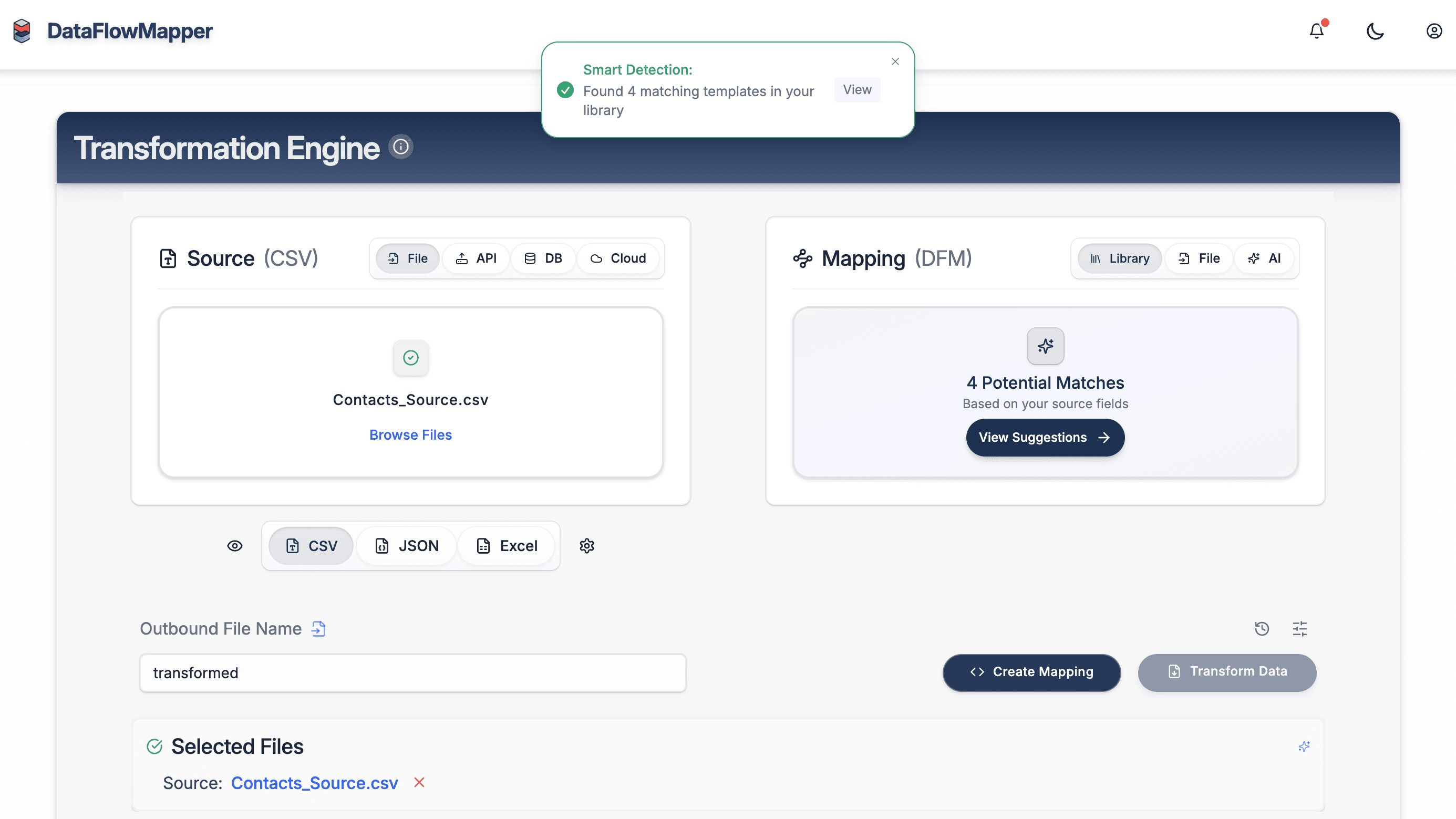
§ 01Capacity
An asset, not a one-off
Run a four-person team like it’s seven.
Save each mapping as a reusable template, while the AI learns more with each migration. Capacity compounds with every customer onboarded.
Customer
Velocity
2–3×
more client go-lives
per implementation rep
Engineering load
Zero
engineering work to
onboard the next client
Asset growth
+1/run
reusable template added
with every onboarding
§ 02Autonomy
Two paths
Delegate it,
or drive it.
Hand the data to the autonomous pipeline, or steer an AI copilot at the level of autonomy you choose. Anywhere from auto-approve to off. Every onboarding produces the same editable template, in your library, yours to keep.
manualautonomous
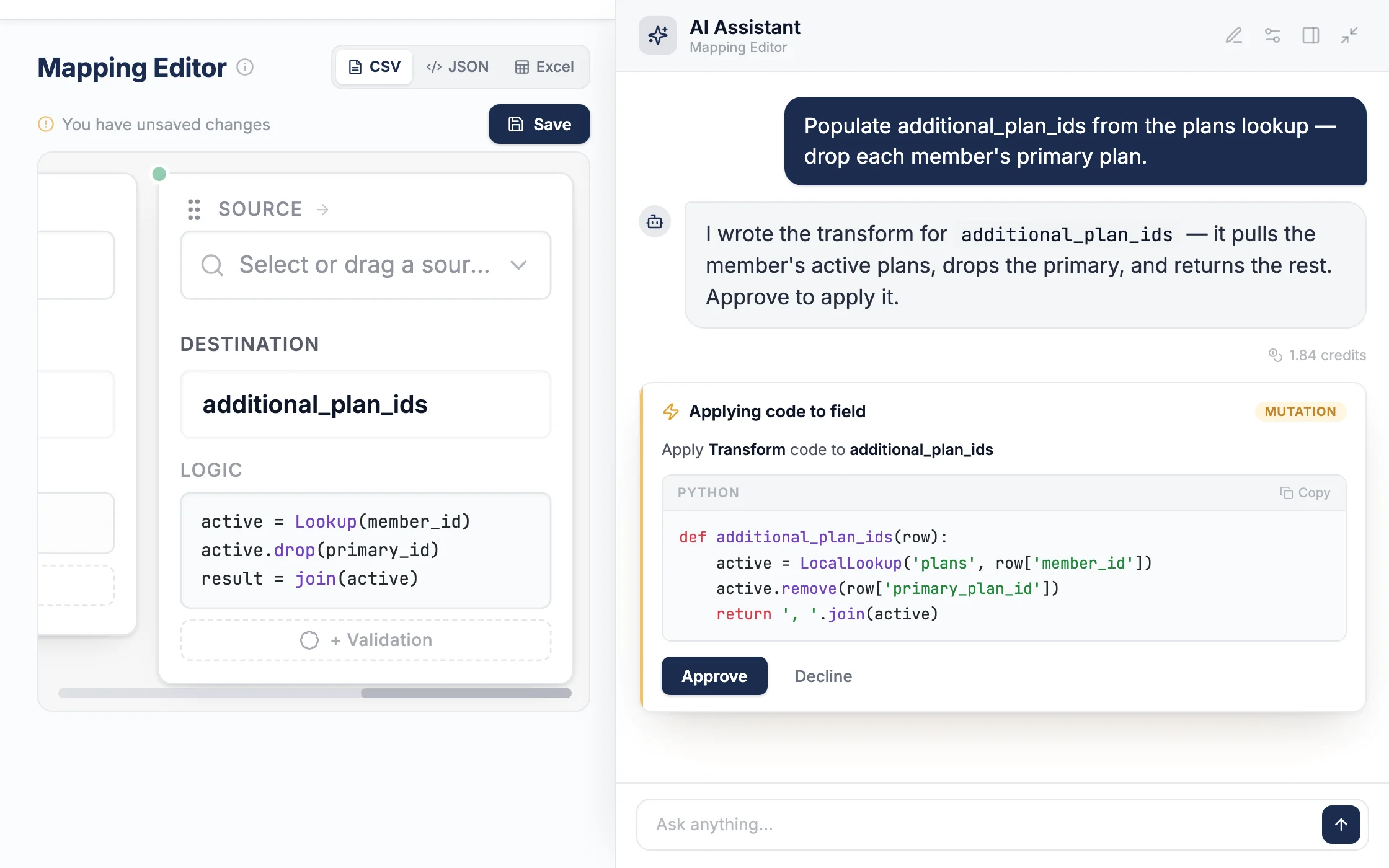
01Drive it
AI copilot.
A goal in plain English, or your hands on the wheel. The copilot navigates and executes any feature in the app, at the permission level you set. Auto, per-step, or off.
You drive·Python escape hatch for edges
app.dataflowmapper.com/mapping
Autonomy
manualper-step
You have the wheel
02Hand it off
Autonomous pipeline.
Source files in, editable template out. The agent maps, transforms, validates, and self-corrects across cycles, flagging review items as it goes.
Runs in the background·You approve the output
app.dataflowmapper.com/pipeline
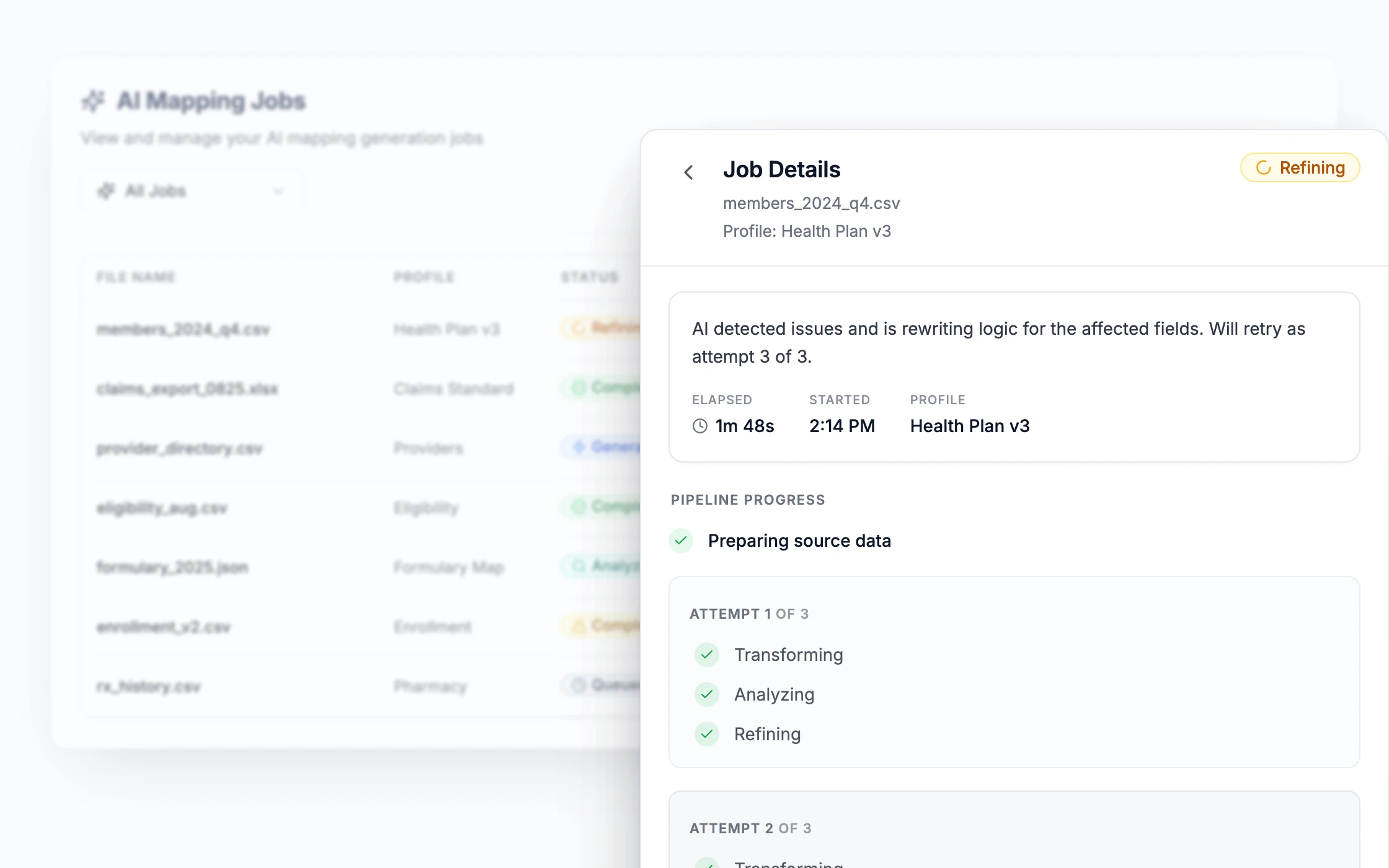
Runningcycle 3 of 4
AssetEditable template
§ 03Workbench
One surface, end to end
Drop into the workbench, any time.
Map, validate, enrich, remember. The agent works in the same surface you do, so you can take any step yourself, audit what it produced, or build a template from scratch.
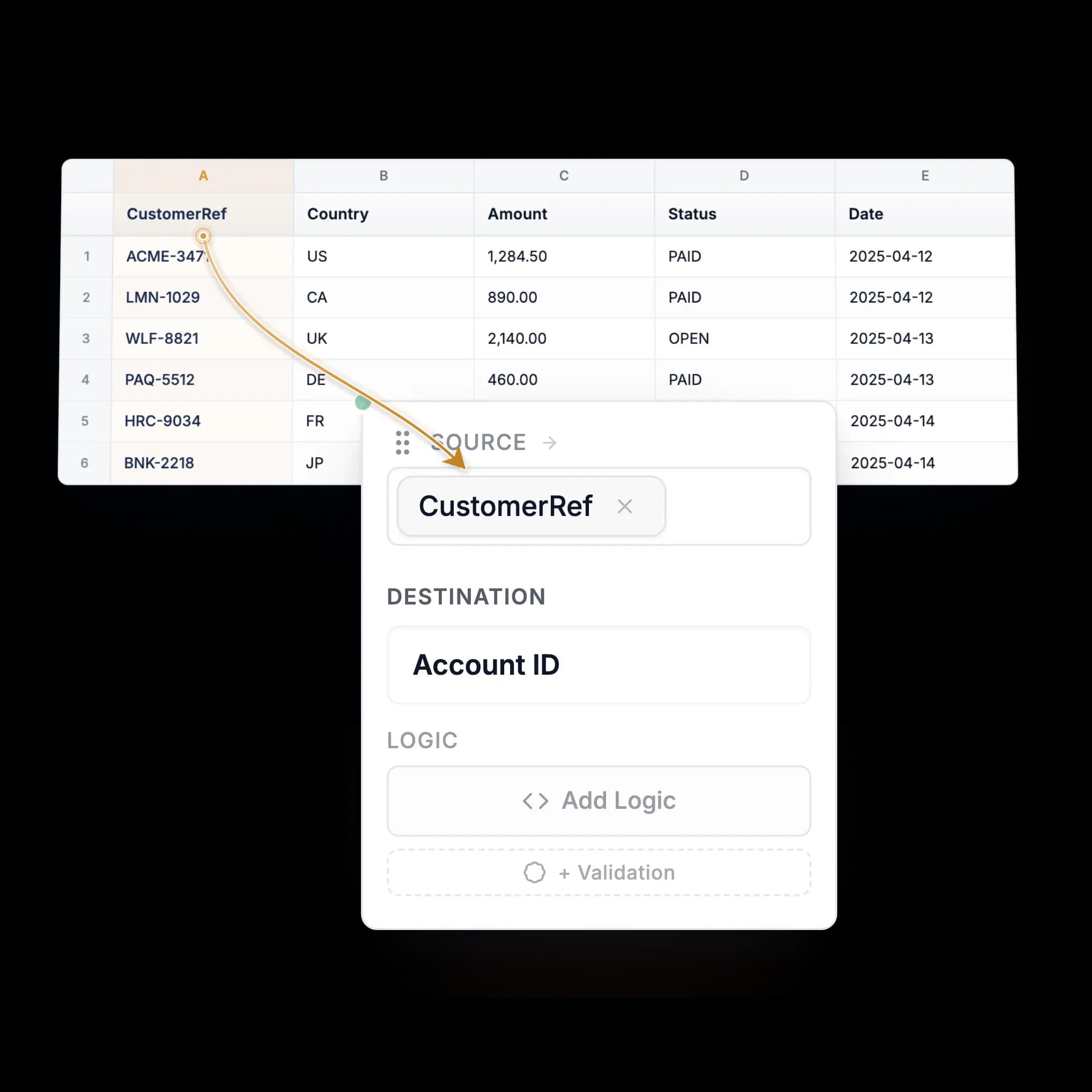
01·Map
Map any client’s schema, visually.
One card per field: source, destination, logic, validations. AI is the operator, not the engine, so hundreds of thousands of rows run the same as a few thousand.
AI-assistedDrag & drop
mapping editor
12 of 14 mapped
team knowledge
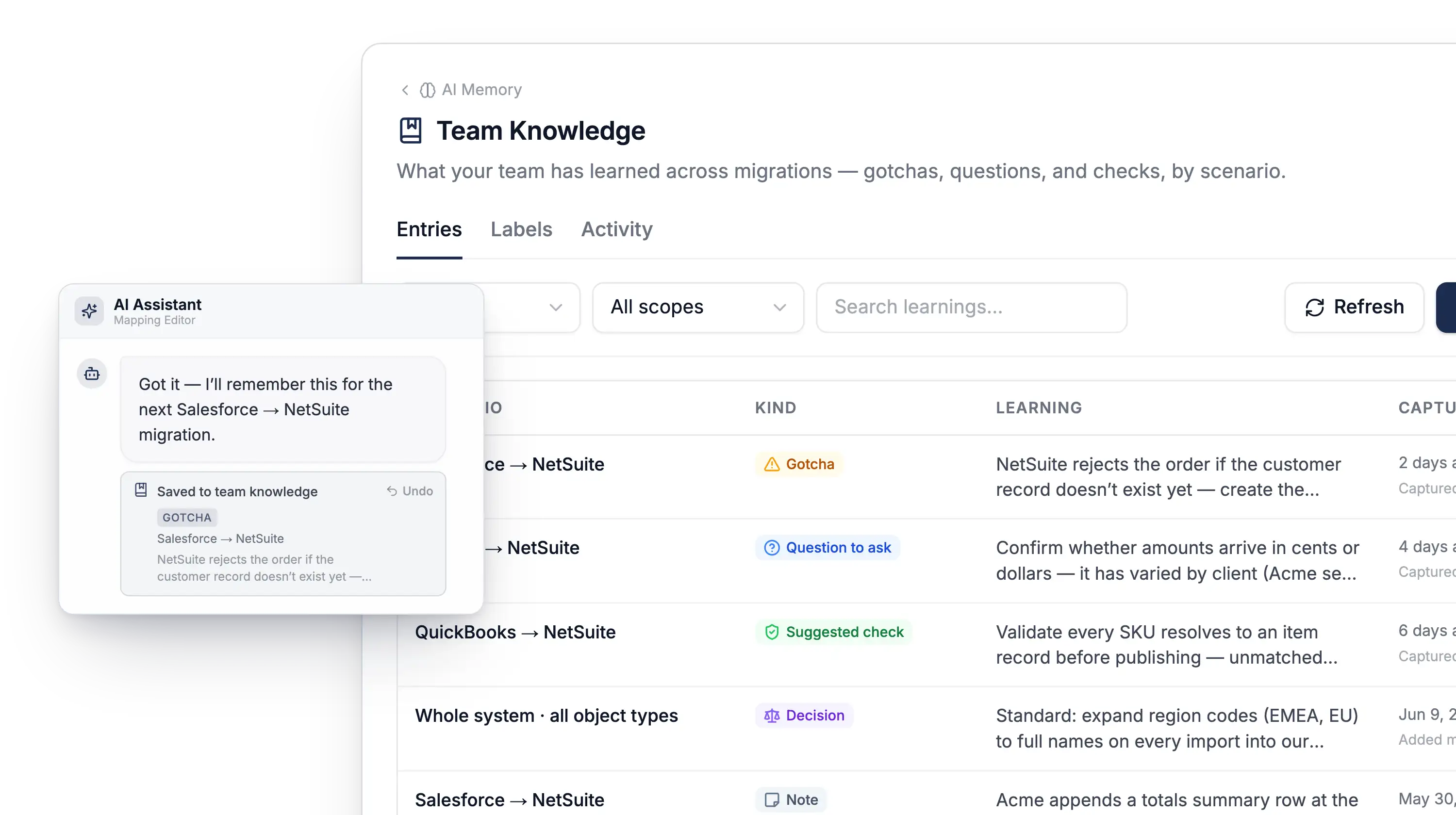
02·Knowledge
The system of record for your migrations.
As your team works, the AI picks up the system requirements, nuances, and gotchas that would otherwise live in one person's head, so each migration is easier than the last.
Team-wideAuditedSearchable
validation
3 errors
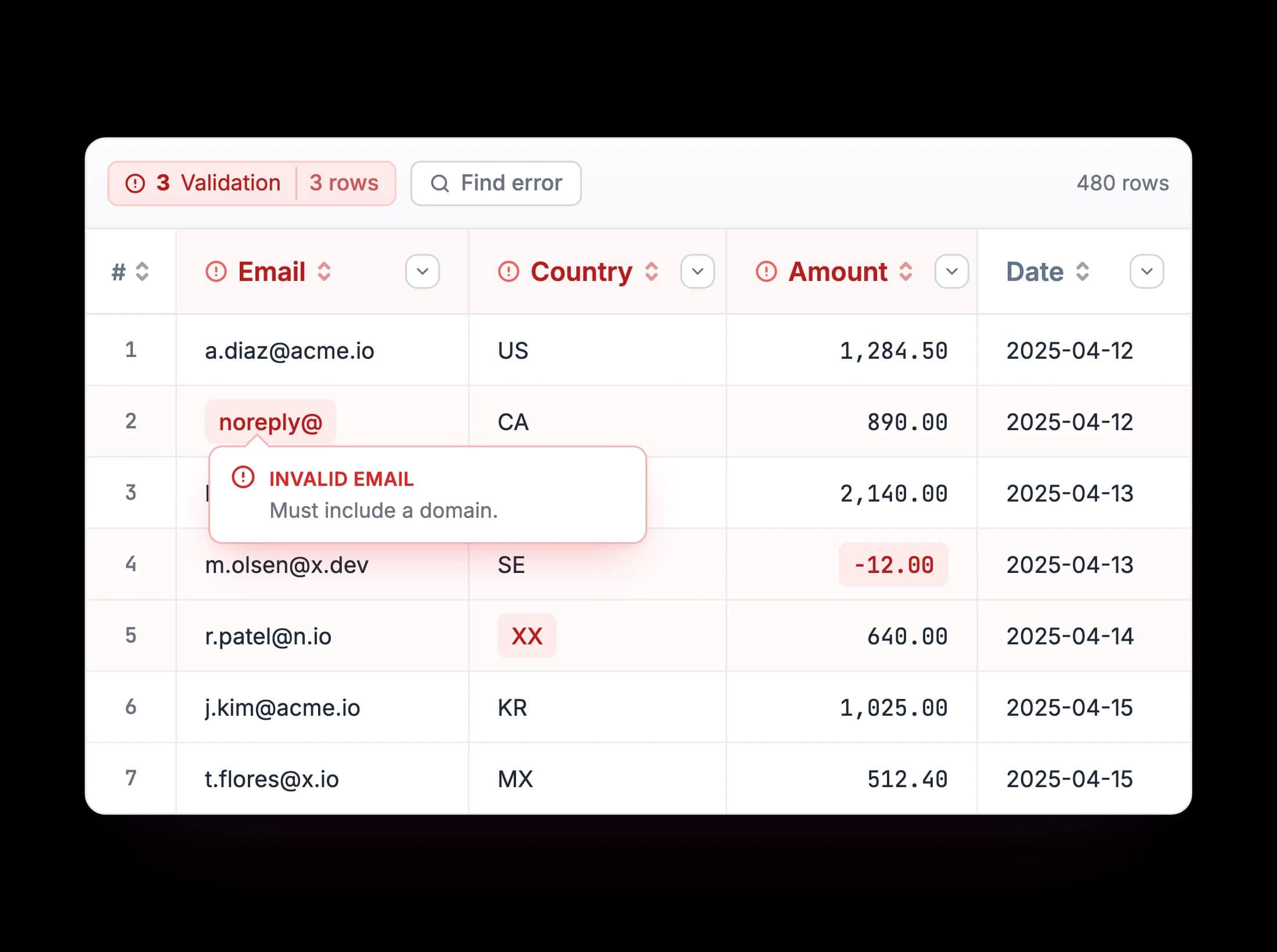
03·Validate
Catch errors before they ship.
The same visual builder defines validations. Inline errors on the row, downloadable error reports, never a surprise at load time.
Inline errorsCustom rules
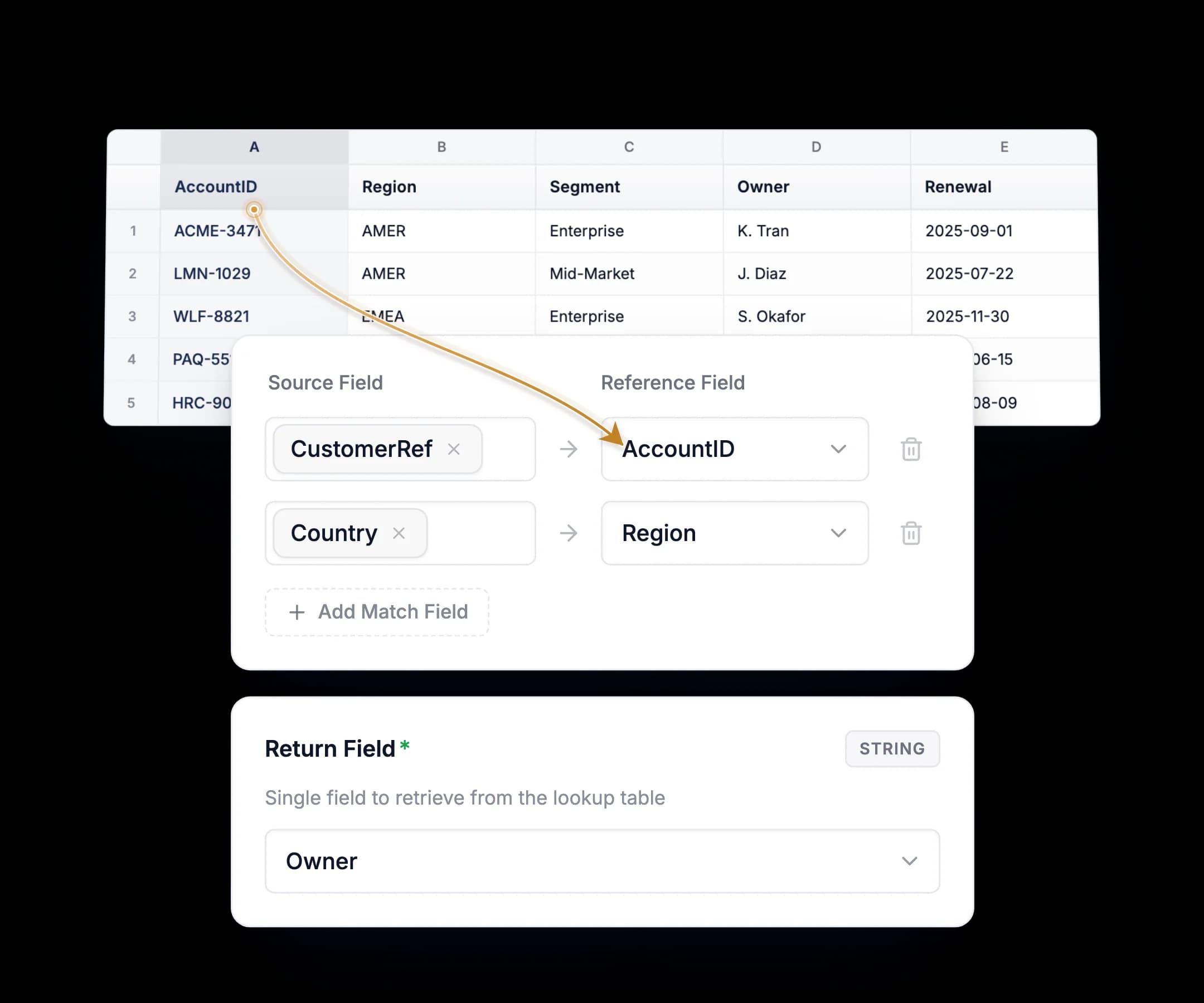
04·Enrich
Enrich from any source.
One file in, one file out isn't enough for real onboardings. Pull from other files, reference tables, APIs, or databases. Join across files, fetch missing fields, and cross-reference codes, all in the same mapping.
Local lookupsAPI callsDatabase joins
reference tables
Plus transformation, templates, AI agents, integrations, and more…
FOR SECURITY FIRST TEAMS
Scale securely with confidence.
Our architecture is designed to minimize liability and risk. Client data is securely stored for 24 hours to facilitate large file operations, then permanently deleted.
 SOC2 Infra
 Zero-Training
 Encrypted
FAQs
Frequently Asked Questions
If we didn't cover yours, the docs and our team can.
Full Access for 30 Days
Try DataFlowMapper for 30 days. If it's not the right fit, we'll refund you, no questions asked.
1-on-1 Onboarding & Support
Tailored setup so the workbench fits your team’s onboarding workflow.
Live in Your First Week
Build your first template on day one. By week one, real client files are running through it.

AI workbench for client data onboarding. Built for implementation teams at vertical SaaS.
Book WalkthroughNewsletter
Get the latest updates on product features and implementation best practices.