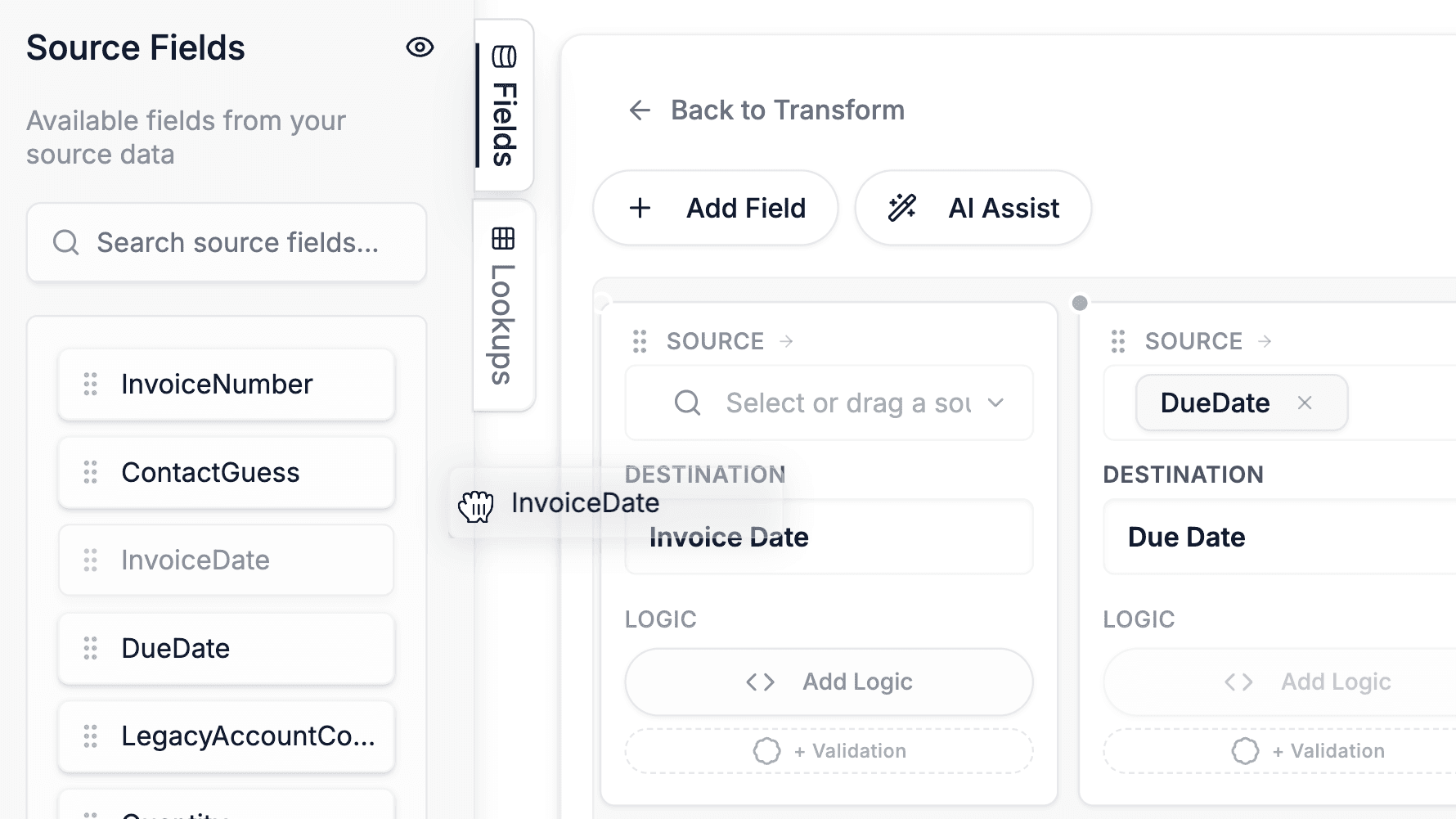
Visual Data Mapping
Define reusable source-to-target mappings with a spreadsheet-style editor. Handle CSV, Excel, JSON, PDF, and more.
Learn more
Map, transform, validate, and deliver data from any file format: visually, with AI, or with custom Python. Build once, reuse forever.
Capabilities
Every tool you need to map, transform, validate, and deliver data, in one platform
Horizontal, card-based field mappings that mirror how you think about source-to-destination transformations.
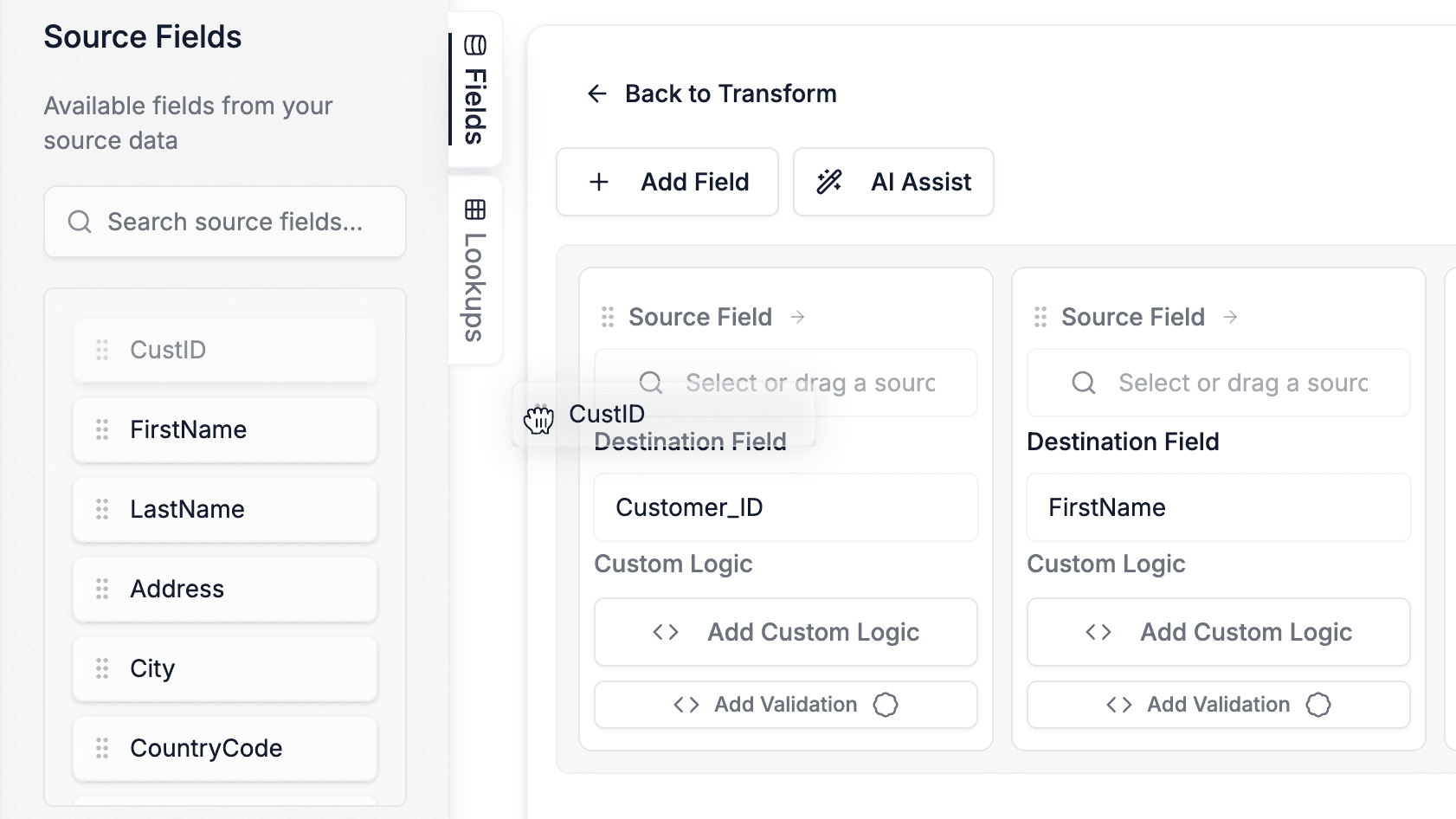
Reorder destination fields, drag source fields into inputs, and reorganize your mapping layout effortlessly.
Upload a sample CSV, Excel, or JSON file to auto-extract headers as destination fields, no manual entry.
Toggle between horizontal card view and vertical list view to suit your screen and workflow.
Upload a source file and the system auto-suggests the best matching template from your library based on field overlap.
Build complex transformation rules visually with drag-and-drop variables, if/then blocks, and functions.
Visual conditional blocks with AND/OR operators, nested logic, condition groups, and multiple action types.
String, math, date, conversion, and utility functions, searchable, configurable, and chainable.
Full Monaco code editor for writing raw Python. Seamlessly switch between visual and code modes.
Filter rows before or after transformation to exclude bad data or remove unwanted output rows.
Conditionally expand your dataset by adding new rows during transformation, ideal for one-to-many scenarios.
A conversational copilot in the app chat that reads your files, writes transformation and validation logic, builds mappings, and generates client-ready reports in dialogue with you.
A background pipeline that generates, tests, and reviews mapping logic across an entire destination template in one run, driven by a reusable instruction profile.
The Copilot carries your conventions, past mappings, and branding forward, scoped to your team only. View, edit, or delete any entry. No cross-customer learning.
Generate downloadable, PDF-ready reports in your company name, color, and logo, summarizing runs, errors, and action items. You review and send.
AI analyzes source and destination fields to propose 1-to-1 mappings with confidence scores you can approve or decline.
Describe a transformation in plain English and get generated Python code that fits directly into the logic builder.
When source fields change, AI remaps your existing template to the new column names, preserving all logic and validation.
Define validation logic for every output field using the same visual builder. Return pass/fail with custom error messages.
Interactive tabular preview with cell-level error highlighting, column filtering, and one-click error navigation.
A single bad cell never crashes the job. Errors are caught per-cell, logged, and processing continues.
Import validation rules from another template. Share validation standards across mappings and team members.
Detailed summary with processed, filtered, errored, and warning row counts. Export reports for offline review.
Upload CSV, Excel, or JSON reference tables. Stored in mapping files, no external dependencies needed.
Look up values from other rows within the same dataset by matching fields. Like VLOOKUP within your own file for cross-referencing.
Pull reference data from APIs or databases during transformation. Cached for performance, no repeated calls.
Fuzzy match against reference tables with configurable algorithms (token sort, partial ratio) and score thresholds.
Create virtual columns on lookup tables using the logic builder, combine fields, normalize values, generate match keys.
Swap lookup table data at run time without modifying the template. Same template, different reference data per job.
Iterate over lists within a row, unpivot data, build new rows, or accumulate values with a visual loop builder.
Match, extract, and replace with full regex, built into the visual function library with common pattern presets.
Count occurrences of a value across the entire column. Flag duplicates or validate uniqueness in a single function.
Auto-number line items within groups, assign consistent IDs to unique value combinations, or reset counters per parent.
Return the first non-empty value from a prioritized list of fields, ideal for fallback logic across multiple columns.
Reference another destination field's transformation logic. Compose complex outputs by chaining field results together.
Any delimiter, multi-sheet Excel, nested JSON with automatic record path detection and recursive expansion.
AI-powered table extraction from PDF and DOCX files. Select from multiple detected tables and map like any other source.
Connect to REST APIs with multiple auth types, pagination strategies, and auto-detect. Pull or push data.
PostgreSQL, MySQL, SQL Server, SQLite. Run queries, call stored procedures, and push transformed data back.
Box and SharePoint/OneDrive integration with OAuth2, file browsing, chunked uploads, and conflict handling.
Upload multiple source files and concatenate them into a single dataset. Track origin with source filename injection.
Save mapping configurations to your account with versioned files. Load, reuse, and iterate on templates.
Share templates across your team with the Team plan. Personal and shared templates in a unified library.
Every save creates a new version. Roll back, compare, and track how templates evolve over time.
View recent jobs with status, restore results, and reprocess past jobs without re-uploading files.
Interactive product tours with demo data that walk new users through the full workflow step by step.
Deep Dives
Learn how each core capability works with detailed walkthroughs, screenshots, and use cases
Define reusable source-to-target mappings with a spreadsheet-style editor. Handle CSV, Excel, JSON, PDF, and more.
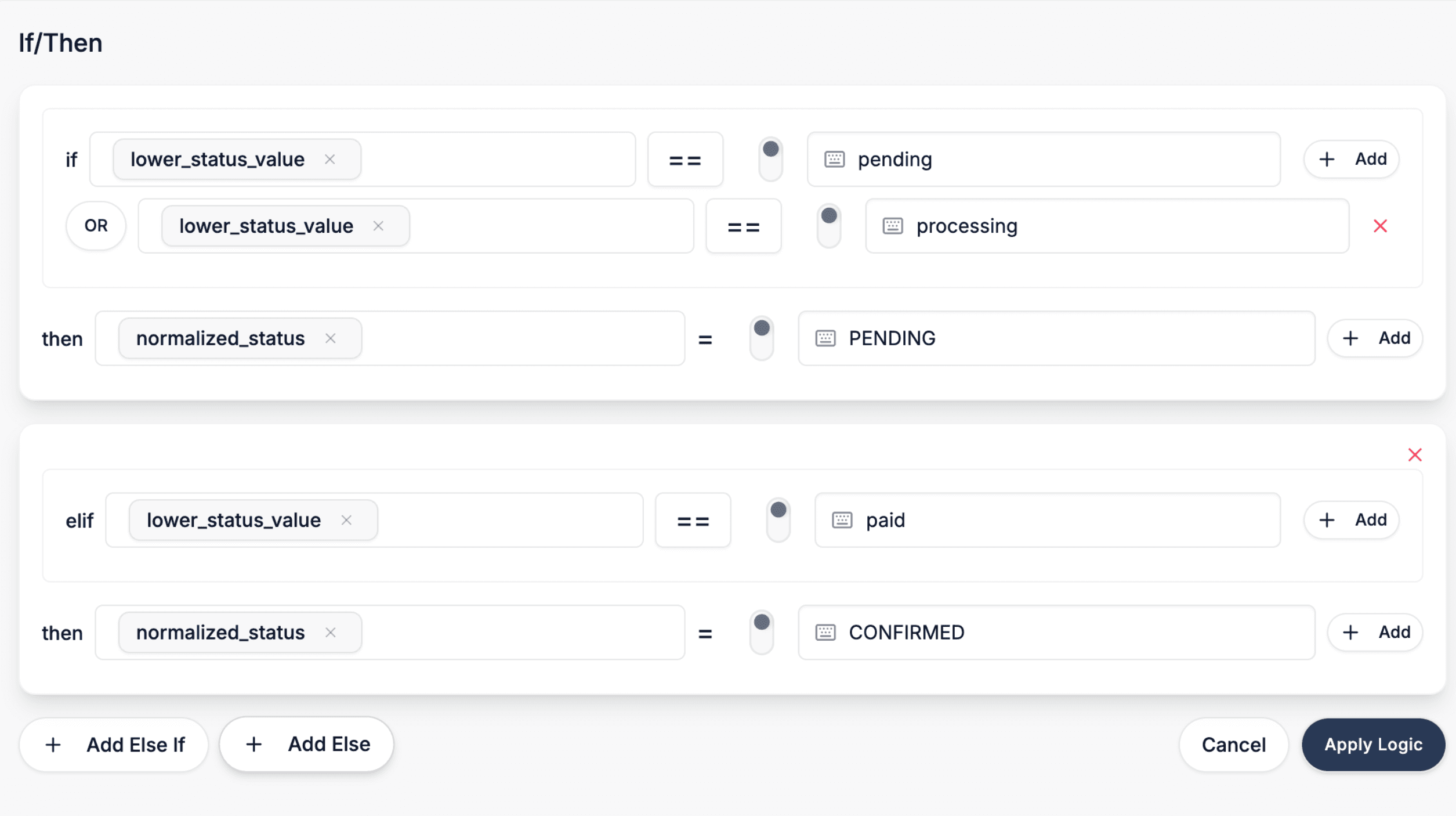
Visually build transformation rules with if/then blocks, functions, and variables, or drop into Python anytime.
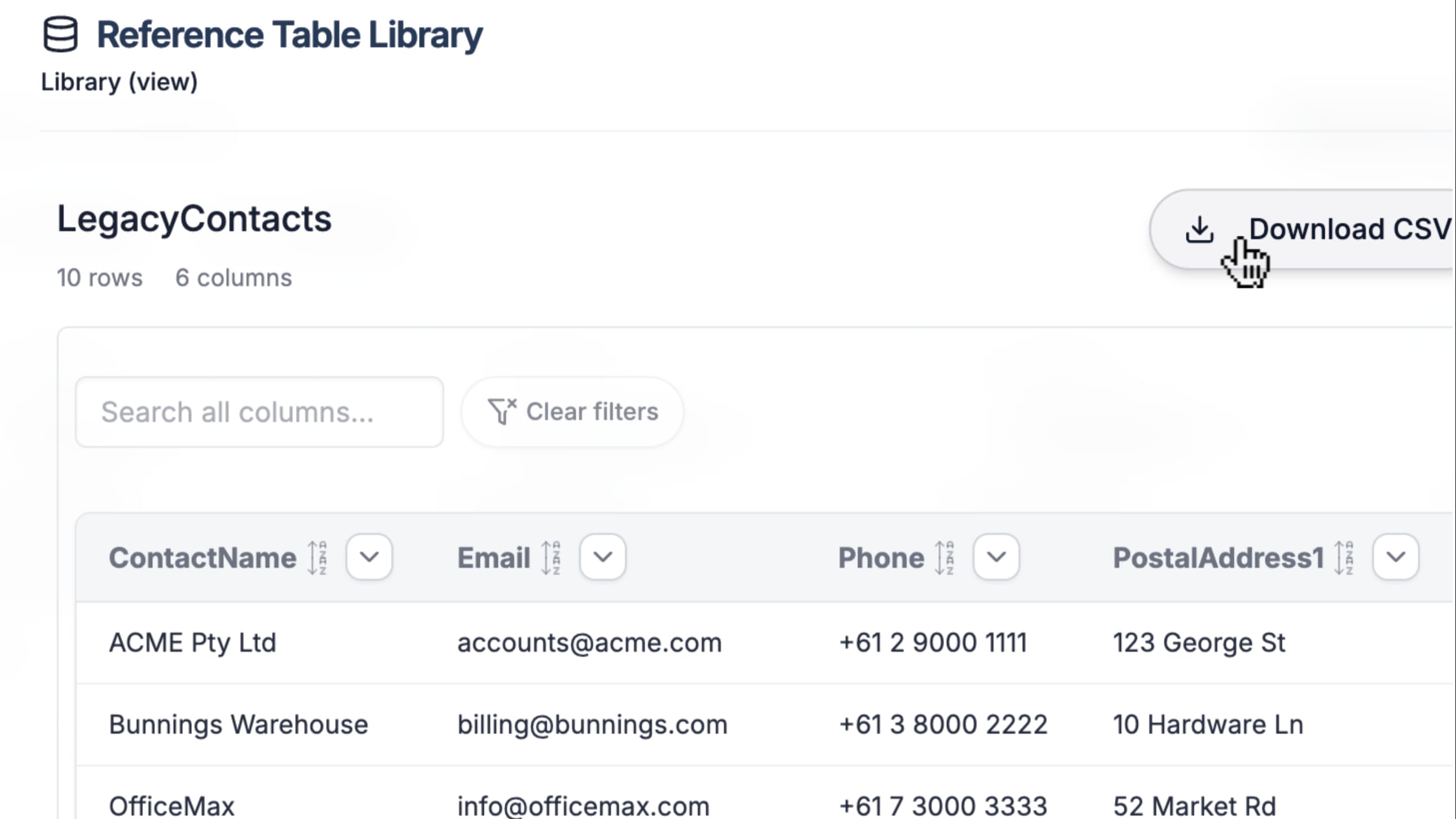
Enrich and cross-reference data with local lookup tables, remote API/DB lookups, and fuzzy matching.
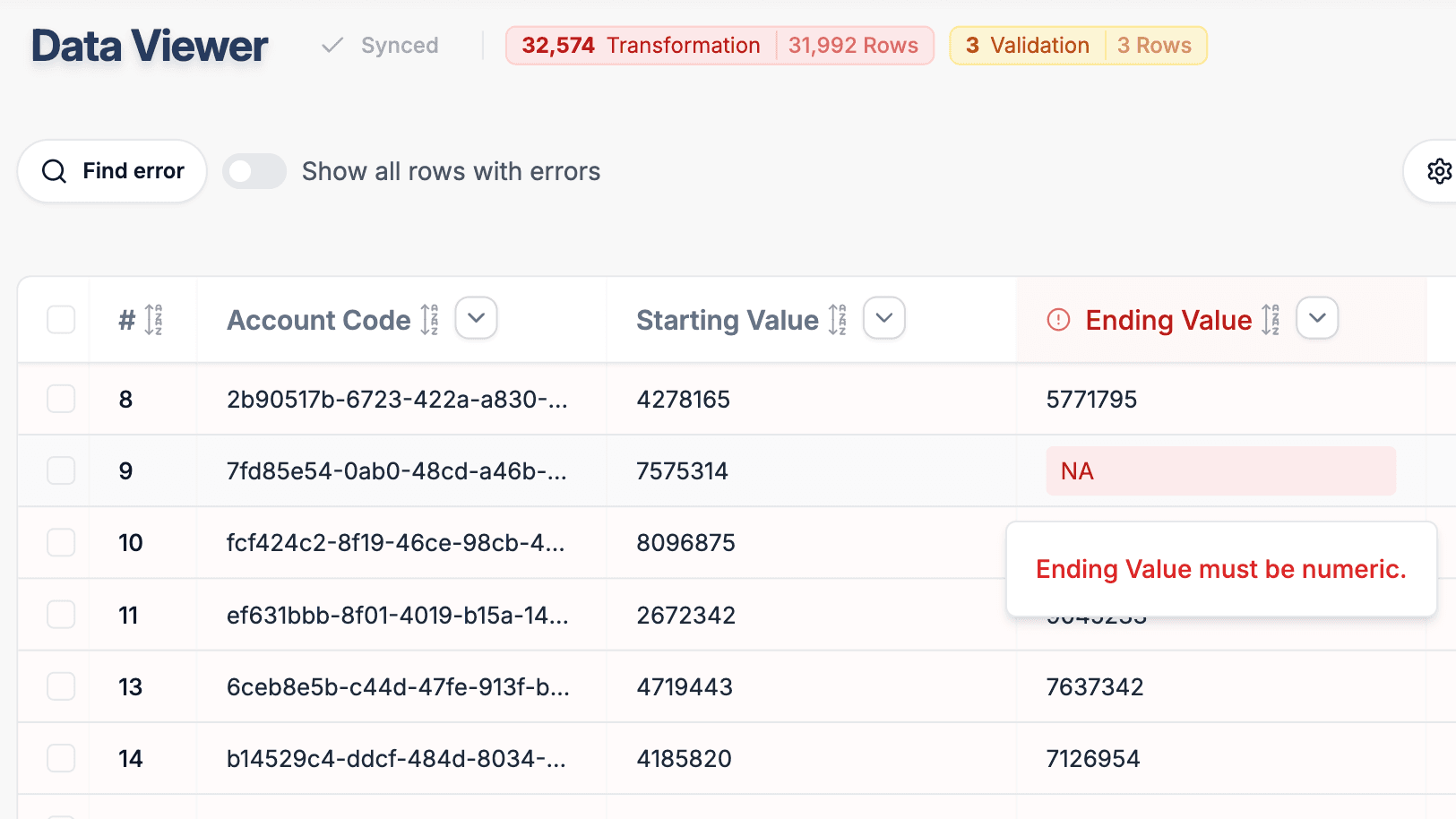
Define per-field validation rules and review results with cell-level error highlighting and detailed logs.
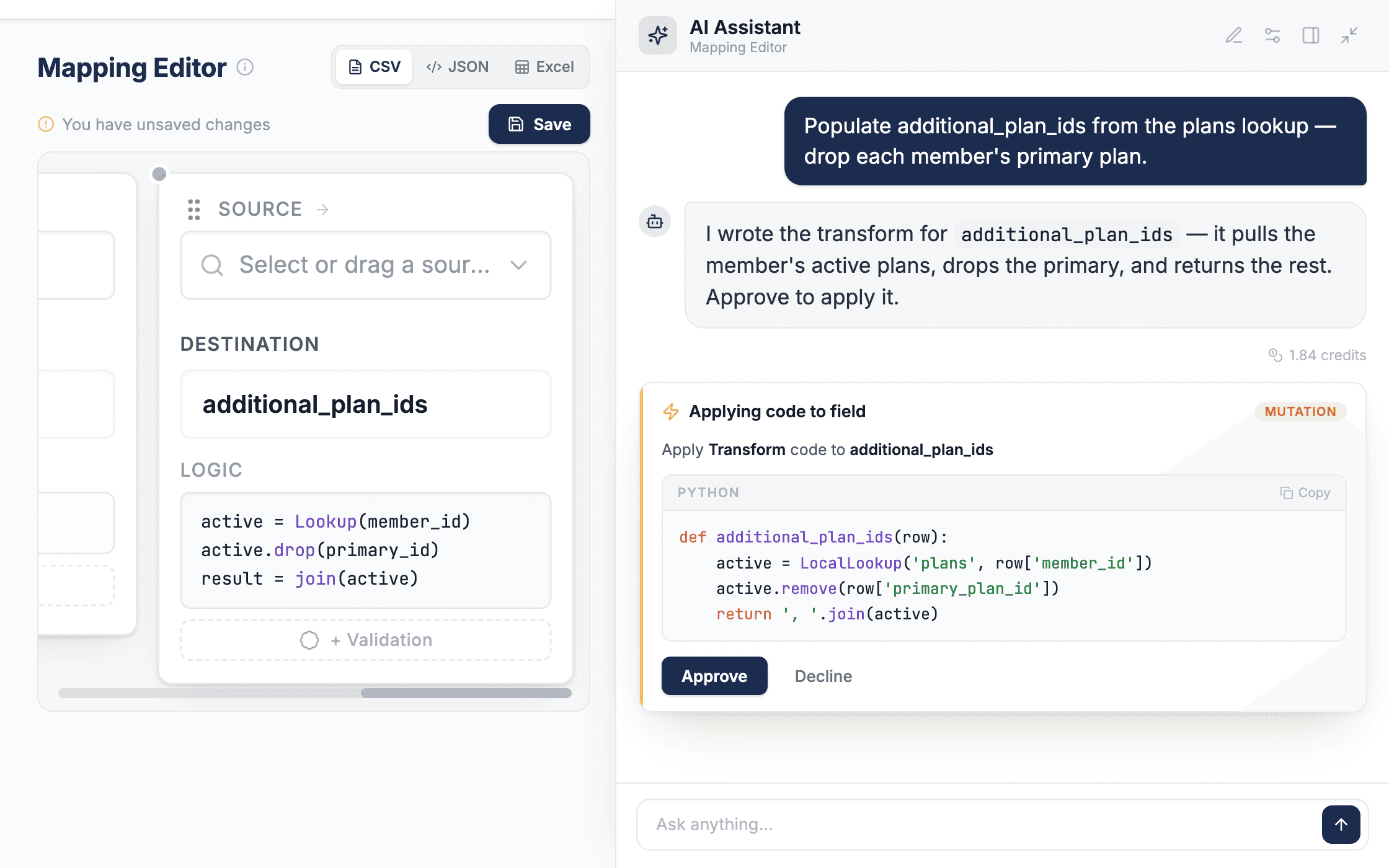
Map with a conversational copilot, or hand off to a batch agent that generates and reviews logic across a whole template. You approve every change.
Work with deeply nested JSON structures using intuitive path syntax. Map to and from nested formats with ease.
Platform
Embed DataFlowMapper into your product or build custom workflows with our API
A whitelabel, client-facing import portal you embed in your SaaS product. Clients upload files, the system auto-selects templates, transforms, validates, and publishes, all without leaving your app.
Build custom portals or operational pipelines using our REST API. List templates, run transformations, and leverage AI mapping suggestions, without maintaining transformation logic in your codebase.
Try DataFlowMapper for 30 days. If it's not the right fit, we'll refund you, no questions asked.
Tailored setup so the workbench fits your team’s onboarding workflow.
Build your first template on day one. By week one, real client files are running through it.
AI workbench for client data onboarding. Built for implementation teams at vertical SaaS.
Book WalkthroughNewsletter
Get the latest updates on product features and implementation best practices.
