A data migration consultant
that lives inside DataFlowMapper.
It investigates the client's file, generates the logic to wrangle it, validates the result, and drafts a client-ready report. Drive it field by field, or hand off a whole template as a background job. You approve every change.
Try risk-free for 30 days, get started with a personalized walkthrough
Two ways to work
Drive it, or hand it off.
Both put AI to work inside DataFlowMapper. Pick the level of control the task needs.
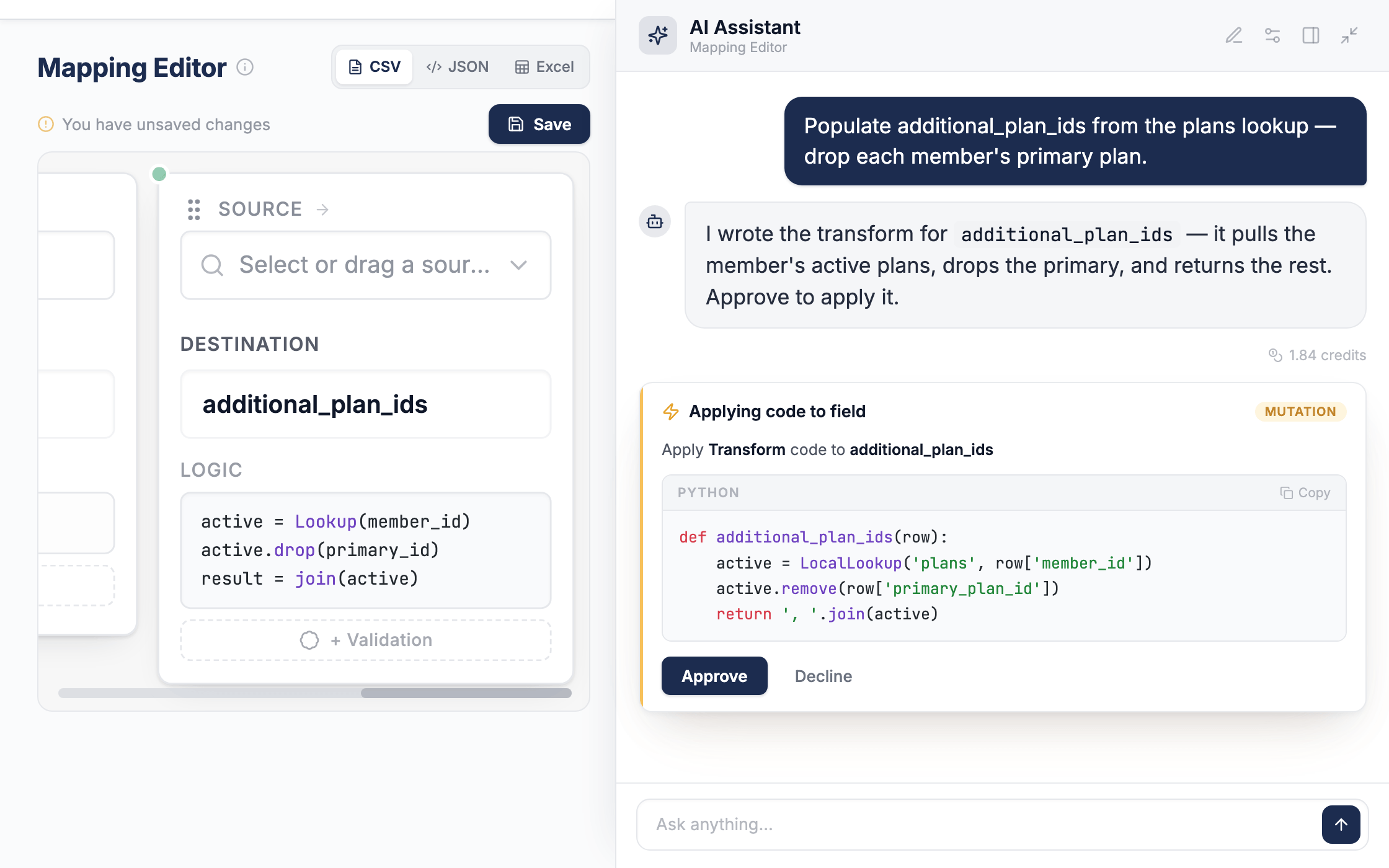
AI Copilot
Run one onboarding with you in the loop. It investigates the file, writes logic, validates, and reports back, asking before it acts.
AI Agent
Hand off a whole template as a background job. It maps, tests, self-corrects, and reviews every field, then returns a result you approve.
Either way you get the same editable template in your library, written in the functions your team uses by hand, tested on your real rows, scoped to your team with no cross-customer learning.
Drive it · AI Copilot
Ask it to do the work
The Copilot is a consultant, not a fixed workflow. Ask for any of this, in any order, and skip what you don't need.
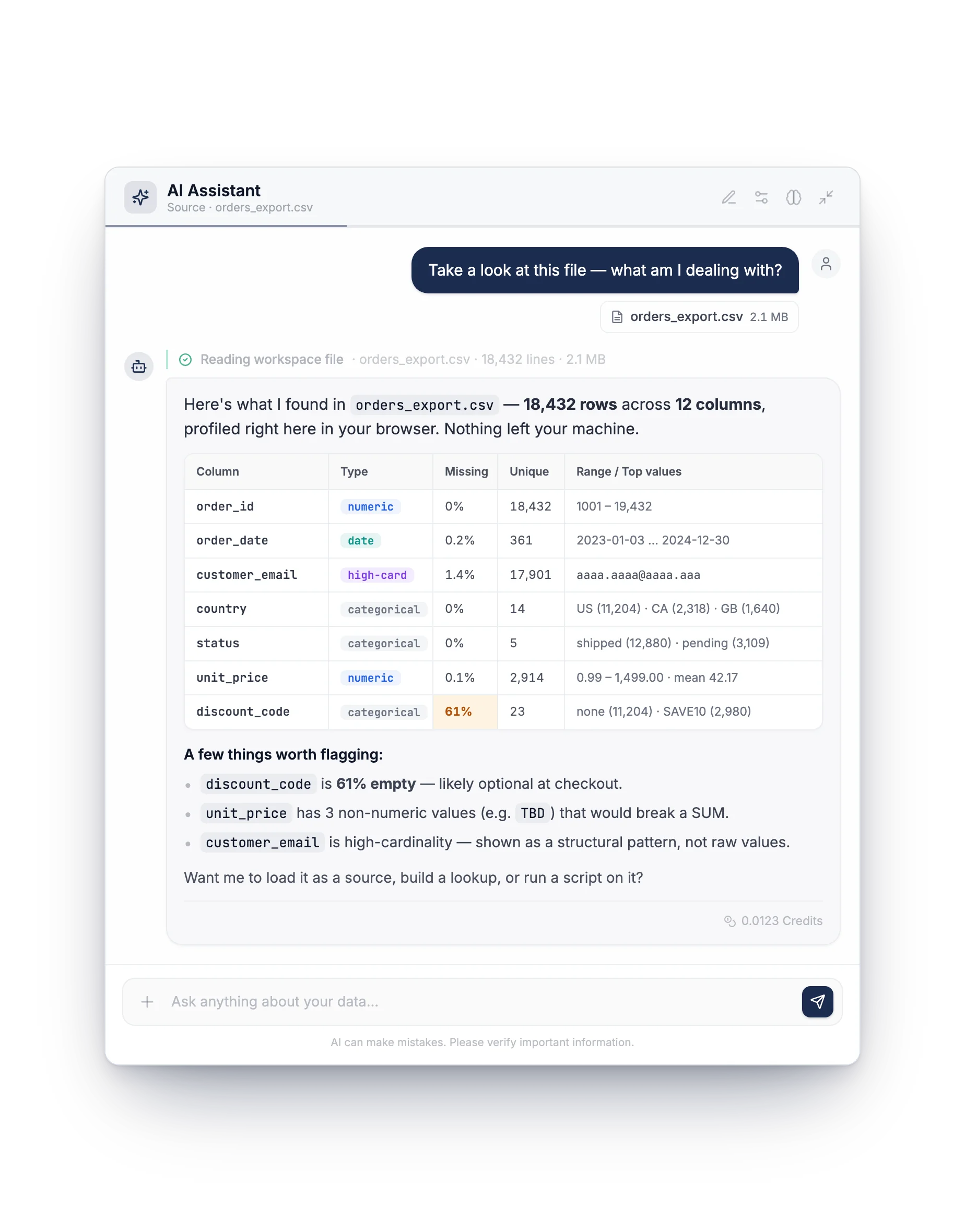
Investigate any file
Drop a file in chat and it profiles the columns, runs statistics and analysis, and tells you what you are dealing with, all read in your browser.
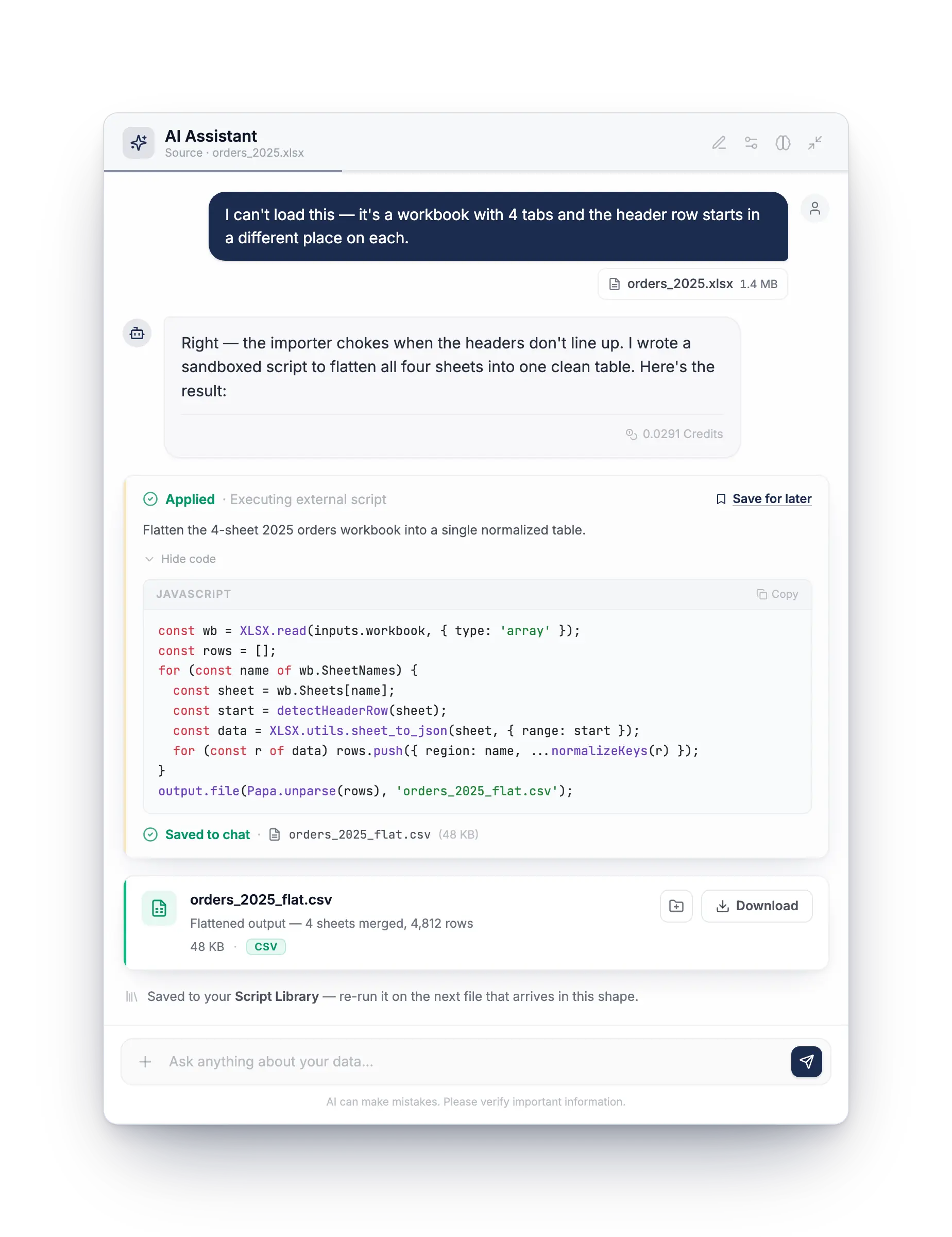
Reshape what the engine can't
For a multi-tab, nested, or overflowing file, it can write a sandboxed script to flatten it into one clean source. Save the script and rerun it on the next file that arrives in the same shape.
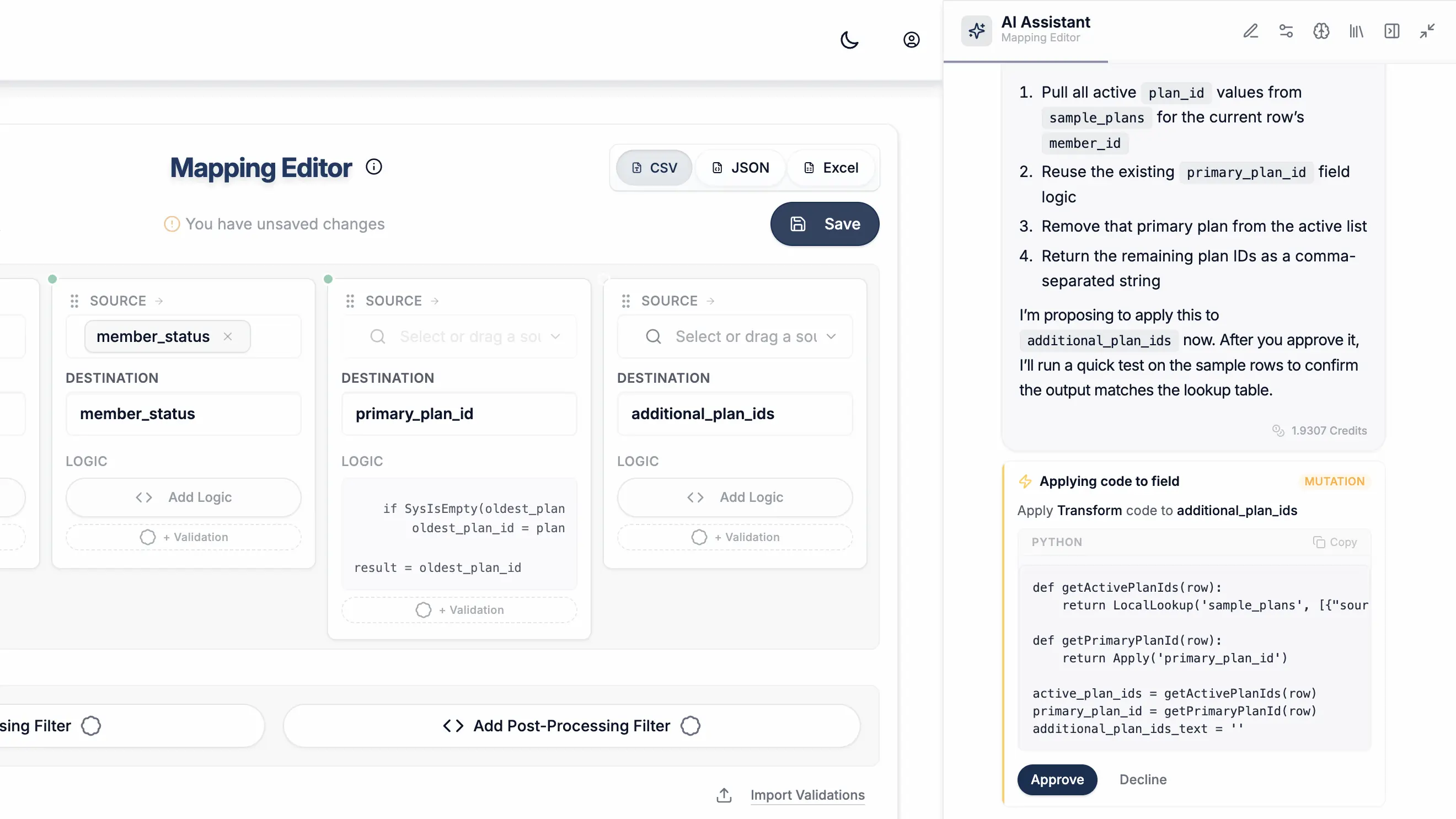
Build mappings and validations
Ask it to write the field logic and validation rules against your template, in readable functions. It asks before applying each change.
Find and fix the errors
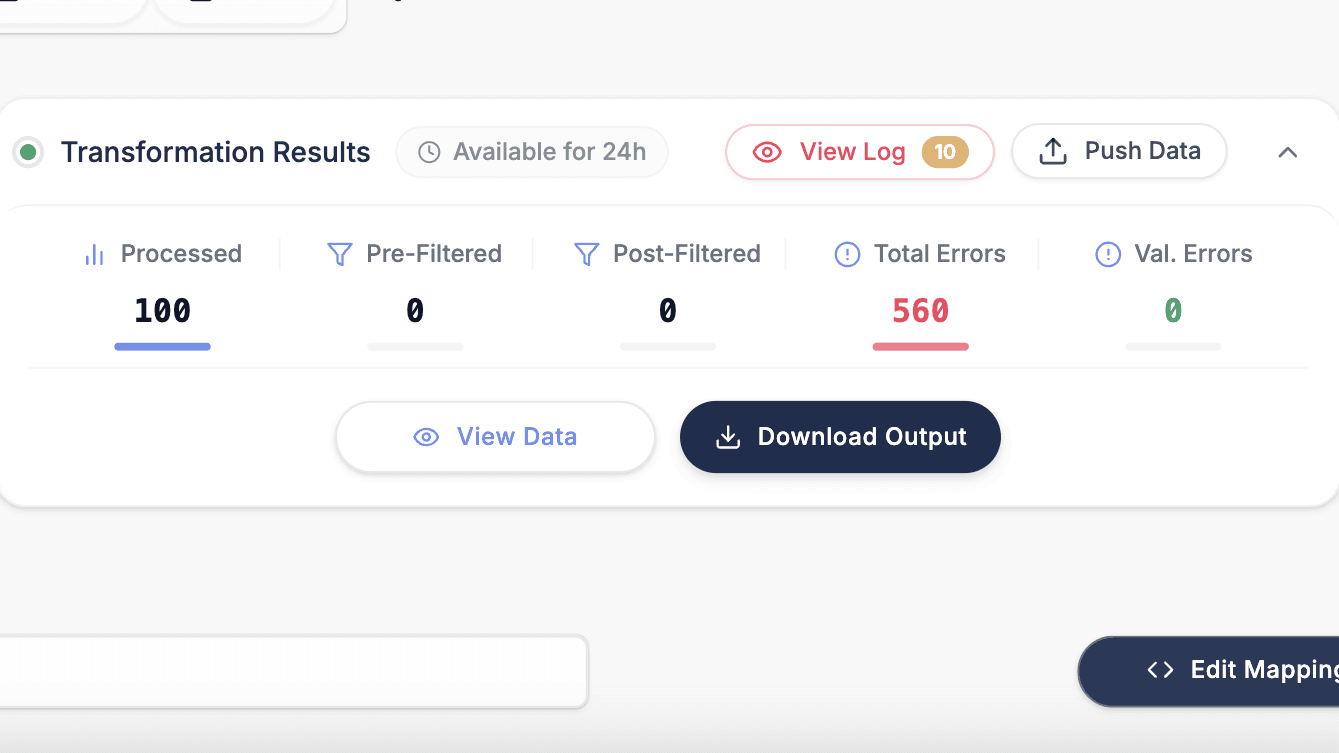
It can run the transform, read the errors, and correct the fields that failed, previewing before and after.
Cut down the back-and-forth
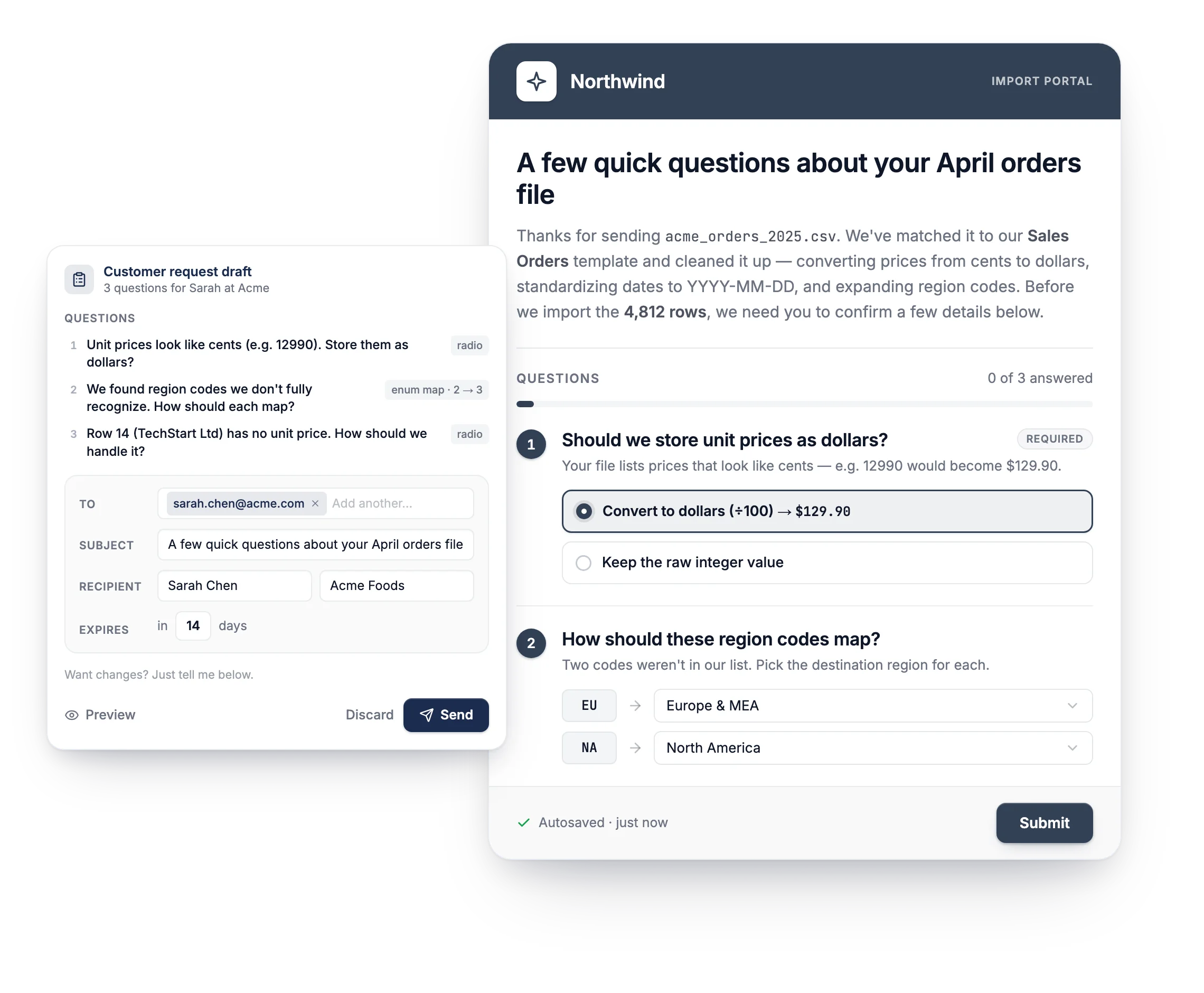
Send the client a branded, PDF-ready summary of what changed, and collect missing details with a short questionnaire, both in the app. You review and send. The AI never reaches out on its own.
Always on
It doesn't start from scratch each time
Between jobs the Copilot keeps what matters, and keeps you in control of what it does.
Remembers your team
Conventions, past mappings, and branding carry forward. Per team only. Yours to edit or delete.
Asks the client directly
Blocked on a date format or a code? It drafts a questionnaire you review, send, and track.
Yours to control
Per-action approval by default. Auto when you trust it. Scripts and PII masking stay owner-gated.
Hand it off · AI Agent
Generate a whole template in one run
A reusable instruction profile drives a coordinated pipeline that maps, tests, and audits every field, then hands back a result for your review.
Define the template once
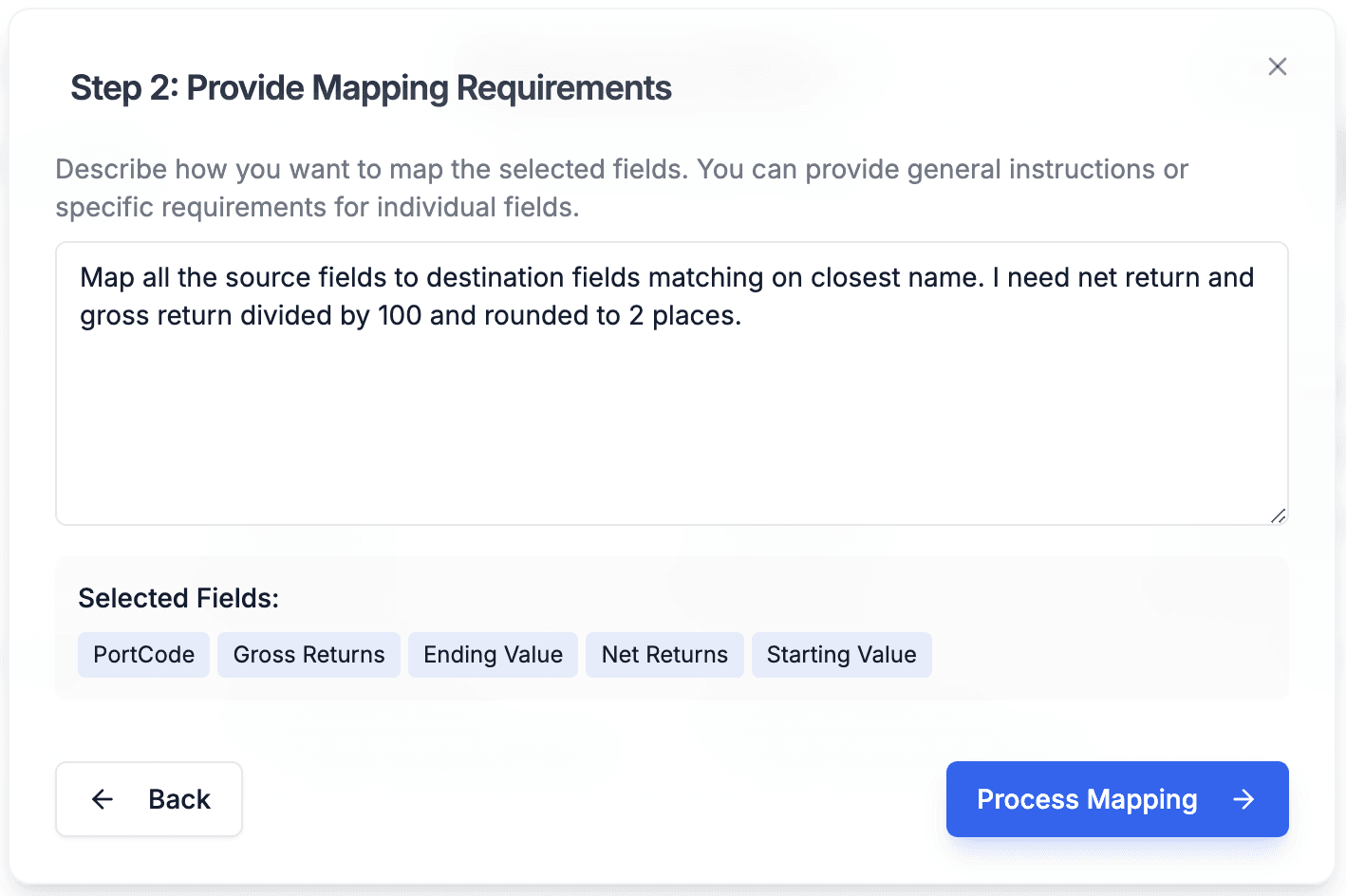
Build an instruction profile from your destination fields and the validations you already wrote, then reuse it for every file that follows.
Generate across the schema
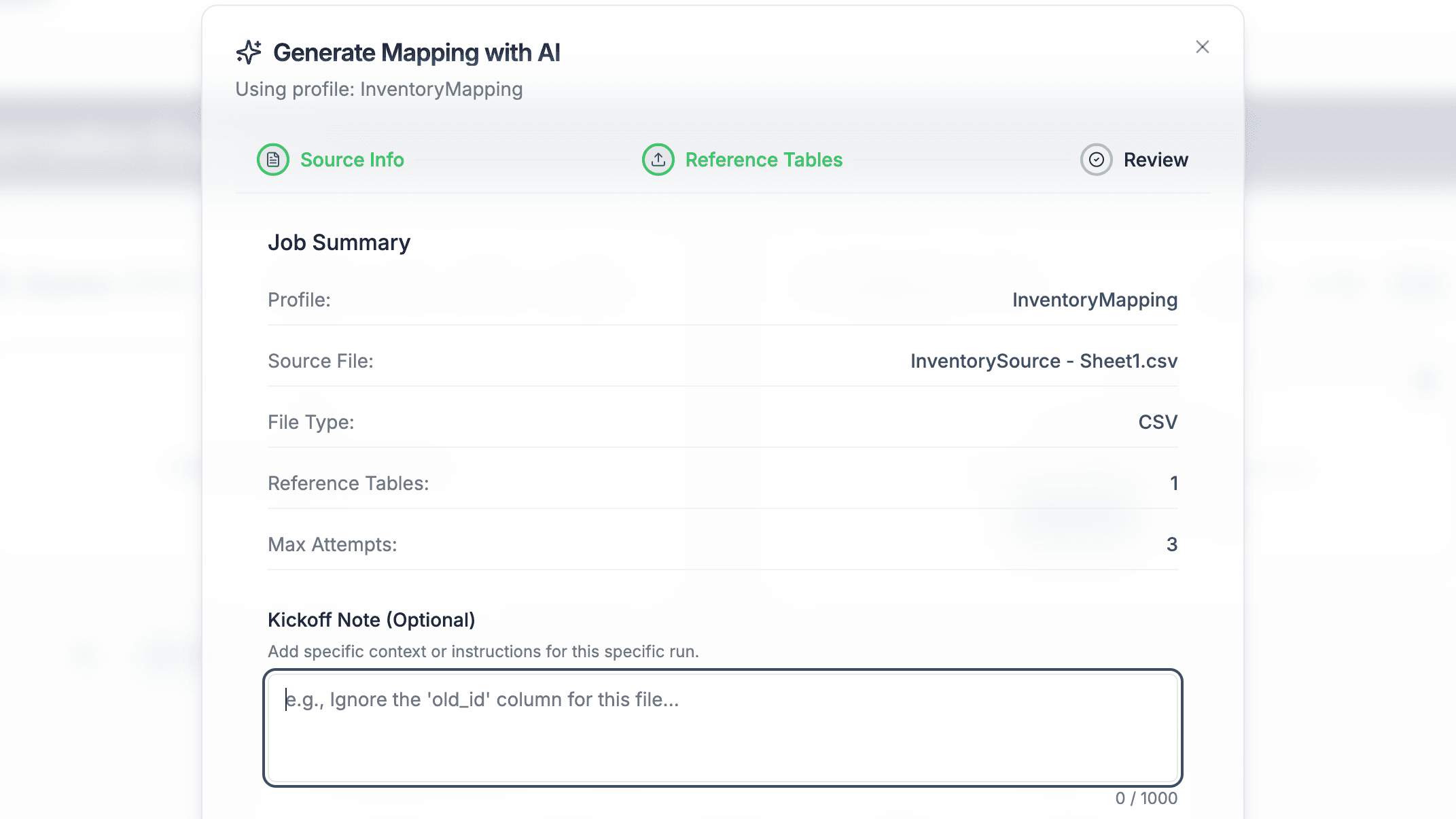
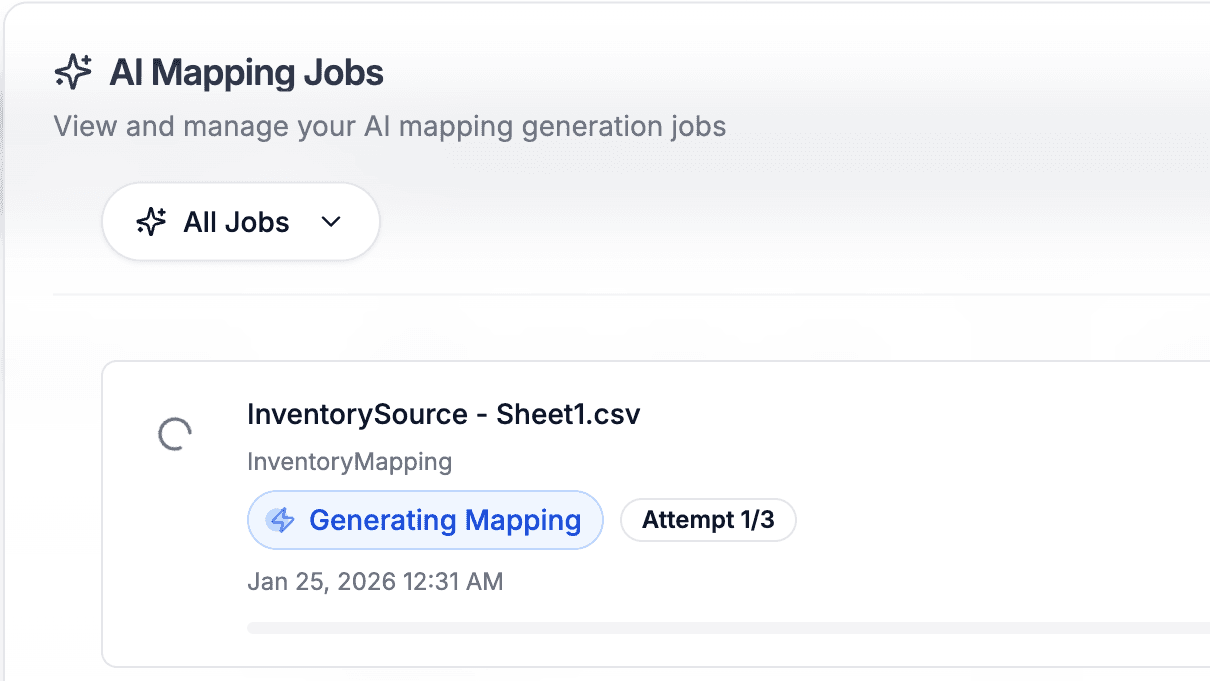
Upload a source. An orchestrator categorizes every field and skips clean direct mappings, then parallel workers write and test per-field code on real rows.
It fixes its own mistakes
A sentinel flags fields that look wrong and re-runs only those, up to the attempt budget you set. You get tested, corrected output, not a first draft.
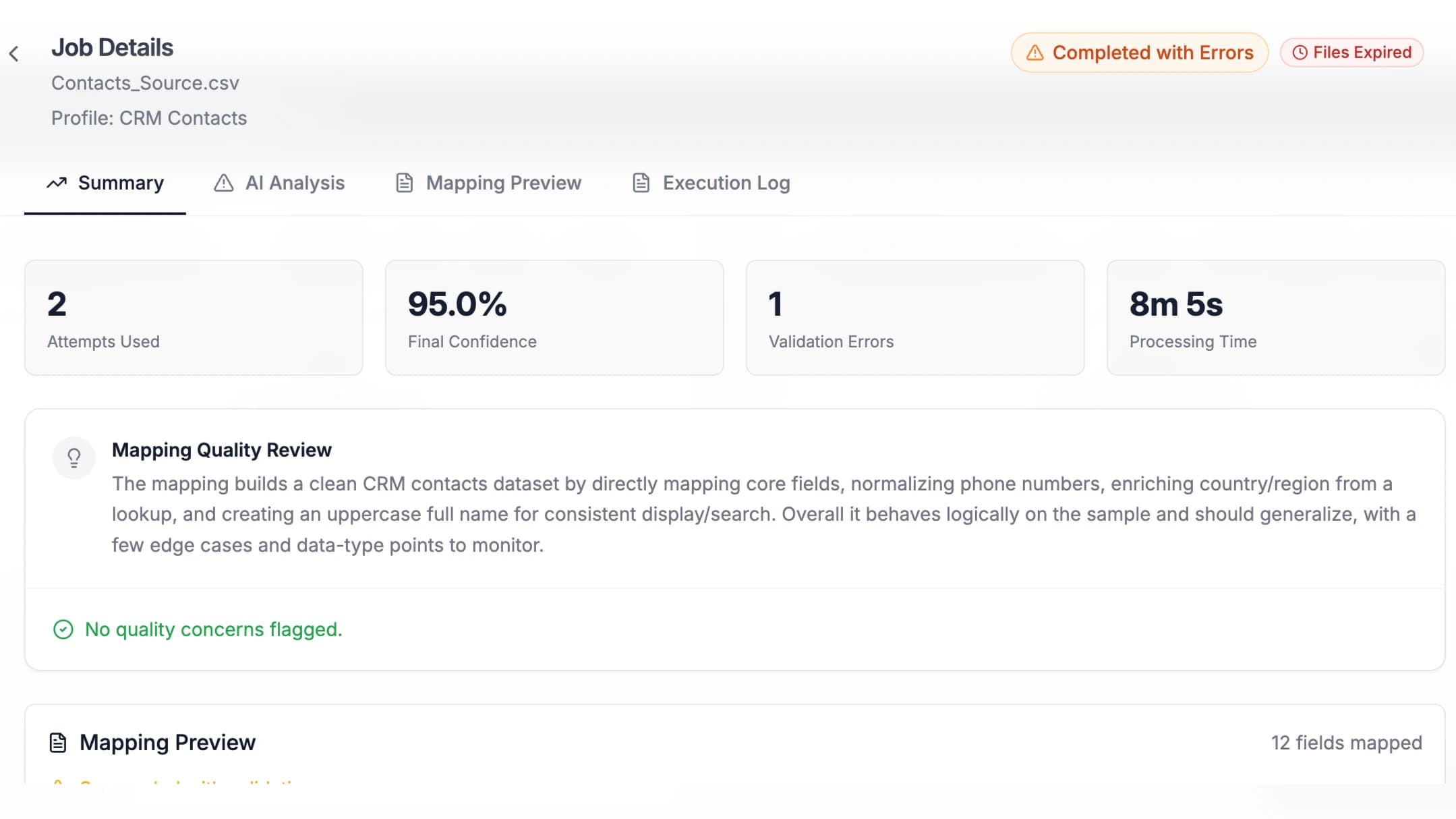
A punch list of what to check
A reviewer rates flagged fields critical or warning with a confidence read. Advisory only: it never blocks the job or replaces your sign-off.
Every line is yours to audit
Whatever the AI writes, it writes in the named functions your team uses by hand, one operation per line. Every result is readable and editable in the Logic Builder, and stays inside the validations you defined.
Control & Safety
What the AI will not do
Real limits, stated plainly. The guardrails that make this safe in front of client data.
Act without asking, by default
Per-action approval is the default. External scripts and PII masking stay behind owner switches.
Learn across customers
Memory is per team. Models are never trained on your data, and nothing crosses teams.
Gate on the reviewer
It flags fields to check. It never blocks a job from completing or replaces your sign-off.
Talk to your customers
It drafts a questionnaire, you review and send. Returned answers are not auto-applied.
Run your pipeline on the lab bench
Attached files stay in your browser and clear on refresh. Logic lives in your template.
Read PDFs natively
PDFs and Word files are extracted to CSV first, and that CSV is what the AI maps.
Use Cases
The go-to for data import solutions
For repeatable CSV, Excel, and JSON imports, not streaming ETL or analytics workflows.
Client Data Onboarding
Standardize messy client data instantly with AI-powered mapping and reusable templates
Software Implementation
Accelerate go-live times by empowering non-technical teams to handle data migrations
Legacy System Migrations
De-risk high-stakes migrations with visual validation and automated data transformation
Software Vendors
Win more deals and boost customer satisfaction by simplifying onboarding
Consultancies
Scale your service delivery by building a library of reusable mapping templates
Operations
Streamline product catalog mapping and inventory data synchronization
Full Access for 30 Days
Try DataFlowMapper for 30 days. If it's not the right fit, we'll refund you, no questions asked.
1-on-1 Onboarding & Support
Tailored setup so the workbench fits your team’s onboarding workflow.
Live in Your First Week
Build your first template on day one. By week one, real client files are running through it.

AI workbench for client data onboarding. Built for implementation teams at vertical SaaS.
Book WalkthroughNewsletter
Get the latest updates on product features and implementation best practices.