Your customers import recurring files.
AI maps new formats.
A white-label import portal embedded in your product. You or AI map each new format once and save it as a template, then every recurring file from that source auto-applies it, so your customers import on their own with no re-mapping and no deploy.
Custom engagement, scoped, configured, and launched with your team
Today, every new file format runs through engineering. That one bottleneck costs you three ways.
Every new format becomes an engineering ticket
A renamed column, a new field, a client that exports a little differently. Each one routes to your engineering queue to be coded, tested, and released. Your senior engineers end up maintaining a pile of parsers that never reaches done, instead of building the product that wins deals.
Your clients' month-end waits on your release cycle
When a format change breaks an import, your client cannot move until your team ships a fix. Their close, their payout, their report sits behind your sprint schedule, for something that should take minutes. They feel every day of the delay, and it is your name on the portal.
You lose deals to platforms with more modern import
Prospects compare. When your answer to "can you take our files?" is "send them over and we will wire them up," and a newer platform maps them on upload, you become the legacy option. The data layer your customers touch every period turns into a reason you lose deals you should win.
Built For
SaaS platforms with recurring, operational client data imports
Each customer's files come from a different set of systems, in formats you do not control and that never standardize.
How It Works
Set it up once. Your clients run it forever.
Your team authors the rules. Your clients own the import step. No transformation logic lives in your codebase.
Clients upload the file as-is.
The portal detects the delimiter, previews the columns, and confirms the shape before anything runs. No format spec to send, no parsing code to write.
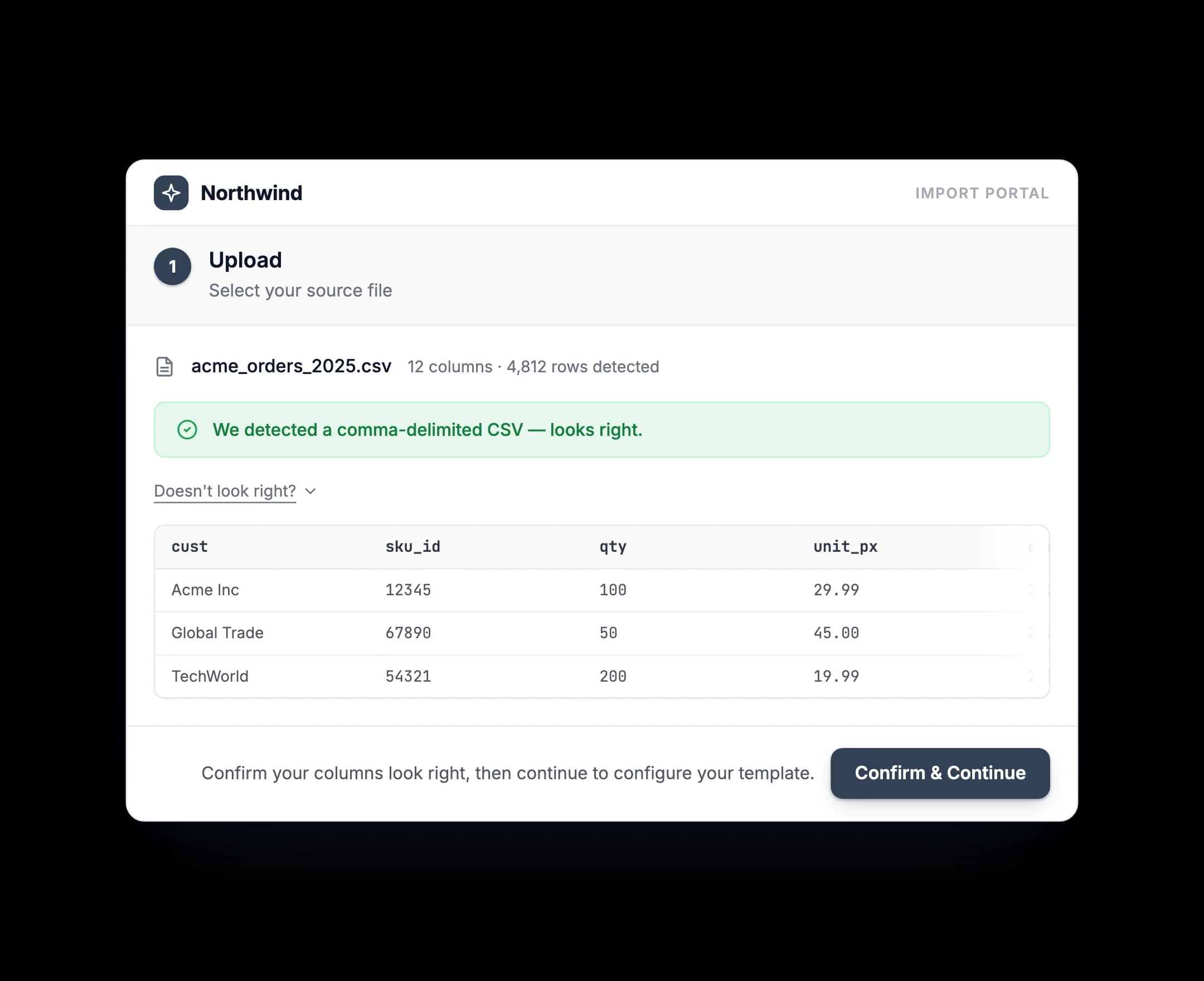
The portal matches a template, or AI sets one up.
It scans the headers and selects the closest template from your library. When nothing fits, the AI asks a few targeted questions and builds one you can gate behind review.
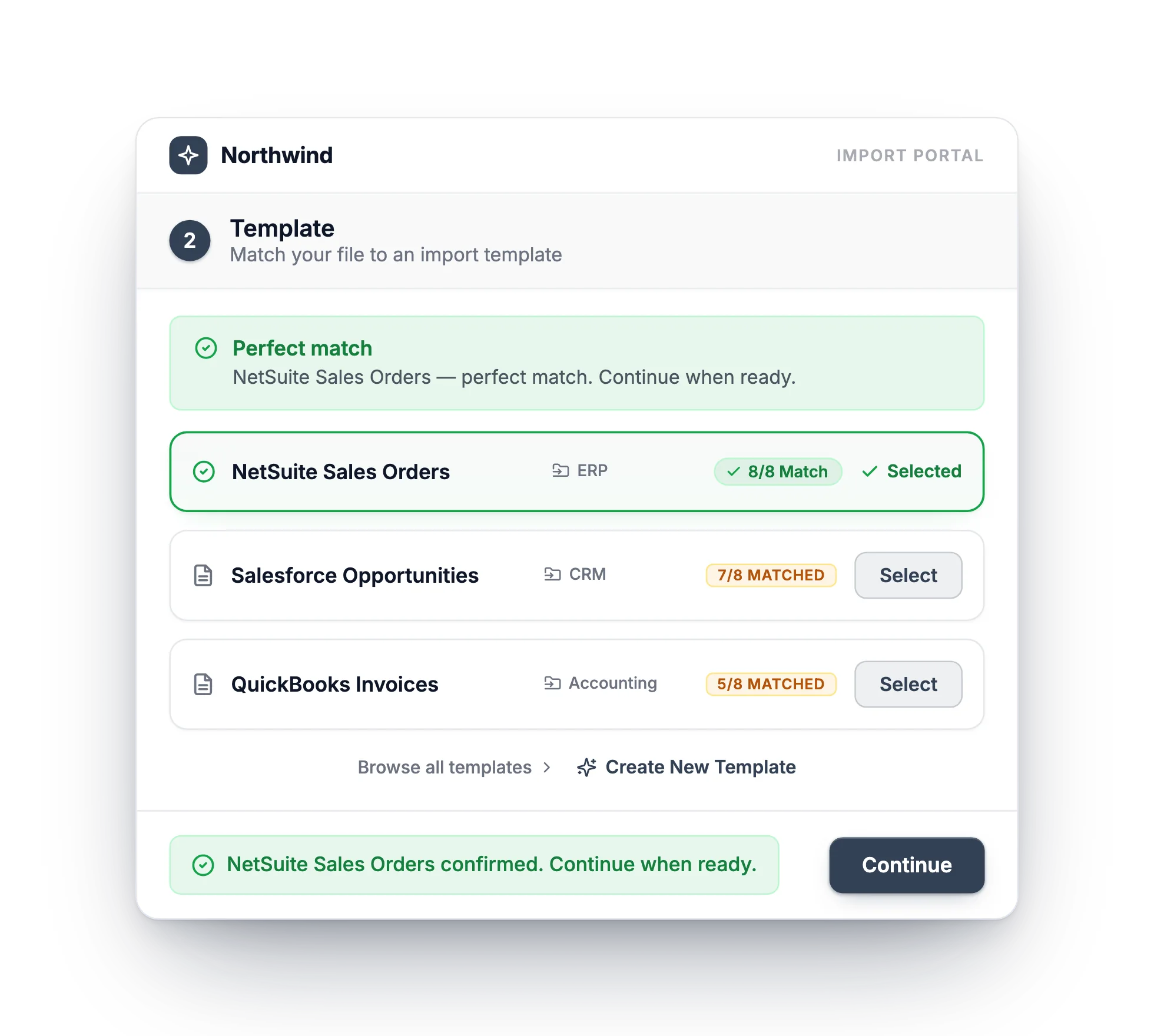
A clean export matches a template you already published.
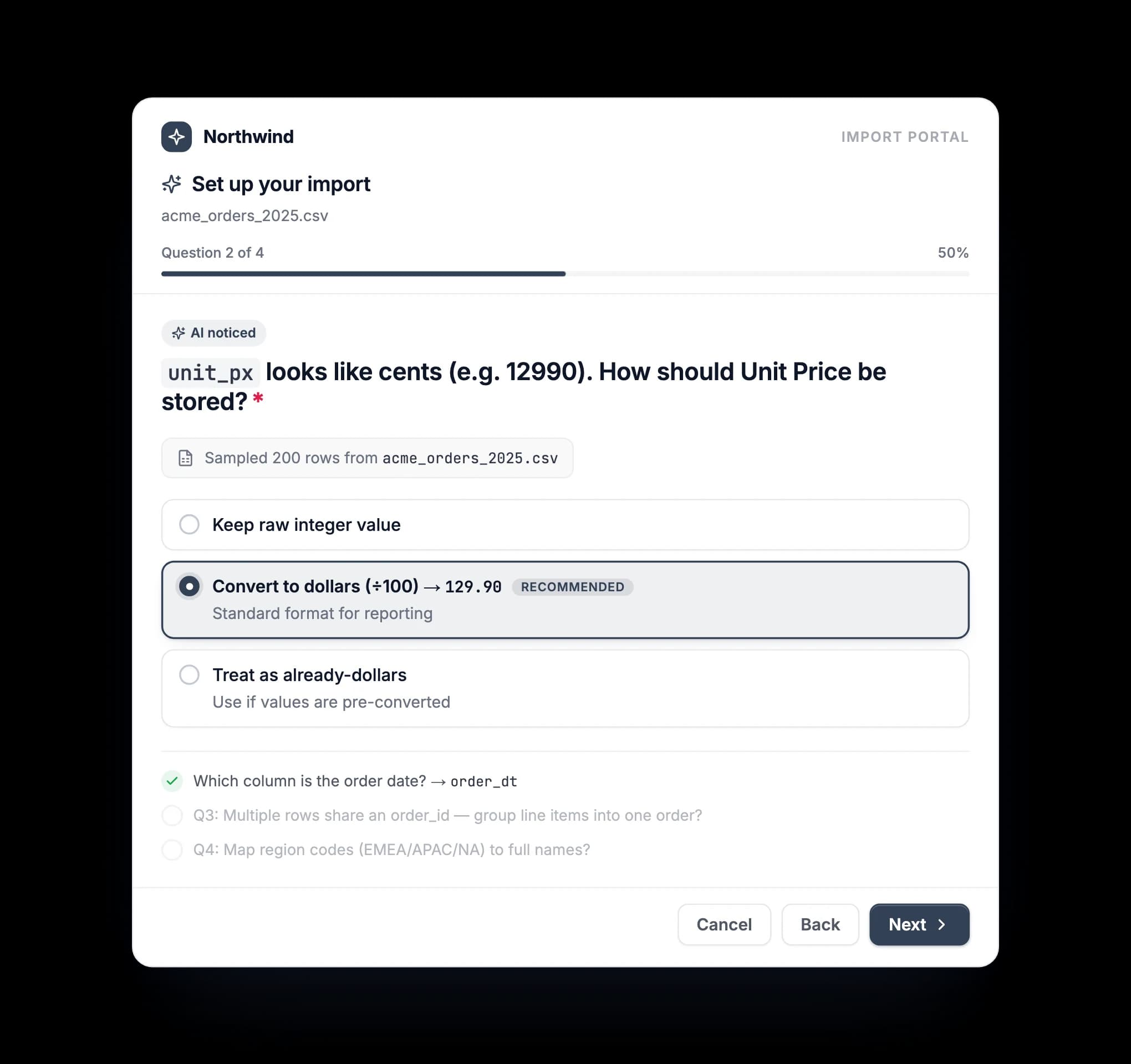
A new or ambiguous format gets a few questions, then a template.
Validated output lands in your bucket.
Review the output with every error flagged. On submit, clean data publishes to your S3 bucket, or routes through your review queue first.
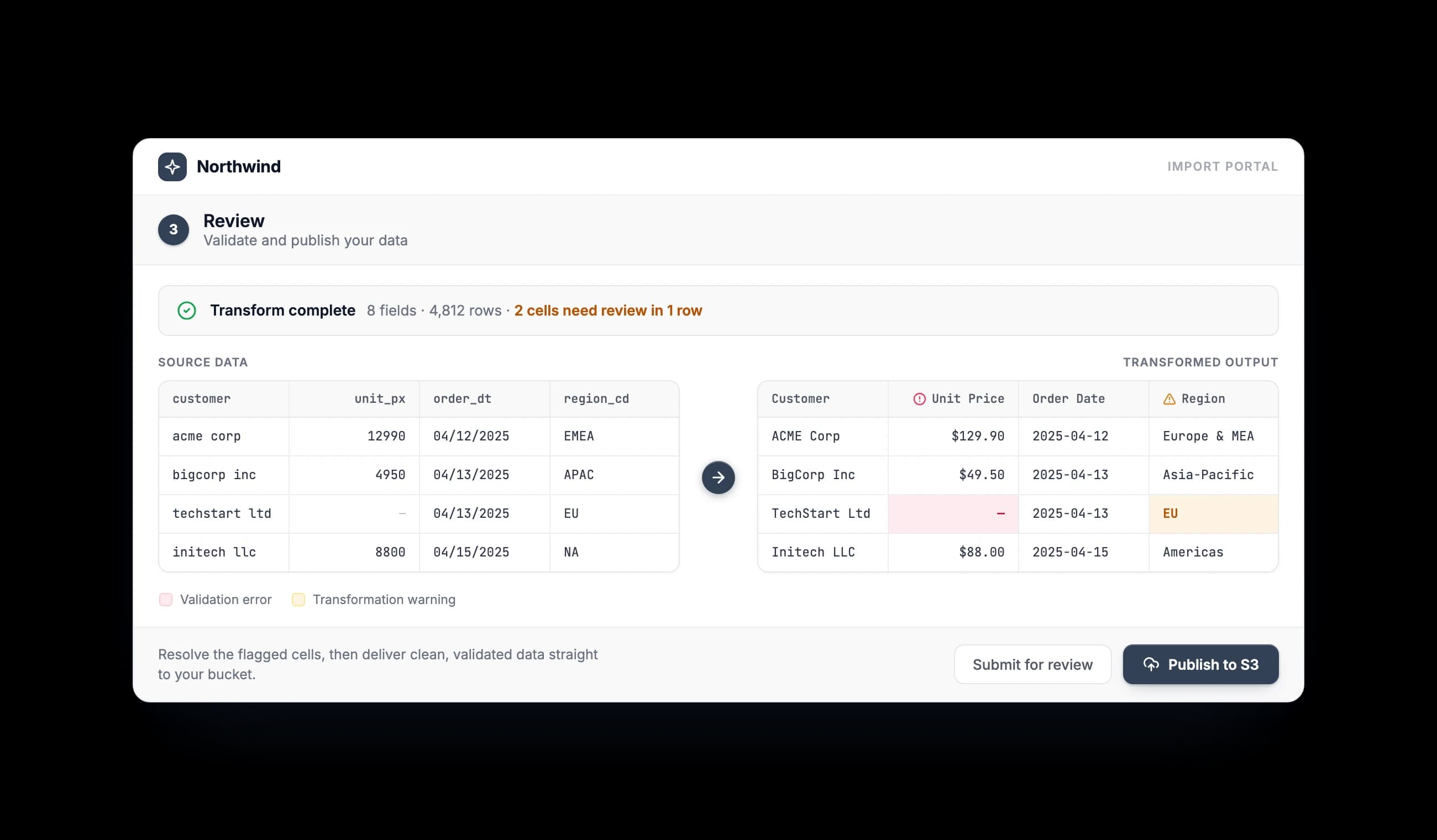
Bring the messiest source your customers send.
We will map it with you and show you the recurring run, no deploy required.
Your Controls
You Configure It. Your Clients Run It.
The portal surfaces only what you define. Clients interact with your rules. They never see or touch how the transformation works.
Template Library
Build and version format definitions in DataFlowMapper. Changes go live immediately. No deployment cycle, no release window, no ticket.
Governance Mode
Configure per-session whether clients publish directly to production or route through your internal review queue first.
Data Destination
Processed files route to your S3 bucket on submission. API and database destinations are available and scoped during onboarding.
Client Authentication
Clients authenticate through your own product using your user IDs. No DataFlowMapper accounts or new login flows required.
AI-Assisted Mapping
When a new client format arrives, AI generates a mapping. Your governance model determines whether these templates need review before surfacing to the client.
Import Type Scoping
Restrict the portal to templates for a specific workflow. One integration can serve multiple import types, configured at session init.
Comparison
Build It, Bolt On a Widget, or Embed the Layer
Three ways to handle client-facing imports. Only one treats a source you have already mapped as zero work, every period after the first.
Custom development
Building In-House
- –Months of engineering before the first client can import
- –Every new format is a code change and a release
- –Import logic scattered across your codebase, yours to maintain forever
- –No reuse when the next similar client arrives
- –Cost-to-serve and headcount climb with every customer
- –You own every fix, on your release schedule
Client upload widgets
Flatfile, Dromo & Similar
- ✓Handles basic column mapping and cleanup
- –Treats every upload as a fresh event, so known sources get re-mapped every period
- –Built for one-time onboarding, not recurring imports
- –Complex transform rules still need developer setup
- –Format changes still route through your dev team
- –No internal review or governance workflow
Embedded import portal
DataFlowMapper Portal
- ✓Map a source once, and every recurring upload auto-applies it
- ✓AI maps new formats, so a change is never a code deploy
- ✓Full transformation logic, no developer involvement per format
- ✓Embeds in days: 3 lines of SDK and one exchange endpoint
- ✓Built for recurring operational imports, not one-time onboarding
- ✓Optional review and governance before data reaches your product
Getting Live
A Guided Rollout, Then Your Team Runs It
We configure the portal with you and go live on your data in weeks, often days. The integration is 3 lines of SDK and one endpoint, a small lift for your team, not a project.
We Scope Together
We review your sources, formats, and governance needs, then map the first templates with you.
We Embed and Test
Your team adds the SDK, 3 lines and one endpoint, while we configure templates and run end-to-end tests before any client touches it.
Your Team Runs It
New and changed formats become template updates or AI drafts, never engineering tickets or deploys. Your clients import on their own schedule.
Put it in front of your own files.
A scoped, fixed-price rollout, live in weeks.

AI workbench for client data onboarding. Built for implementation teams at vertical SaaS.
Book WalkthroughNewsletter
Get the latest updates on product features and implementation best practices.