Stop Manually Cross-Referencing
Client Data in Excel
Upload reference tables directly to your templates. Automate joins, handle fuzzy matches, and enrich client data without relying on fragile spreadsheets.
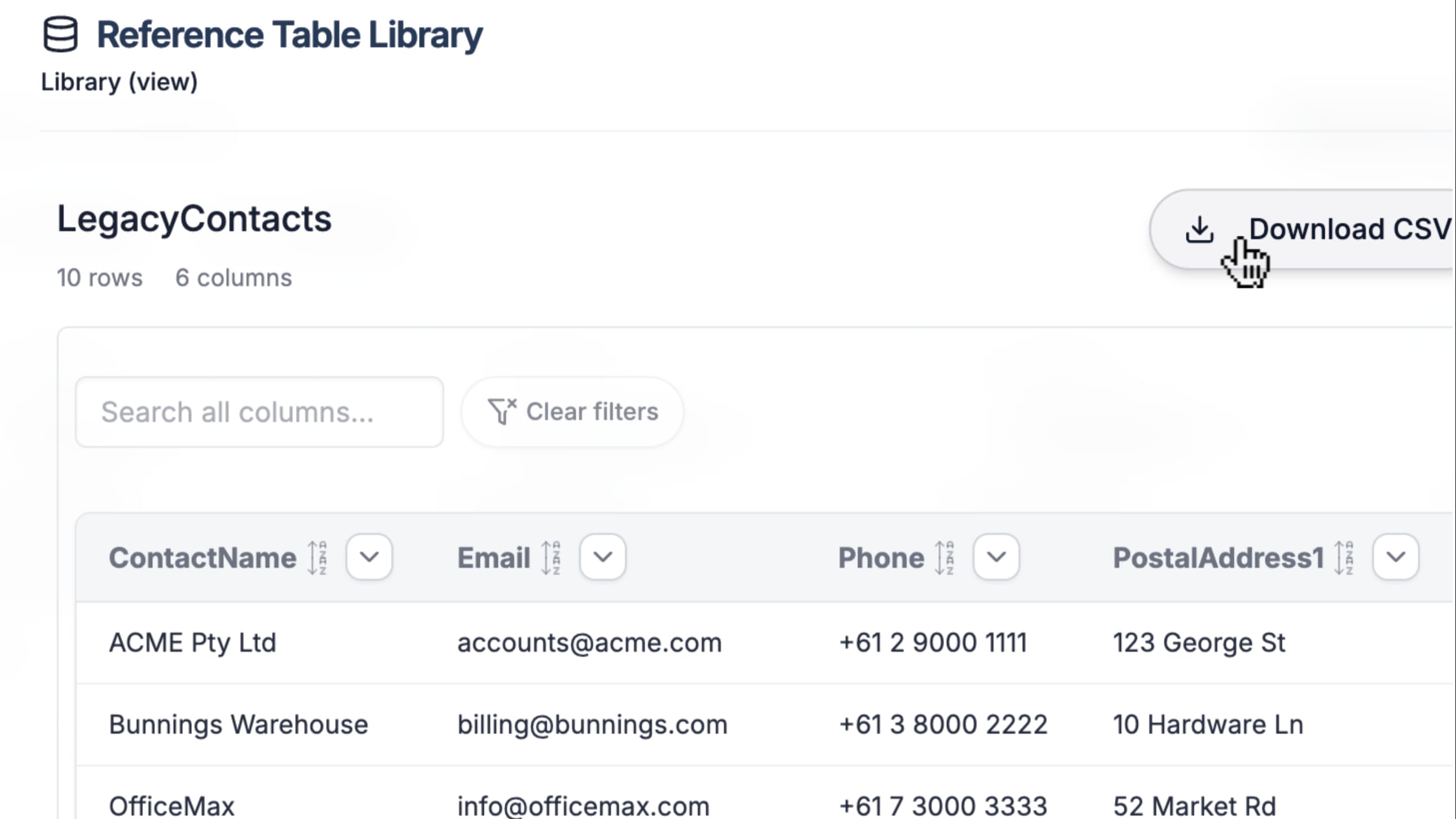
Process Reliability
Eliminate the 'VLOOKUP' Bottleneck
Manual data joining is the #1 cause of hidden errors in data migration. Centralize your reference logic to ensure every team member uses the same master data.
Single Source of Truth
Keep reference data (like Country Codes or SKUs) stored in the template, not scattered across consultants' local desktops.
Fuzzy Matching
Automatically resolve near-matches like 'United States' vs 'USA' or 'Calif.' vs 'CA' without manual intervention.
Zero-Touch Enrichment
Append internal IDs, price codes, or territory maps to source rows automatically during the transformation pass.
Workflow
Automated Data Enrichment
A streamlined process to join messy source files with clean master data.
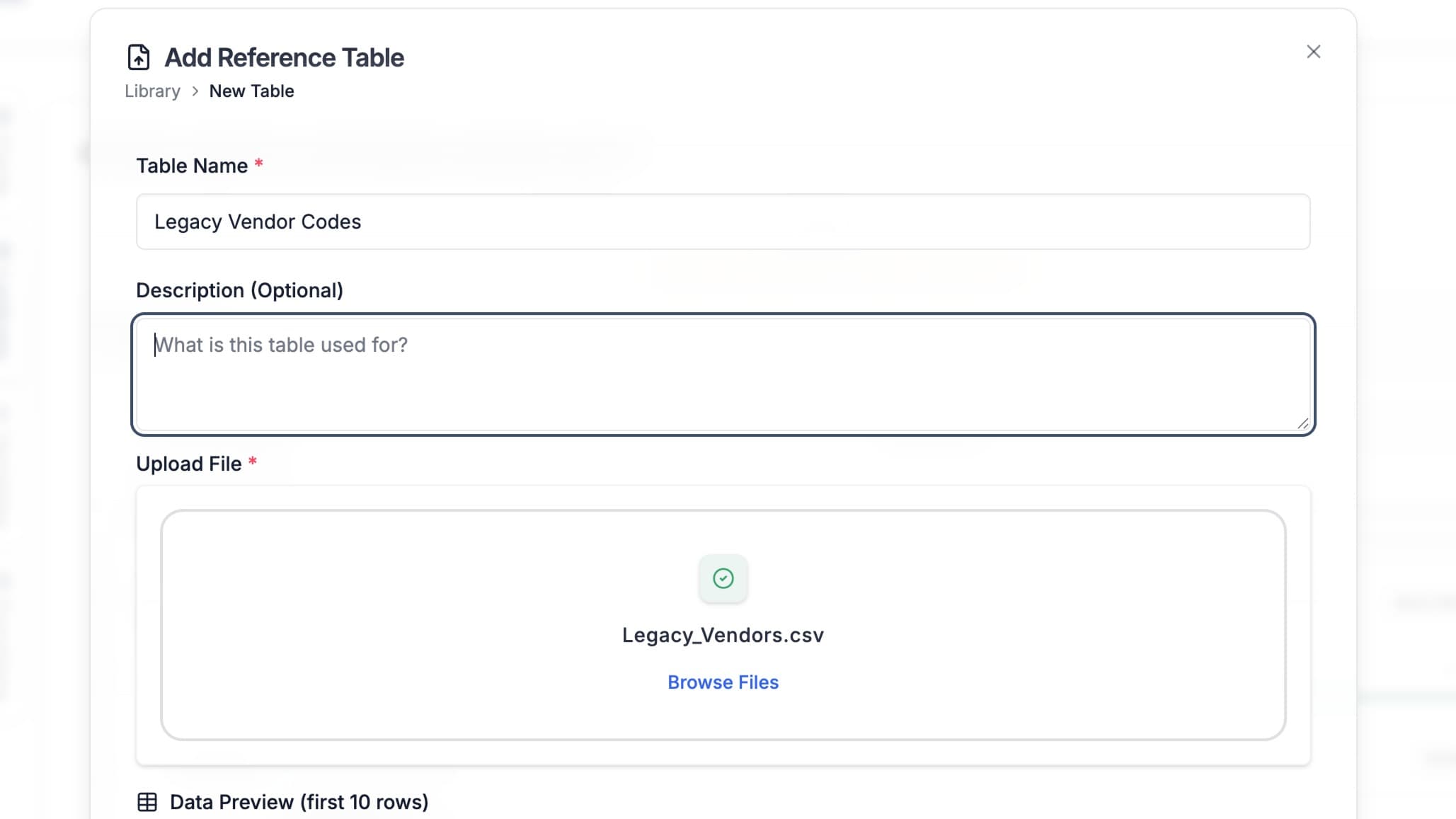
Load Reference Tables
Upload your master data (CSV, Excel, or JSON) into the mapping template as a 'Local Lookup' source. Flatten complex JSON reference files automatically.
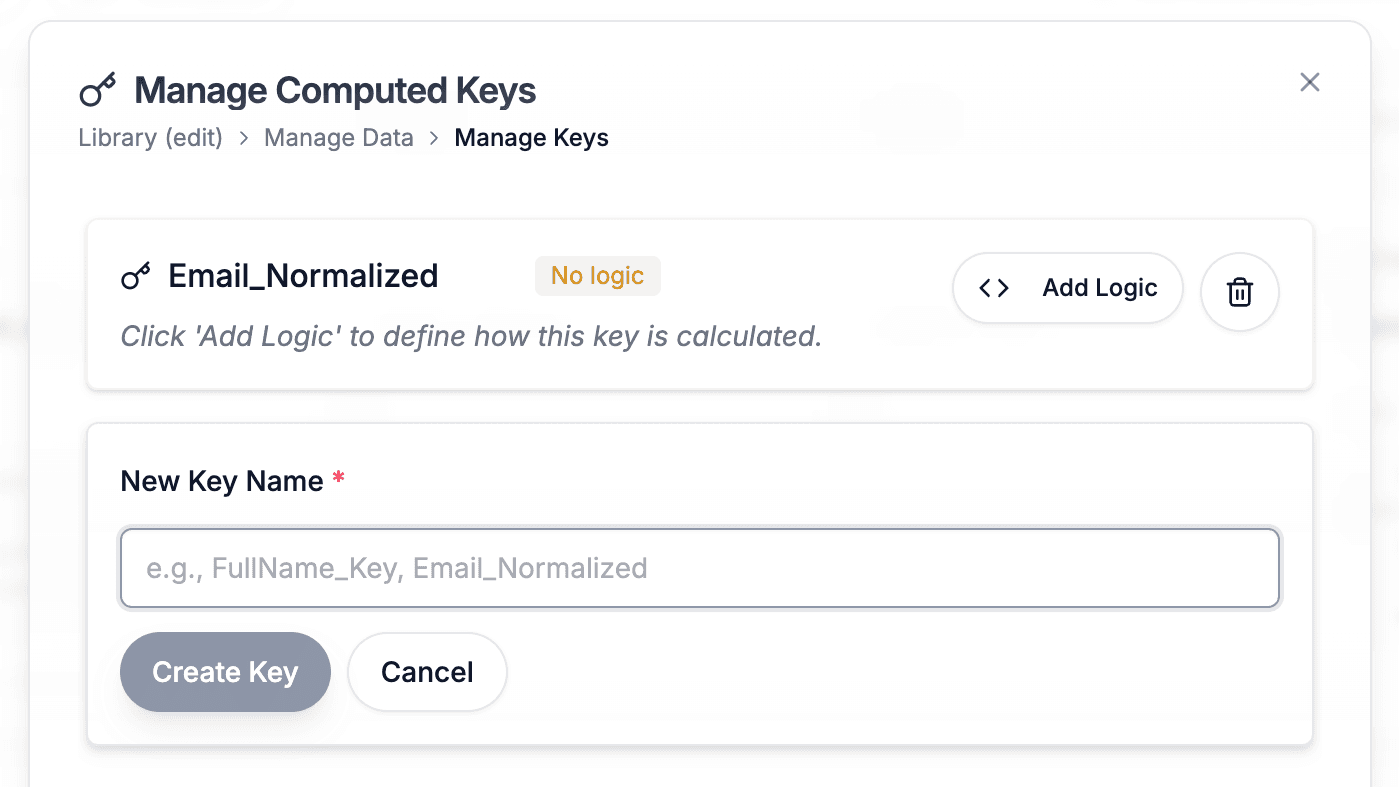
Define or Compute Keys
Match on raw columns or use the Logic Builder to create 'Computed Keys' (e.g., combine First + Last Name) to ensure robust matching even when source data is messy.
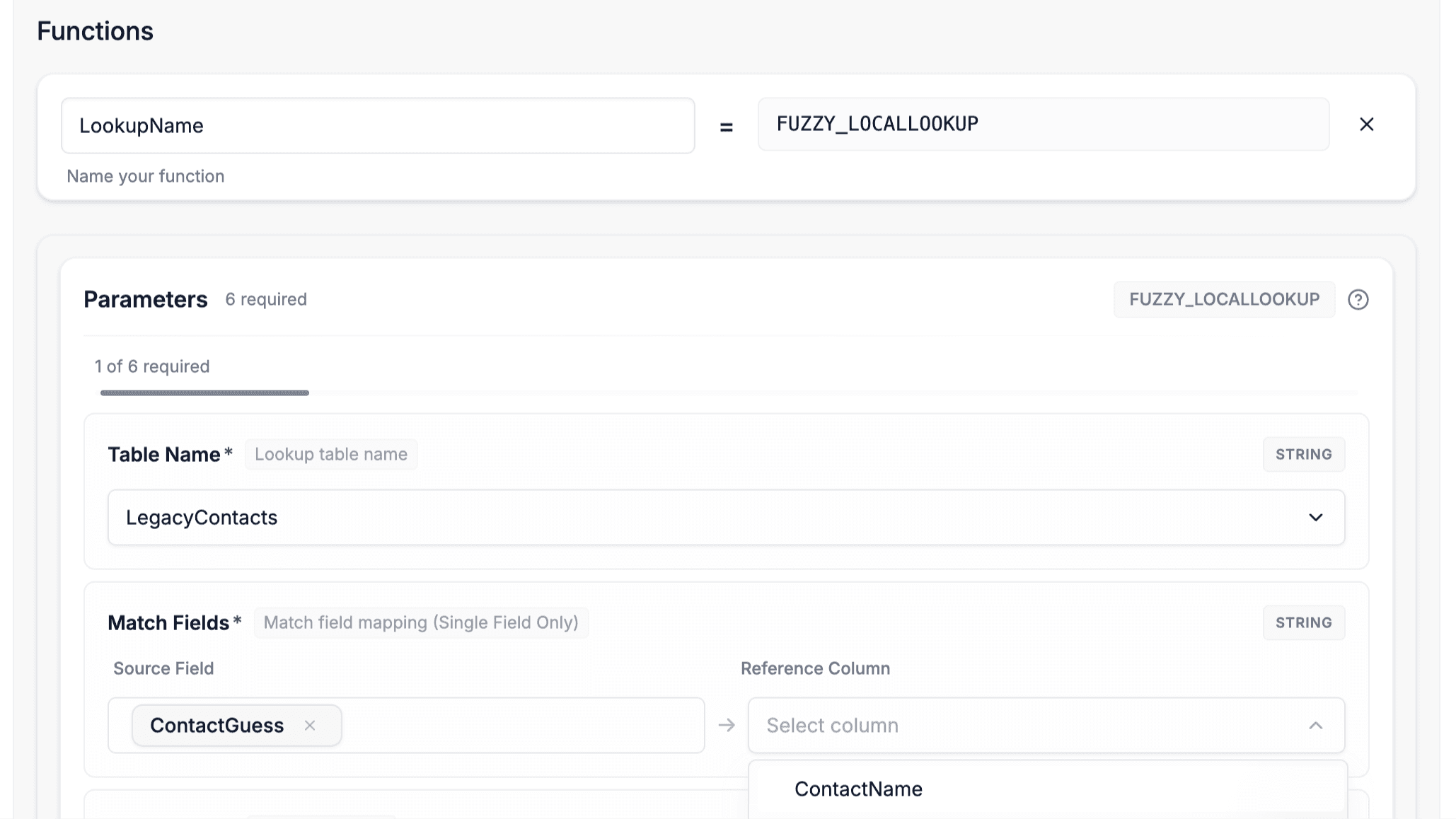
Configure Match Logic
Choose between Exact Matching for IDs or Fuzzy Matching for human-entered text. Define fallback values for when no match is found.
Execute & Verify
Run the transformation. The system joins the data in-memory for speed and outputs the enriched file instantly.
Why teams choose this approach
Unlike spreadsheet-based lookups that are hard to maintain at scale, Lookups provide a version-controlled way to enrich client data reliably, eliminating costly manual errors.
Control & Safety
Join Data with Confidence
Enterprise-grade safeguards designed for complex data migration projects.
Smart Reconciliation
The system detects if your local reference table differs from the template's required version and prevents accidental overwrites.
Computed Keys
Create virtual match keys without modifying the original source file, keeping your audit trail clean.
Hybrid Performance
Optimized in-memory processing for speed, seamlessly transitioning to disk-based lookups for massive datasets.
Versioned Reference Data
Update lookup tables centrally. Ensure every implementation team member uses the current price list or territory map.
Use Cases
The go-to for data import solutions
For repeatable CSV, Excel, and JSON imports, not streaming ETL or analytics workflows.
Client Data Onboarding
Standardize messy client data instantly with AI-powered mapping and reusable templates
Software Implementation
Accelerate go-live times by empowering non-technical teams to handle data migrations
Legacy System Migrations
De-risk high-stakes migrations with visual validation and automated data transformation
Software Vendors
Win more deals and boost customer satisfaction by simplifying onboarding
Consultancies
Scale your service delivery by building a library of reusable mapping templates
Operations
Streamline product catalog mapping and inventory data synchronization
Full Access for 30 Days
Try DataFlowMapper for 30 days. If it's not the right fit, we'll refund you, no questions asked.
1-on-1 Onboarding & Support
Tailored setup so the workbench fits your team’s onboarding workflow.
Live in Your First Week
Build your first template on day one. By week one, real client files are running through it.

AI workbench for client data onboarding. Built for implementation teams at vertical SaaS.
Book WalkthroughNewsletter
Get the latest updates on product features and implementation best practices.