AI workbench for client data onboarding. Built for implementation teams at vertical SaaS.
Book WalkthroughNewsletter
Get the latest updates on product features and implementation best practices.
AI workbench for client data onboarding. Built for implementation teams at vertical SaaS.
Book WalkthroughNewsletter
Get the latest updates on product features and implementation best practices.

For implementation and data migration teams, "joining CSV files" is a daily operational bottleneck. You receive transactional data in one file (e.g., Orders.csv) and need to enrich it with reference data from another (e.g., Customers.csv) before importing it into a target system.
This process, technically known as Reference ID Mapping, often relies on fragile manual methods. Implementation specialists typically default to two approaches:
VLOOKUP or XLOOKUP in Excel. This is unscalable, prone to crashing with large datasets (>50k rows), and creates a single point of failure.Quick Answer: How to Join CSV Files
To join CSV files for data onboarding, avoid manual spreadsheet lookups. Instead, use a repeatable data transformation tool that supports Key-Based Matching. This allows you to define a "Source Key" (e.g., CustomerID in your import file) and a "Reference Key" (e.g., ID in your master file) to automatically link records and retrieve values. This method ensures data integrity, handles large files without crashing, and can be saved as a reusable template for future imports.
Before selecting a tool, it is critical to define the operation. In data engineering, these terms describe distinct actions:
For professional implementation teams, the primary metric for success is repeatability. Ad-hoc methods fail when the client sends an updated file the next day.
| Feature | Excel (VLOOKUP/XLOOKUP) | Python Scripts (Pandas) | DataFlowMapper |
|---|---|---|---|
| Primary Use Case | Ad-hoc, small datasets (<50k rows) | Complex, massive datasets | Repeatable, enterprise data onboarding |
| Join Types | Left Join (Lookup) only | Any (Inner, Outer, Left, Right) | Visual Lookup & Joins (No-Code) |
| Performance | Slow / Prone to Crashing | Extremely Fast | Extremely Fast (In-Memory Processing) |
| Maintainability | Low (Formulas break easily) | Medium (Requires dev maintenance) | High (Versioned Templates) |
| Data Sources | Static Files only | Files, APIs, DBs | Files, APIs, DBs (Unified Interface) |
| Target User | General Business User | Developers/Data Engineers | Implementation Teams & Analysts |
For many data migration specialists, VLOOKUP is the default tool. However, for professional data onboarding, it has serious structural flaws:
INDEX/MATCH combinations for multi-column joins.DataFlowMapper acts as purpose-built middleware for data transformation. It replaces fragile formulas and custom scripts with a structured, repeatable configuration. We handle this through two primary functions: LocalLookup (for static files) and RemoteLookup (for live data).
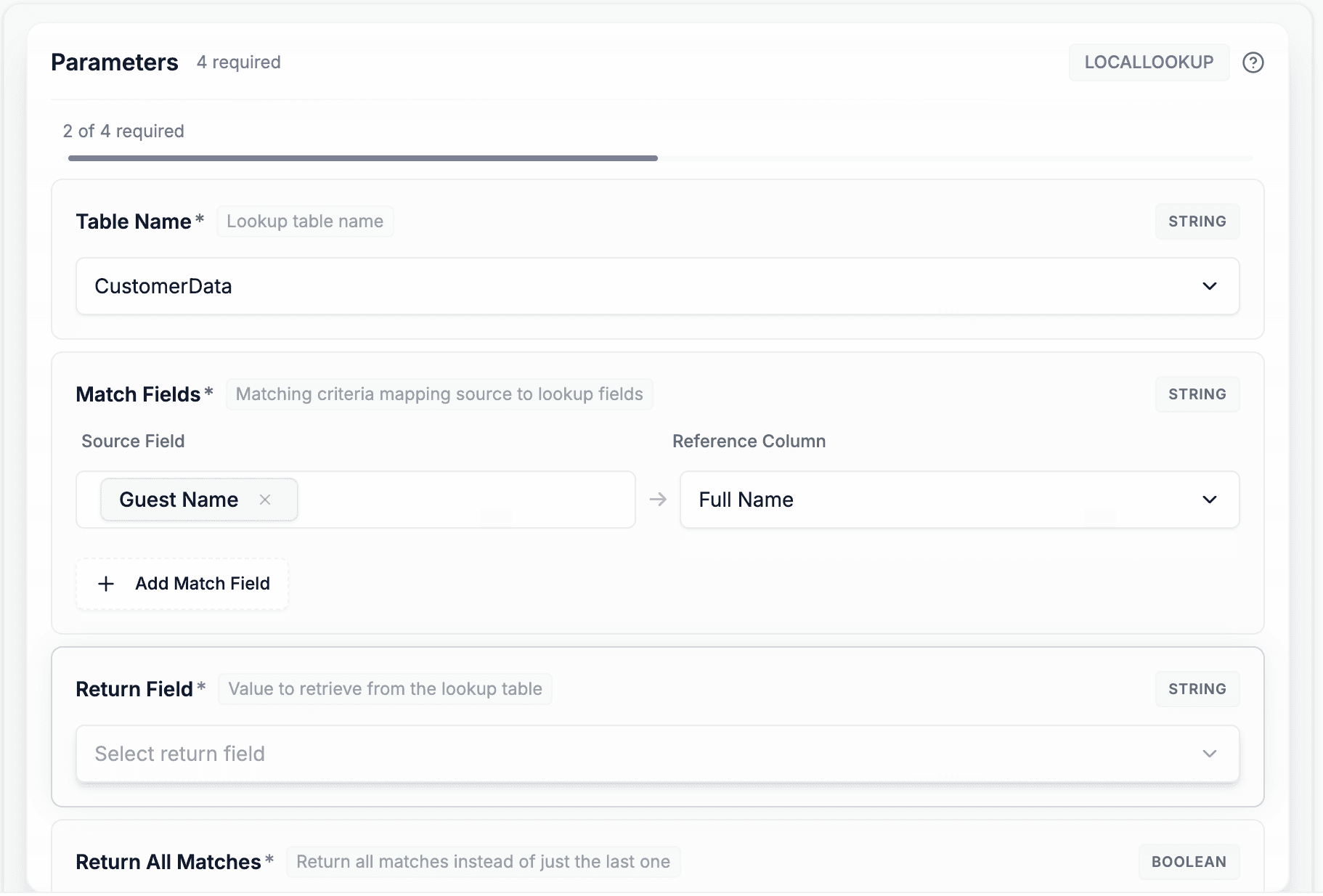
For standard CSV joins where the reference data is a file (e.g., legacy system export), DataFlowMapper uses LocalLookup.
The Workflow:
PartNumber AND Manufacturer) to guarantee uniqueness.Because the lookup table is embedded in the mapping configuration, the logic is portable. You can share the template with any team member, and they can process the next client file without needing access to the original reference spreadsheet.
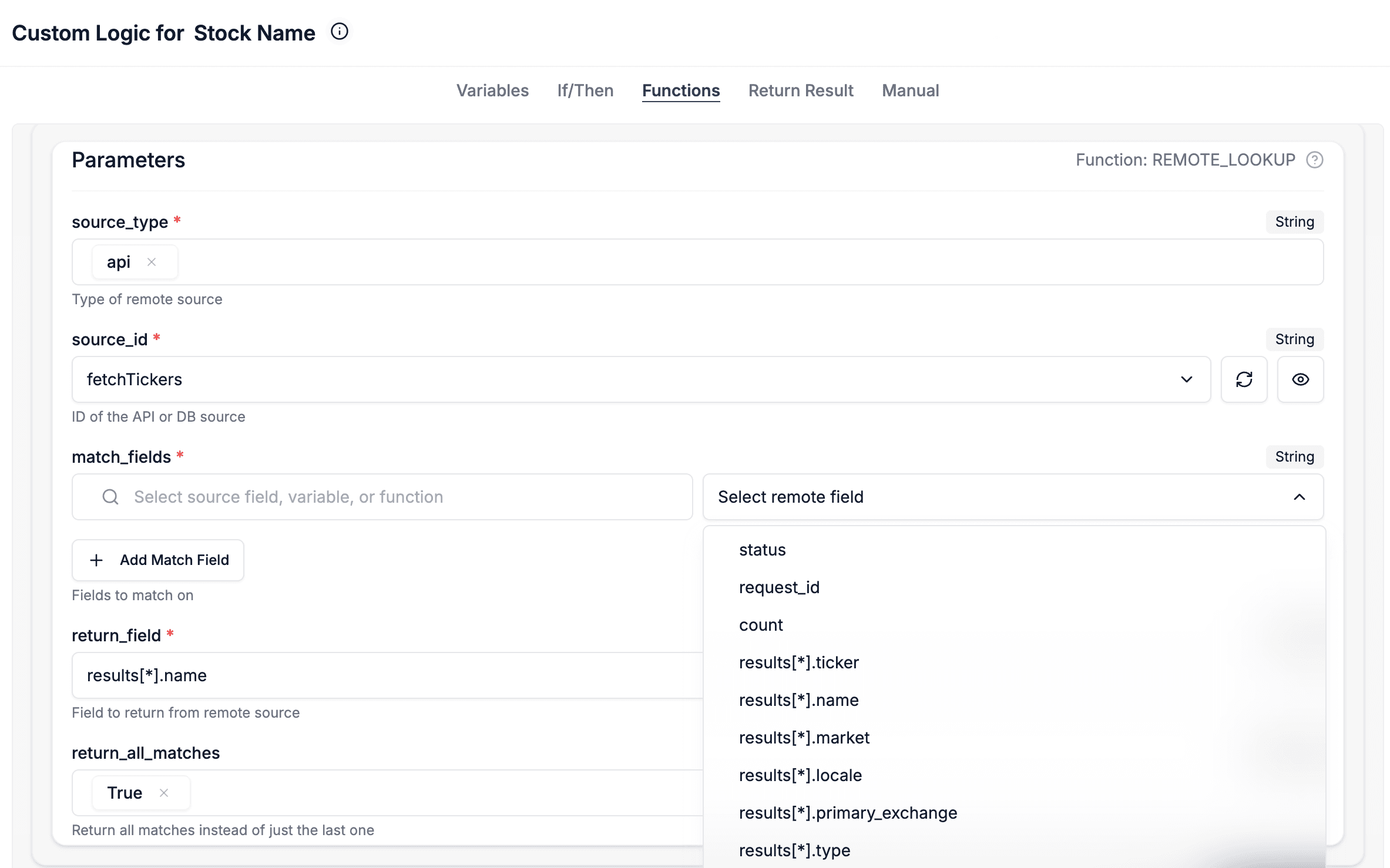
Modern data onboarding often requires validating against a live system rather than a static file. RemoteLookup enables real-time joins against APIs or Databases during the transformation process.
Use Case: A client submits a CSV of new "Opportunities". You need to map the "Account Name" in the CSV to an internal "Account ID" in Salesforce.
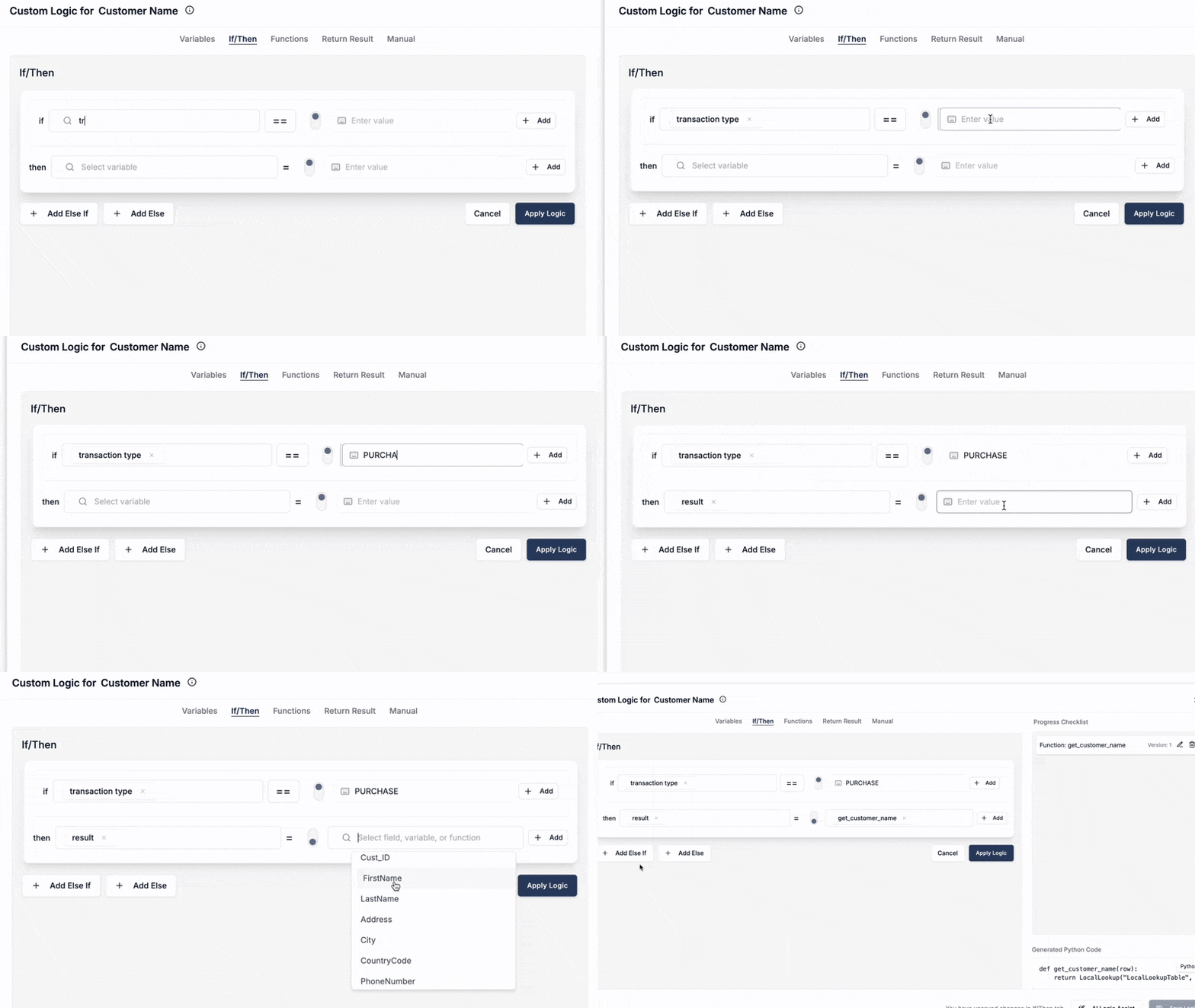
Real-world client data is rarely perfect. A simple join often fails due to data inconsistencies. DataFlowMapper's Logic Builder allows for robust exception handling:
Follow this process to replace manual VLOOKUPs with an automated workflow:
The search for "how to join csv files" often ends in a tutorial about Pandas code or a video about Power Query. But for implementation teams, the goal isn't just to join files once. It is to build a reliable, repeatable process for onboarding client data.
By moving your ID mapping and file joins into DataFlowMapper, you eliminate the risk of manual errors, process larger files than Excel can handle, and standardize the logic so anyone on your team can run the import.
 DataFlowMapper
Stop wrestling with spreadsheets. Automate complex ID mapping and file joins with DataFlowMapper.
For repeatable data onboarding, use a dedicated transformation tool like DataFlowMapper. It allows you to upload a reference file (like a customer list) and define match keys (like IDs) to join data columns to your source file automatically, handling millions of rows in memory without crashing.
Merging (or concatenating) appends files vertically, stacking rows on top of each other. Joining links files horizontally, adding new columns to a dataset based on a matching unique identifier (similar to SQL JOIN or Excel VLOOKUP).
Yes. Unlike standard VLOOKUP which requires a single key, DataFlowMapper allows you to define composite keys. You can match on multiple fields simultaneously (e.g., 'First Name' + 'Last Name' + 'Zip Code') to ensure accurate ID mapping.
By saving your join logic as a DataFlowMapper template. Once you define the relationship between your source file and your reference tables (LocalLookup), the system applies this logic automatically to every new file upload, eliminating manual formula work.
Unlike static CSV joins, DataFlowMapper's 'RemoteLookup' feature acts like a real-time join. It connects to your live database (SQL, Postgres) or API during the transformation process to fetch the most up-to-date reference data, ensuring your ID mapping is always accurate.