AI workbench for client data onboarding. Built for implementation teams at vertical SaaS.
Book WalkthroughNewsletter
Get the latest updates on product features and implementation best practices.
AI workbench for client data onboarding. Built for implementation teams at vertical SaaS.
Book WalkthroughNewsletter
Get the latest updates on product features and implementation best practices.
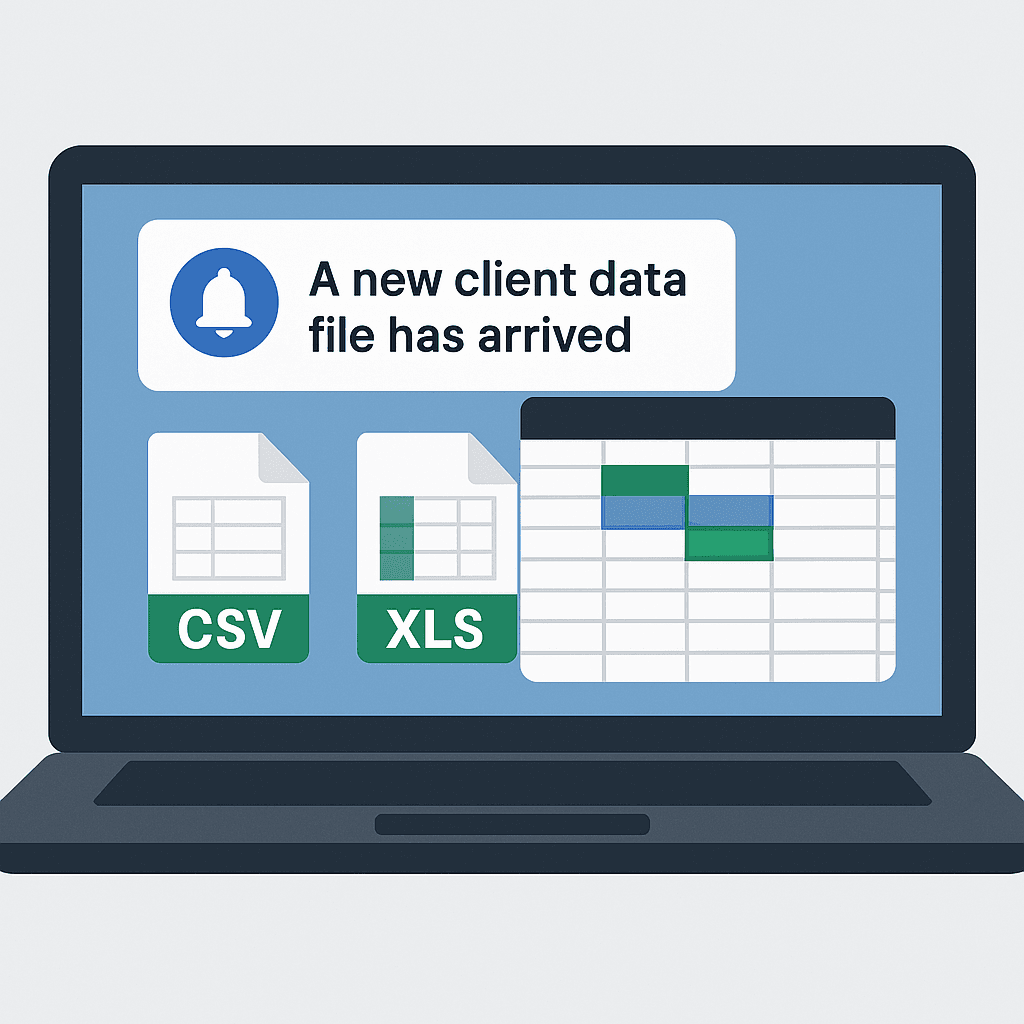
Software onboarding consistently stalls at one specific step: the moment your implementation specialist opens the client's file and finds mismatched headers, multiple date formats in a single column, and a workbook where the contact records actually live on sheet four. From there, the work tends to move into Excel, into escalated engineering tickets, or into weeks of slipped go-live dates.
For COOs and CTOs running implementation organizations, this single pattern controls onboarding velocity, customer success cost, and revenue recognition timing. Adding headcount and writing one-off ETL scripts both produce the same outcome: cost compounds with every new logo and the queue keeps growing. Automating this step is one stage of a broader data onboarding strategy that spans mapping, transformation, and validation.
When implementation cannot move the data on its own, the work lands in one of two places, and neither one scales.
Customer Success teams default to Excel. Implementation specialists copy columns, write VLOOKUPs they only half-remember, fix dates by hand, and escalate when a sheet refuses to conform. Every hour spent here is an hour your customer-facing implementation people spend acting as data analysts on accounts that have not yet started recognizing revenue.
Engineering owns the alternative path. A senior engineer writes a custom Python script for the new client, tests it, hands it off, and then maintains it the next time the client's file shape drifts. Every hour your engineers spend in client ETL is an hour they are not building product, and the opportunity cost dwarfs the visible line item on the engineering side.
Pushing CSV templates back to the client also fails in practice. Enterprise buyers do not map their own legacy data into your schema; they expect a hands-on onboarding from the vendor and they will benchmark you against vendors that deliver one.
The underlying constraint is structural rather than tactical. You cannot scale implementations linearly with headcount, and you cannot route every messy file to engineering without breaking the product roadmap. The fix is to remove the engineering dependency from data normalization without lowering the technical bar on the output.
DataFlowMapper's Copilot operates the application alongside your implementation team across three views: the Transformation Form (file and template loading), the Mapping Editor (field-level mapping), and the Logic Builder (Python transformation and validation logic for individual fields). The behaviors below tie directly to those surfaces.
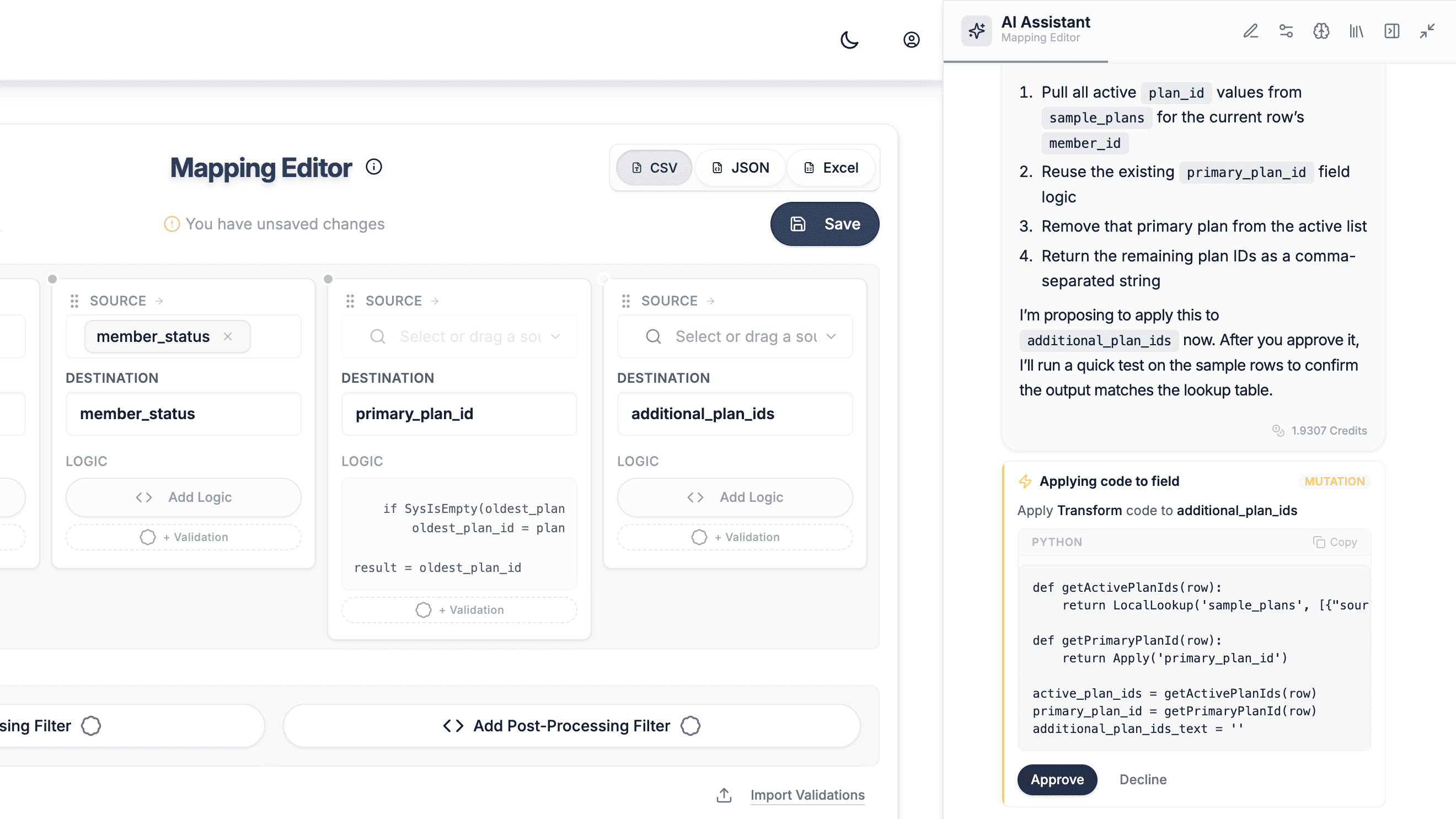
Reads the source schema and a sample of the data. Before writing any logic, the Copilot pulls the source field list, samples up to 500 rows, and computes per-field statistics including value distributions and frequencies. Data sent to AI providers is governed by Data Processing Agreements with zero-training and zero-retention guarantees, and optional PII masking can be enabled for teams handling especially sensitive data.
Writes Python transformation logic against an audited function library. When a destination field requires computed logic such as concatenation, conditional branching, lookups, date reformatting, regex extraction, padding, or prefix application, the Copilot composes Python from DataFlowMapper's Logic Builder function library. Every function used is documented and audited, and the Copilot does not generate freeform code that drifts outside that surface.
Tests the generated code before applying it. After writing logic, the Copilot runs it through a parser check and then executes it against a real source row using the field's full mapping context. If the code fails to parse or returns an unexpected value, the Copilot revises before the implementation specialist ever sees the proposal. See the validation workflow for the full guardrail model.
Handles multi-sheet Excel and ZIP archives via sandboxed JavaScript. When a client sends a workbook with thirty sheets in different shapes, or a ZIP archive with five files that need to be flattened into one canonical schema, no built-in transformation function is sufficient. The Copilot writes JavaScript that runs inside a sandboxed null-origin iframe with SheetJS, PapaParse, and JSZip available. The script executes in the user's browser session against a user-provided file and only after the user approves the script. The sandbox has no network access, no DOM access, and no access to parent application state.
Generates client-facing QA reports and run exports. When validation fails on the client's data due to missing required fields, format violations, or referential errors, the Copilot compiles the failures into a formatted HTML report and delivers it as a PDF. For full handoff packages, the Copilot can also produce an Excel export of the latest transformation run with three tabs: transformed data with row-level error highlighting, the source data, and the rows removed by filters.
Operates under user-controlled approval gating. Every state-changing action (applying code, mapping fields, running the transform, saving the template, executing a sandboxed script) defaults to an approval card before execution. A user who wants the agent to run end-to-end can enable auto-approve in chat settings, and the toggle is always under the user's control with approval available to be re-enabled at any time.
For a deeper look at the agent loop that drives these behaviors, see AI agents for data onboarding.
A large share of implementation work is lookups: matching a client's customer codes to your customer IDs, joining a transaction file against a chart of accounts, resolving SKU aliases, mapping insurer codes to internal carrier records. These joins are also where most "messy file" problems actually live, because the join key on either side is rarely clean.
The Copilot operates a reference-table workflow that flat embedded importers do not provide. It can search the user's library of reference tables, add a chosen table to the current mapping workspace, and then call it from transformation logic via the platform's LocalLookup() function. When the reference table's key column itself has formatting inconsistencies (mixed case, trailing whitespace, encoding artifacts that block reliable matches) the Copilot can derive a computed key column on the table by writing a normalization expression that runs row-by-row against the stored data. The previous table version is preserved in history and can be restored if the new key produces wrong values.
The result is that a join the implementation specialist would normally describe as "manually reconcile customer codes against the master list" becomes a single Copilot action that loads the right reference table, normalizes the join key, and writes the lookup logic against the cleaned column. None of that requires the user to write Python or VLOOKUP, and the resulting mapping is re-runnable for every future file from the same client.
The Copilot also supports a persistent memory store for durable preferences and corrections (for example, "this client always sends dates as DDMMYYYY" or "treat zero-amount rows as filtered, not invalid"). Memories carry across sessions and reduce the rework when the same client onboards a second product line or sends an updated file.
These are the real boundaries, named directly so buyers know what they are getting.
The throughput effect is the most visible. Implementation specialists previously stuck on lookup matching, date normalization, and multi-sheet flattening now move that work into the Copilot under their chosen approval policy and free their week for client-facing review and configuration. The engineering effect is the next one to register internally: the dev ticket queue for "client X's CSV is broken" closes, senior engineers stop writing one-off Python scripts, and they stop maintaining the next version when the client's file shape drifts. Engineering hours return to product, which is where they should have been the entire time.
The revenue effect is the one that matters at the executive level. Faster, more predictable data normalization compresses time-to-go-live, which pulls revenue recognition forward and reduces the share of customer success hours spent on data analysis instead of customer outcomes. Implementation throughput stops being constrained by per-onboarding hours lost to file shape work, which is why team capacity goes up without adding headcount. For the broader operating model behind this shift, see scaling software implementation teams.
 DataFlowMapper
Equip your implementation team with an AI Copilot that maps, transforms, and validates complex client files without a single dev ticket.
The data normalization phase typically compresses from days to hours on the work that consumes most implementation hours: lookup matching, format normalization, and multi-sheet flattening. In one anonymized example, a non-technical implementation specialist at a B2B rental management software vendor moved a seven-day onboarding into two days using the Copilot. Onboardings blocked by missing source fields, unsigned data contracts, or unresolved business-rule disagreements with the client are not affected by an AI Copilot because the blockers sit outside the data work itself.
The dev ticket queue for client-specific ETL work closes, and senior engineers stop writing one-off Python scripts for inconsistent client files (and stop maintaining them when the client's file shape drifts later). Engineering hours return to product, and implementation throughput stops being constrained by engineering availability across new logos.
State-changing actions default to user approval before execution; auto-approve is an opt-in setting the user controls and can revert at any time. Python transformations are written against a documented, audited function library rather than freeform code. JavaScript preprocessing runs in a sandboxed null-origin browser iframe in the user's session with no network access, no DOM access, and no parent application state, and every individual script requires explicit user approval before it executes. Mappings are saved as re-runnable templates in the user's library and can be exported for review.
Flat embedded importers solve end-user CSV upload during a self-serve workflow. They assume relatively clean, single-sheet input and stop at field matching. An embedded AI Copilot is built for B2B implementation work where files arrive in inconsistent legacy shapes, including multi-sheet Excel, ZIP archives, and structural variation between clients. It writes computed logic, executes sandboxed preprocessing for unstructured files, validates output, and produces client-facing QA reports, addressing the implementation work that flat importers do not cover.