AI workbench for client data onboarding. Built for implementation teams at vertical SaaS.
Book WalkthroughNewsletter
Get the latest updates on product features and implementation best practices.
AI workbench for client data onboarding. Built for implementation teams at vertical SaaS.
Book WalkthroughNewsletter
Get the latest updates on product features and implementation best practices.
For NetSuite administrators and implementation consultants, the CSV import tool is a double-edged sword. It's the primary way to get bulk data into the system, but the process of preparing that data is often a tedious, manual grind.
Does this workflow sound familiar?
VLOOKUP or XLOOKUP to map your human-readable data (like customer names or item SKUs) to NetSuite's required internal IDs.This cycle is not just inefficient; it's fraught with risk. A single sorting error can break every VLOOKUP. Excel can silently corrupt your data by stripping leading zeros or changing formats. It's a process that doesn't scale and relies heavily on manual precision.
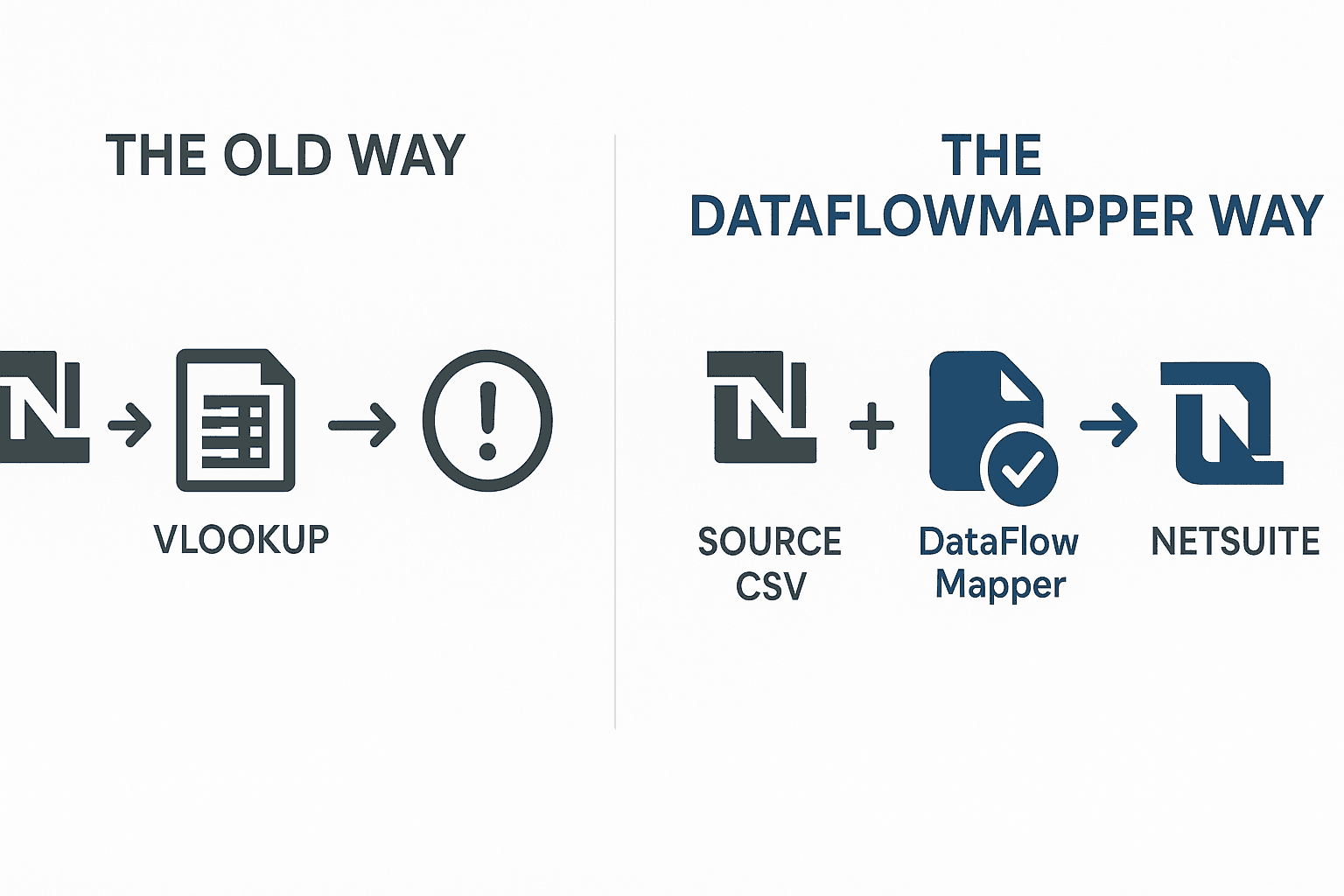
The biggest bottleneck in this process is often the reliance on VLOOKUPs to map external data to NetSuite's internal IDs. This is a classic "spreadsheet solution" that creates more problems than it solves:
To truly streamline NetSuite data preparation, you need to escape the VLOOKUP trap.
Instead of wrestling with spreadsheets, a modern data transformation platform like DataFlowMapper provides a structured, repeatable, and automated workflow. Here’s how you can transform your NetSuite data prep process:
First, replace the fragile VLOOKUP with a robust, integrated lookup.
LocalLookup function. You visually map the field from your source data (e.g., 'Customer Name') to the corresponding field in your lookup table and tell it to return the 'Internal ID'. It's fast, reliable, and completely immune to sorting errors.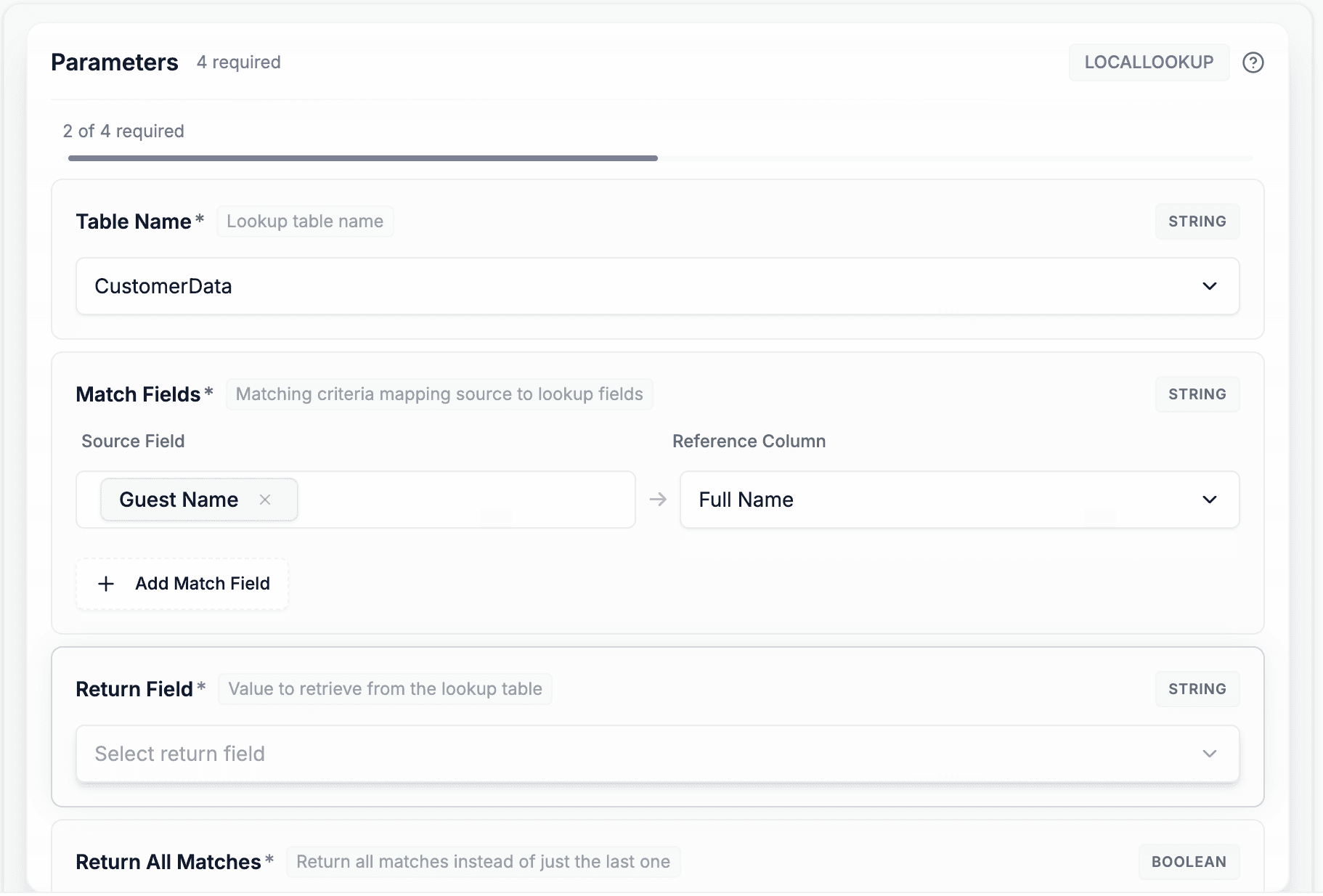
NetSuite's CSV importer is notoriously picky about column headers.
Easily handle NetSuite's specific data requirements using the visual Logic Builder.
Stop waiting for NetSuite to tell you what's wrong.
The most powerful outcome of this modern workflow is that the entire process—the lookups, the field mappings, the transformation logic, and the validation rules—can be saved as a single, reusable template in DataFlowMapper.
The next time you have a similar customer or transaction import, you don't start from scratch. You simply load your saved template, upload the new source file, and the entire transformation happens in seconds. You've turned a multi-hour manual task into a reliable, one-click process.
The rigidity of NetSuite's CSV importer demands a data preparation process that is precise, repeatable, and error-free. Relying on manual Excel manipulation and fragile VLOOKUPs is a recipe for frustration and wasted time.
By adopting a modern data transformation tool, you can automate the most painful parts of the process, from ID mapping to validation. This not only saves countless hours but also dramatically improves the quality and reliability of the data you load into NetSuite, ensuring your ERP remains a trusted source of truth.
How does this handle NetSuite's internal vs. external IDs? The workflow is designed specifically for this. You use a 'LocalLookup' with an exported list of NetSuite records to reliably map your source data's human-readable ID (like a customer name or SKU) to the required, unique Internal ID that NetSuite's CSV importer needs.
Can I validate my data against my company's specific NetSuite picklist values? Absolutely. You can easily create a validation rule that checks if a field's value is in an approved list (e.g., ['Lead-Qualified', 'Customer-Closed Won']). For longer lists, you can even upload an export of your picklist values as a 'LocalLookup' table and validate against that.
My source data needs a lot of cleaning before I can even think about mapping it. Can this tool handle that? Yes. DataFlowMapper includes a comprehensive library of over 50 functions for data cleaning and transformation. You can trim whitespace, change text case, standardize date formats, and apply complex conditional logic, all before the data is mapped to your NetSuite template.
 DataFlowMapper
Ready to eliminate onboarding headaches & secure your spot?
The workflow is designed specifically for this. You use a 'LocalLookup' with an exported list of NetSuite records to reliably map your source data's human-readable ID (like a customer name or SKU) to the required, unique Internal ID that NetSuite's CSV importer needs.
Absolutely. You can easily create a validation rule that checks if a field's value is in an approved list (e.g., ['Lead-Qualified', 'Customer-Closed Won']). For longer lists, you can even upload an export of your picklist values as a 'LocalLookup' table and validate against that.
Yes. DataFlowMapper includes a comprehensive library of over 50 functions for data cleaning and transformation. You can trim whitespace, change text case, standardize date formats, and apply complex conditional logic, all before the data is mapped to your NetSuite template.