AI workbench for client data onboarding. Built for implementation teams at vertical SaaS.
Book WalkthroughNewsletter
Get the latest updates on product features and implementation best practices.
AI workbench for client data onboarding. Built for implementation teams at vertical SaaS.
Book WalkthroughNewsletter
Get the latest updates on product features and implementation best practices.
If you manage delegated authority operations, you have seen this problem. Every MGA and coverholder in your portfolio sends a different Excel format, built around whatever policy admin system they happen to run. A bordereaux mapping tool solves a specific step in that process: transforming each coverholder's file into your system's target schema, reliably, every cycle, without rebuilding the mapping from scratch.
In September 2024, Lloyd's removed the mandatory status of the Delegated Data Manager (DDM). Every managing agent that relied on DDM for centralised bordereaux processing now needs to choose its own tooling. That procurement activity has focused attention on a question that was always there: once you have a platform, who handles the column mapping when a coverholder adds a field, renames a column, or changes their date format?
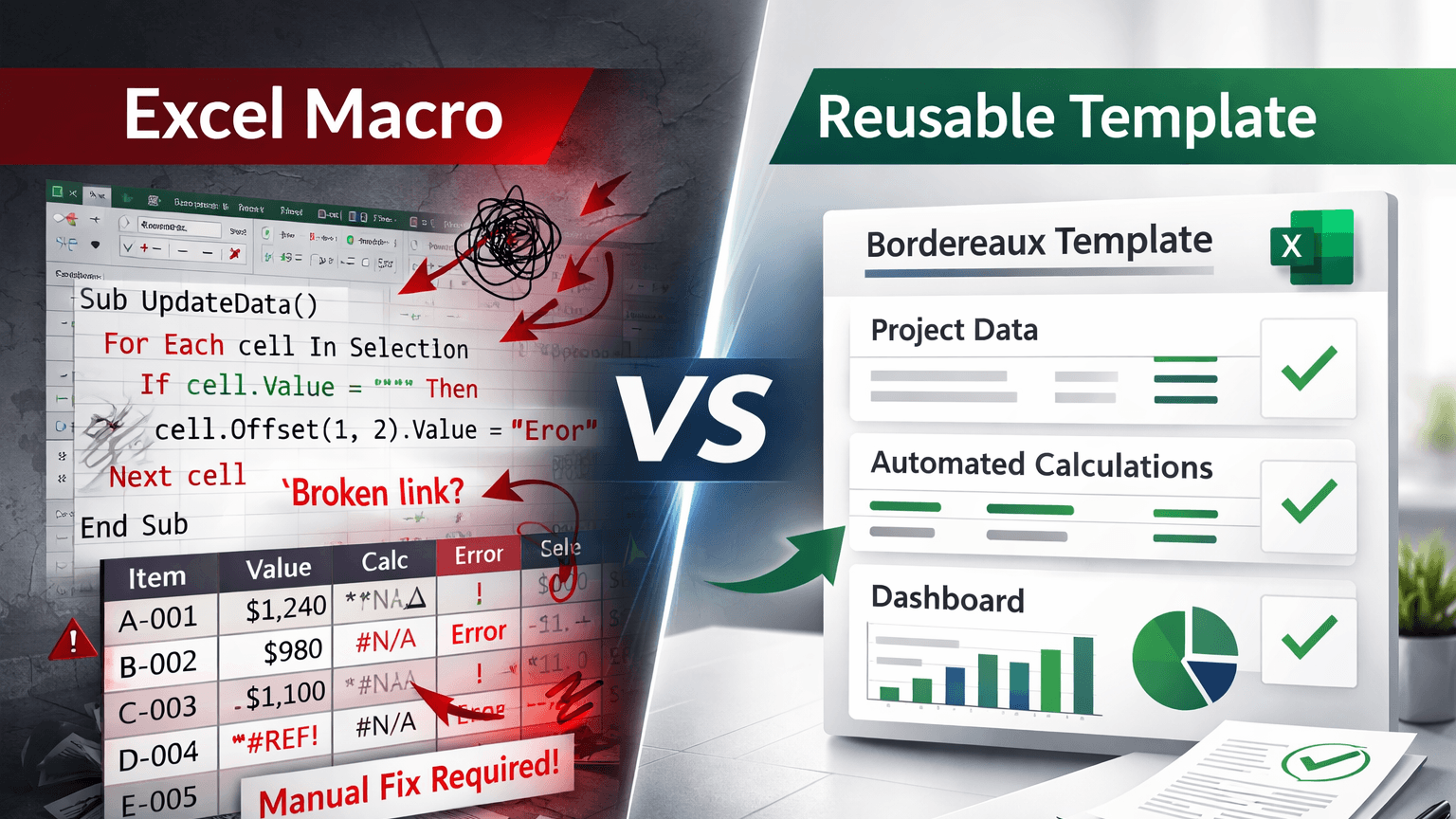
The answer in most DA operations teams today is: an analyst with Excel macros and a shared Word document. This post covers why that approach breaks at scale, what a dedicated bordereaux mapping tool does differently, and when DataFlowMapper is the right fit.
The London market processes an estimated 23,000 claims bordereaux per month. Each one arrives as an Excel spreadsheet, formatted however the MGA's or coverholder's system exports it.
Lloyd's Coverholder Reporting Standards v5.2 define what data should be included in a bordereaux. They do not standardise the file format. One coverholder sends a column called "Risk Premium" where your system expects "GrossPremiumGBP." Another sends dates as "DD/MM/YYYY" where your validation expects ISO 8601. A third splits premium and tax into a single column; your schema needs them separated. A fourth uses their own internal currency codes instead of ISO 4217.
ACORD has published XML standards for bordereaux. Adoption remains minimal because most MGAs cannot produce XML or JSON output from their policy admin systems. They export to Excel and send the file by email. As Insly has noted, "the good-old-fashioned Excel file bordereaux will continue to be used widely in the foreseeable future."
The cost of managing this manually is documented and significant. Coforge estimates that manual bordereaux processing costs carriers £25,000 to £30,000 per FTE annually, with errors in approximately 10% of cases and total costs reaching £200,000 per year when reconciliation and rework are included. Hercules.ai reports that acquisition and administrative costs related to bordereaux processing consume up to 40% of premium income in the London market.
Artificial Labs described the operational problem directly: "There are often different formats for each coverholder, sometimes even differing between classes of business. And each time new coverholders are onboarded, new mappings need to be created. Coverholders can even change format whenever they like."
The mapping step is not a technical problem. It is a repeatability problem. The transformation from "this MGA's Excel format" to "our system's schema" is well-defined for any given coverholder. The challenge is that nothing in most DA operations stores and reuses that definition systematically.
Excel macros are the default solution in most DA operations teams. A Beazley job posting for a Delegated Bordereaux Analyst explicitly lists "developing excel macros for bdx manipulation" as a core duty alongside "documentation ownership and maintenance of fields mapped and rules applied." That description captures the problem precisely: the mapping logic lives in a macro file and a Word document, owned by one analyst.
This approach has four structural failures.
The knowledge lives in one person. The analyst who built the macro understands the logic. When they move to a different role, take leave, or resign, that understanding does not transfer cleanly. The documentation is rarely complete enough for someone else to maintain the macro confidently when a coverholder changes their format.
There is no audit trail. After processing a bordereaux file, you cannot systematically prove what transformation rules were applied on a specific date. Lloyd's CUO Rachel Turk stated in September 2024 that she finds it "bizarre" that syndicates are still receiving bordereaux data that is out of date. Lloyd's 2025 Market Oversight Plan now includes delegated claims data timeliness and accuracy as a standing agenda item. The FCA is expanding oversight of delegated authority models from Q2 2026. An audit trail is no longer optional.
Format changes break the macro. When an MGA adds a column, renames a field, or changes their date format, the macro fails. Debugging it requires either the original author or someone willing to trace the formula chain. Processing delays during a quarterly cycle are the predictable result.
Scaling across coverholders is not manageable. If you manage 30 coverholders, you have 30 macro files in varying states of maintenance. Some were built by analysts who have since left. Some are undocumented. Some work for the current format but no one can say with confidence why.
Full bordereaux management platforms solve many workflow problems. VIPR handles the DA lifecycle from bordereaux receipt through Lloyd's reporting. Verodat provides data supply chain management with validation and export. distriBind positions itself as a digital data exchange designed to eliminate paper-based workflows.
But their built-in ingestion and mapping layers share a documented limitation. Synpulse, in a review of bordereaux tooling, noted: "Even for insurers, MGAs, and brokers who have taken steps towards digitalising their delegated authority business using a tool, challenges persist. Functionality gaps in different tools, data-related limitations."
Artificial Labs described the specific constraint: "This approach needs humans to set up new rules or mappings each time a new format is provided." Most platform mappers store column-level assignments, but transformation logic, validation rules, and reference data normalisation still require manual intervention when a coverholder's format changes.
These platforms are also full-platform commitments. Verodat's entry-level proof-of-concept is priced at EUR 15,000. If the primary requirement is automating the ingestion and transformation layer specifically, a full DA lifecycle platform carries significant overhead for that specific problem.
DataFlowMapper is the right choice for DA teams processing bordereaux from multiple coverholders because it stores the complete mapping in a single reusable template file: field assignments, transformation rules, validation logic, and reference data. When an MGA changes their format, you update the template once. You do not rebuild it.
Here is how each component maps to the specific failures described above.
Every coverholder gets a template. The template stores:
Templates are saved to a shared Template Library. Any team member can load and run a template. Version history is tracked. When a coverholder changes their format, you open the template, update the affected field, and save a new version. Everything else stays intact.
Transformation logic is built using a drag-and-drop interface. No code is required for most transformation scenarios, including conditional assignments, calculated fields, date and currency normalisation, and business rule validation. The DA manager or a trained team member builds the rules using if/then blocks, a function library, and variable drag-and-drop.
For edge cases that require custom logic, a Python escape hatch is available via a Monaco editor. Python functions can be parsed back into the visual UI for future editing.
This matters because the person who understands the coverholder relationship, the binder terms, and the Lloyd's reporting requirements is the DA manager, not a developer or a formula-writing analyst who may leave the team. The Visual Logic Builder puts the transformation logic in the hands of the person who owns the problem.
Lloyd's Coverholder Reporting Standards v5.2 field codes can be loaded into a template as a LocalLookup table. During transformation, the template runs normalisation against that table to convert incoming coverholder field names and codes to the correct v5.2 output automatically. A coverholder using internal currency codes instead of ISO 4217, or sending field names that differ from Lloyd's v5.2 labels, is handled by the lookup table without any formula chain or manual step. The reference data is embedded in the template, not in an external file that someone has to remember to update before each processing cycle.
Every template maintains a version history. Every file processed is logged. You can review what transformation rules were applied to a specific bordereaux file on a specific date, by which team member. For Lloyd's Market Oversight requirements and the FCA's expanding delegated authority oversight from Q2 2026, this documentation is increasingly a compliance expectation, not just an operational convenience.
Here is the difference in practice. Your team has added a new MGA to the portfolio. They write specialist liability and send a monthly premium bordereaux.
Without DataFlowMapper:
An analyst opens the file. The MGA uses 47 columns labeled with their internal policy admin abbreviations. The analyst spends two days mapping each column to your target schema, writing VLOOKUP formulas against a currency reference table stored in a separate Excel file, adding conditional logic for cases where the MGA splits a single premium into multiple rows by class of business, and documenting the mapping rules in a Word document on the shared drive.
Month two: the MGA adds a "Gross Premium USD" column for cross-border policies. The analyst opens the macro, finds the broken formula, fixes it, tests it, and updates the documentation. Two to three hours of unplanned work mid-cycle.
Month seven: the analyst changes roles. Their replacement finds the Word document and the macro file and spends most of a day reconstructing the logic before the next processing cycle.
With DataFlowMapper:
A team member uploads the MGA's file. DataFlowMapper's AI mapping suggestions analyse the file and propose column assignments with confidence scores. The team member reviews and adjusts the assignments, sets up currency normalisation using a LocalLookup table of ISO currency codes, adds the conditional logic for multi-row premium splits using the Visual Logic Builder, and configures validation rules for required fields and premium reconciliation against the binder.
Total setup: roughly three hours. The template is saved to the shared Template Library.
Month two: the MGA adds the USD column. The team member opens the template, adds one field mapping, saves the updated version. Fifteen to thirty minutes.
Month seven: the team member changes roles. The new person opens the Template Library, loads the current template, and runs the next processing cycle. The logic is in the template.
| Capability | Excel Macros | Platform Built-in Mapper | DataFlowMapper |
|---|---|---|---|
| Reusable template per coverholder | Partial (macro file, fragile) | Partial (column mapping only) | Mapping + logic + validation + reference data |
| Survives coverholder format change without full rebuild | Macro breaks | Manual re-mapping required | Update one field in the template |
| Business rule logic owned by DA team (no dev required) | Requires Excel expertise | Requires platform-specific training | Visual Logic Builder, no code |
| Audit trail and version history | None |
DataFlowMapper does not require replacing your existing bordereaux management platform. It handles the ingestion and transformation layer, then exports clean, validated data to whatever system you use downstream. Many DA teams use it as the layer between "files received from coverholders" and "data loaded into the platform" precisely because the platform's own ingestion layer breaks when a coverholder changes their format.
At £25,000 to £30,000 per FTE annually in bordereaux processing costs, reducing one analyst's mapping and prep time from three days per cycle to three hours is material. For a team processing bordereaux from 20 coverholders monthly, the compounding cost of macro maintenance, format-change debugging, and new-coverholder setup accumulates quickly.
For bordereaux platform vendors: If you are building or maintaining a bordereaux management platform and your built-in ingestion layer is a recurring source of support tickets and manual re-mapping work, DataFlowMapper's embeddable portal can replace that layer. The same template architecture available to standalone users is available as an embeddable component, pre-configured with your target schema. Your customers handle their own coverholder format variations without involving your team.
For teams exploring how AI is changing file-based data mapping more broadly, our analysis of AI-powered data mapping covers where the technology adds genuine value versus where human review is still required. For teams evaluating recurring file import requirements with complex transformation logic, our comparison of Flatfile alternatives covers the architectural considerations in detail. For managing agents currently evaluating VIPR and other full bordereaux management platforms after the DDM exit, our comparison of VIPR alternatives covers what each platform delivers and where the shared ingestion gap lies. For a broader look at the full processing workflow — from file receipt through export — see how to automate bordereaux processing end-to-end.
[1] Coforge. (2024). Bordereaux Processing: The Hidden Cost of Manual Operations. Estimated at £25,000–£30,000 per FTE annually; errors in approximately 10% of cases; total costs reaching £200,000/year.
[2] Hercules.ai. (2024). Delegated Authority Data Processing. Acquisition and administrative costs consuming up to 40% of premium income in the London market.
[3] Insly. (2024). The Future of Bordereaux Processing. "The good-old-fashioned Excel file bordereaux will continue to be used widely in the foreseeable future."
[4] Artificial Labs. (2024). Bordereaux Data Challenges. "There are often different formats for each coverholder... Coverholders can even change format whenever they like."
[5] Bermingham, P. (2024). LinkedIn. Estimated 23,000 claims bordereaux received by London underwriters each month.
[6] Beazley. (2024). Delegated Bordereaux Analyst job posting. Listed "developing excel macros for bdx manipulation" as a core duty.
[7] Synpulse. (2024). Bordereaux tooling review. "Even for insurers, MGAs, and brokers who have taken steps towards digitalising their delegated authority business using a tool, challenges persist."
[8] Verodat. (2024). Bordereaux Management Solution. Entry-level proof-of-concept priced at EUR 15,000.
 DataFlowMapper
Build reusable templates that any team member can run, update, and hand off. No macros, no tribal knowledge, no starting over when a coverholder changes their format.
A bordereaux mapping tool automates the process of transforming incoming bordereaux files (typically Excel spreadsheets from MGAs and coverholders) into the structured format your management system requires. Every coverholder sends data with different column names, date formats, currency codes, and field structures. A mapping tool lets you define those transformations once, store them as a reusable template, and apply the same logic every time that coverholder submits a new file. Unlike Excel macros, which are fragile and tied to the analyst who wrote them, a proper bordereaux mapping tool includes version control, audit trails, validation rules, and reference data lookup. DataFlowMapper stores field mappings, transformation logic, validations, and lookup tables in a single template file that any team member can run and update.
Bordereaux column mapping is the step where a coverholder's source columns get assigned to your target schema. A coverholder might send a column labeled 'Gross Prem GBP' that maps to your system's 'GrossPremiumGBP' field, with a currency normalisation rule applied. In a manual Excel process, an analyst handles this by writing VLOOKUP formulas and documenting the mapping in a shared Word document. In DataFlowMapper, you build this mapping visually once: drag source columns to target fields, set transformation rules for currency, dates, and conditional logic, add validation rules, and save the complete configuration as a reusable template. The next time that coverholder submits a file, you load the template and run it. The mapping is already done. All transformation logic runs automatically.
A full bordereaux management platform such as VIPR, Verodat, or distriBind covers the entire delegated authority workflow: receiving bordereaux, processing and validating them, reconciling against binder terms, reporting to Lloyd's, and managing coverholder relationships. These platforms include a data ingestion layer, but the column-mapping and transformation step is often basic. When a coverholder changes their format, you typically have to re-map manually. A bordereaux mapping tool like DataFlowMapper focuses specifically on the ingestion and transformation layer: taking files in any coverholder format and converting them to your target schema with reusable templates, business logic, and validation. DataFlowMapper feeds transformed data into any downstream system including your bordereaux management platform. It does not replace a full platform. It solves the mapping step that full platforms leave manual.
Yes. DataFlowMapper is designed for exactly this scenario. You create a separate mapping template for each coverholder or MGA. Each template stores that coverholder's column structure, transformation rules, validation logic, and reference data such as currency codes or Lloyd's 5.2 field mappings. Templates are saved in a shared Template Library so any team member can load and run them. When a coverholder changes their format, you update that one template rather than rebuilding from scratch. If you are processing bordereaux from 20 MGAs, you maintain 20 templates rather than 20 sets of fragile Excel macros. DataFlowMapper's AI mapping suggestions can also accelerate initial setup for each new coverholder by analysing the incoming file and proposing field assignments with confidence scores for review.
DataFlowMapper's LocalLookup feature lets you store Lloyd's 5.2 field codes and reference data directly inside a mapping template as a CSV or Excel reference table. During transformation, the template runs normalisation against that table to convert incoming coverholder field names and codes to the correct v5.2 fields automatically. Validation rules can check that required v5.2 fields are present and correctly formatted before the file is exported. No developer involvement is required to configure this. The DA manager or a trained team member sets it up using the visual logic builder, and the reference table stays embedded in the template so it is always available when the template runs.
With Excel macros, a format change typically breaks the macro. An analyst has to trace which formula stopped working, fix it, test it, and update the mapping documentation. This is a recurring cost every time any coverholder adjusts their export format. With DataFlowMapper, a format change means opening the template for that coverholder, updating the affected field mapping or transformation rule, and saving the updated version. The Template Library maintains version history, so you can see exactly when the change was made and what was modified. The rest of the template, including all other field mappings, transformation rules, and validation logic, stays intact. Typical format change updates take 15 to 30 minutes compared to several hours of macro debugging and re-documentation.
Initial template setup for a new coverholder typically takes two to four hours, depending on the complexity of the transformation logic required. This includes mapping all columns, setting up transformation rules for currency conversion and date normalisation, adding validation rules, and loading any reference data such as Lloyd's 5.2 field codes. Setup is done by the DA team using the visual logic builder, with no developer involvement. DataFlowMapper's AI mapping suggestions analyse the incoming file and propose column assignments with confidence scores, which the DA manager reviews and adjusts. This reduces the time spent on initial field matching significantly compared to building an Excel macro from scratch.
DataFlowMapper works as a standalone tool used directly by your DA team, with no integration required to get started. You upload a bordereaux file, apply the saved template for that coverholder, validate the output, and export the transformed data to whatever downstream system you use, including a bordereaux management platform, data warehouse, or Excel. For teams that want to automate the ingestion step within a larger data pipeline, DataFlowMapper also exposes an API. There is a separate embedded portal product for software vendors building import functionality into their own product, but for insurance teams processing bordereaux internally, the standalone workflow is the standard approach and requires no developer setup.
| Varies by platform |
| Full version and processing log |
| Validation rules (business logic, not just format checks) | Custom formula checks | Basic field-level validation | Visual rule builder, any business rule expressible |
| Reference data normalisation (e.g., Lloyd's 5.2 codes) | VLOOKUP against external file | Manual setup per platform | LocalLookup tables stored inside the template |
| New coverholder onboarding time | 1 to 3 days | Hours to 2 days | < 1 hour |
| Knowledge survives staff turnover | No | Partial (platform retained, logic unclear) | Logic lives in the template, not a person |
| Standalone (no full platform purchase required) | Yes | Bundled with full platform | Yes, feeds into any downstream system |