
AI workbench for client data onboarding. Built for implementation teams at vertical SaaS.
Book WalkthroughNewsletter
Get the latest updates on product features and implementation best practices.
AI workbench for client data onboarding. Built for implementation teams at vertical SaaS.
Book WalkthroughNewsletter
Get the latest updates on product features and implementation best practices.
Every tool in this list fits into one of four buckets.
Tools your engineering team embeds into your product so your customer drags and drops their file, matches columns to your schema, fixes errors, and submits. The user is your customer, not your team. Examples: Flatfile / Obvious, OneSchema, Dromo. Strong for SaaS products where customers should self-serve. Wrong if your team does the mapping or your customers will not (or cannot) do it themselves. (more on this category)
Pipeline tools where you drag steps onto a canvas, connect a CSV or API source to a destination, and run on a schedule. Aimed at operations teams automating recurring tasks like vendor reconciliation, ecommerce data syncs, or freight reporting. Examples: Parabola. Strong when the problem is recurring workflow automation. Heavier than needed when the problem is "map this one customer's file to my template."
Enterprise data integration platforms with broad connector libraries, scheduling, governance, and large transformation engines. Built for data engineers running governed pipelines into a warehouse. Examples: CloverDX, Talend / Qlik Talend Cloud, Integrate.io, Skyvia, Altova MapForce. Capable, but the setup overhead (connections, clusters, schemas, deploys) usually exceeds the work itself for a 50,000 row customer file.
A narrower category. File-first, template-based transformation tools where an implementation team uploads a customer file, builds or reuses a per-source mapping, applies business logic without code, validates, and downloads or pushes the cleaned output. The user is an internal ops person, not a developer and not the end customer. Examples: DataFlowMapper. Power Query overlaps from below if you treat M queries as templates.
The four categories are not interchangeable. The rest of this list goes through eleven tools in rank order, with the category tagged on each.
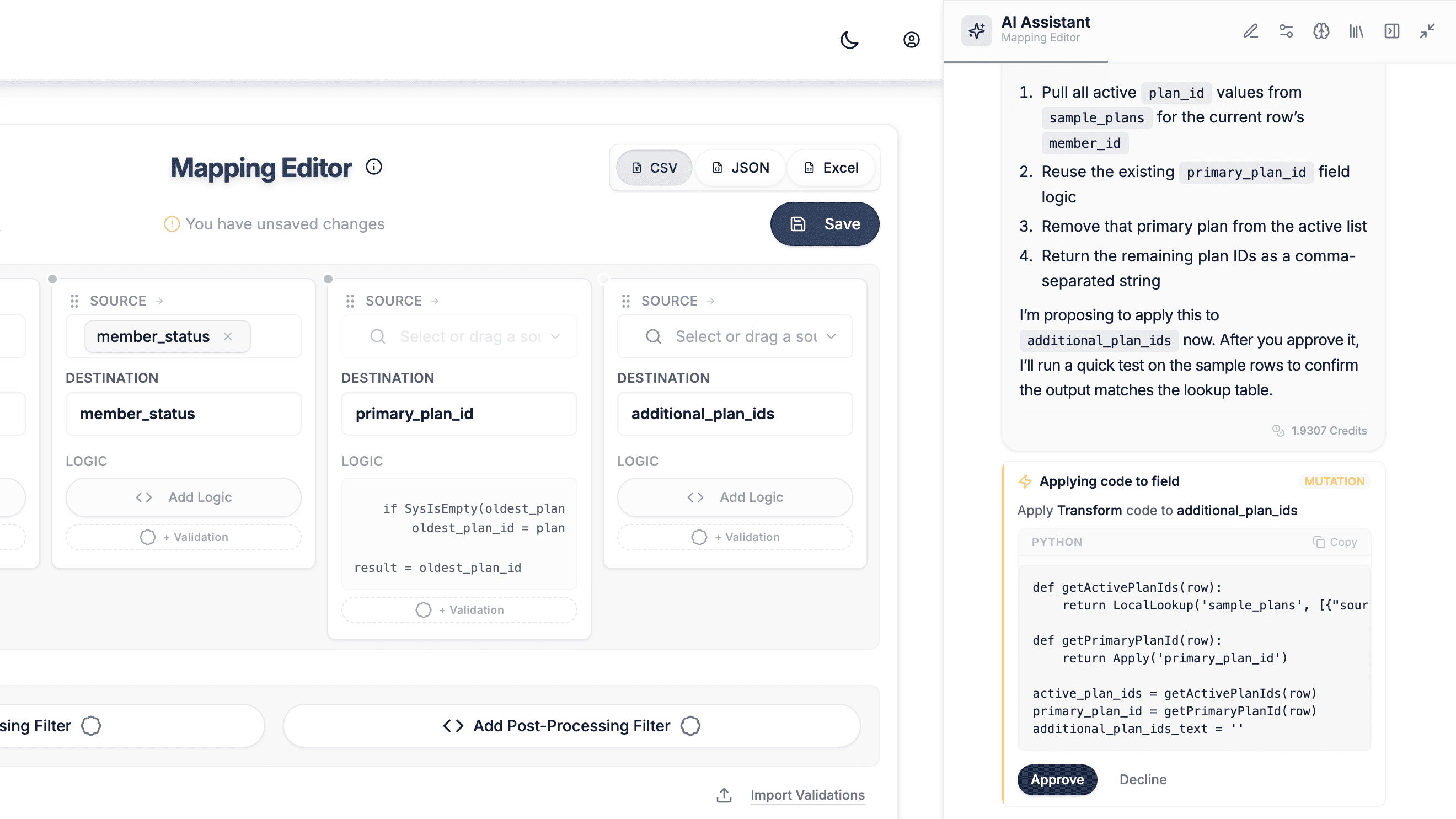 The DataFlowMapper mapping editor with the AI chat automating the creation of a new template.
Ranked #1 because it is the only tool on the list purpose-built for internal implementation teams handling recurring customer files, with reusable per-source templates, visual business logic without code, and reference data lookups built in. Disclosure: this is our product. Where it falls short, we say so.
Summary. A browser-based workbench where an implementation team uploads a customer CSV, Excel, or JSON file, builds or reuses a per-source mapping template, applies conditional logic and validations without code, and downloads or pushes the cleaned output.
Best for
What it does well
Where it falls short
Pricing. $299/month per seat (Solo). $999/month for a 5-seat Team plan with shared templates. Pricing is public. New customers get a 30-day money-back guarantee plus 4 working sessions to build their first templates.
Verdict. The right pick if your internal team handles recurring customer file mapping with business logic, and you want template reuse without writing code or building a Python pipeline.
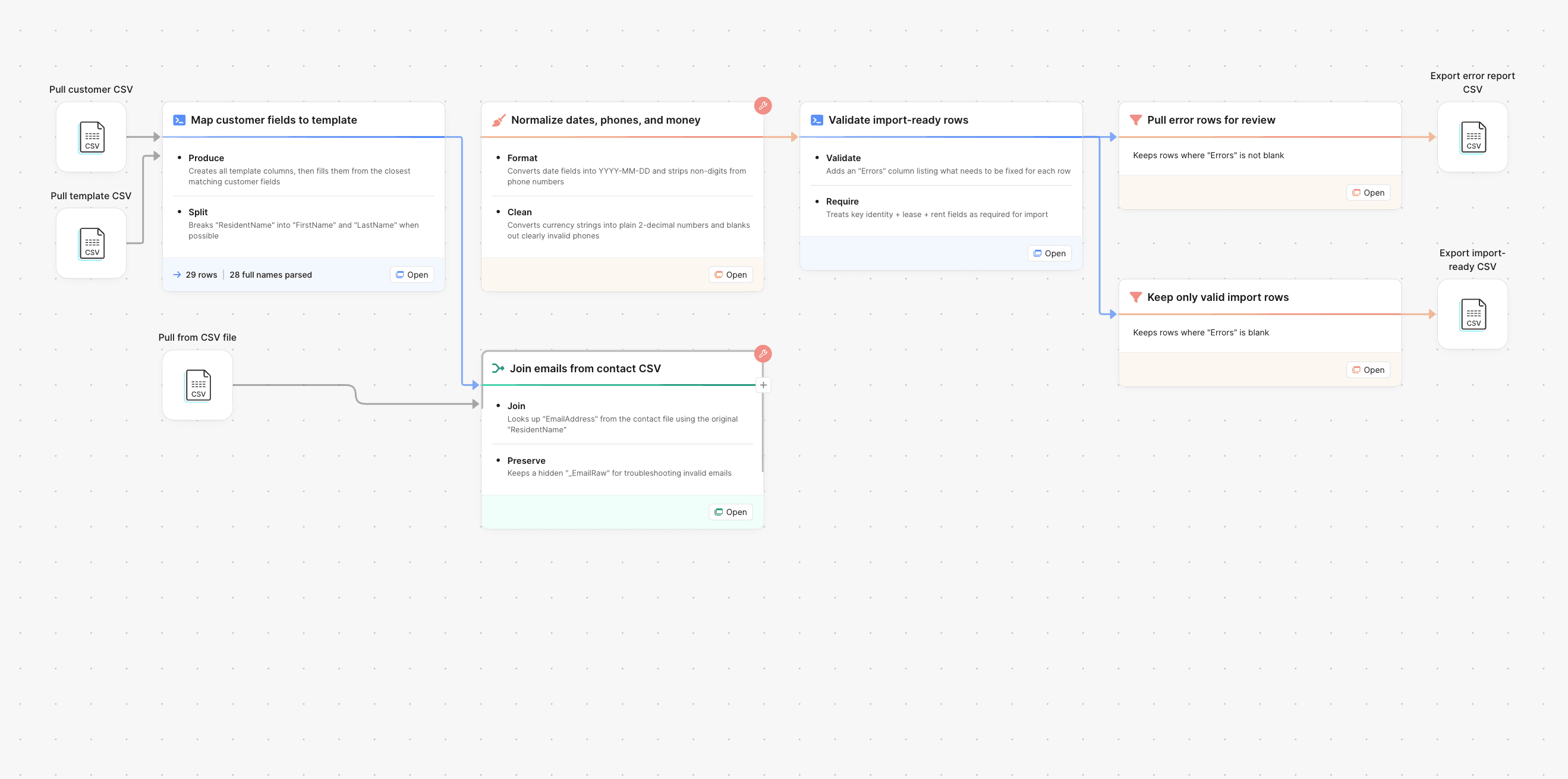 A Parabola Flow with connected steps from CSV input to transformed output.
Ranked #2 because it is the most popular adjacent tool for ops automation, with a 4.9/5 rating across 51 G2 reviews (source) and a $24M Series B from OpenView in June 2023 (TechCrunch). Strong for recurring operational pipelines. Weaker for one-off file transformations and per-client template reuse.
Summary. A node-based drag-and-drop canvas (their term: Flow) for building automated data pipelines, with strong AI-assisted steps and connectors aimed at ecommerce, retail, CPG, and freight ops.
Best for
What it does well
Where it falls short
Pricing. Free plan. Professional from $80/month annual ($100 monthly). Team plan custom. (parabola.io/pricing)
Verdict. Better than DataFlowMapper if your problem is recurring ecommerce or logistics ops automation. Heavier than needed if your problem is "implementation engineer maps this customer's file to my template."
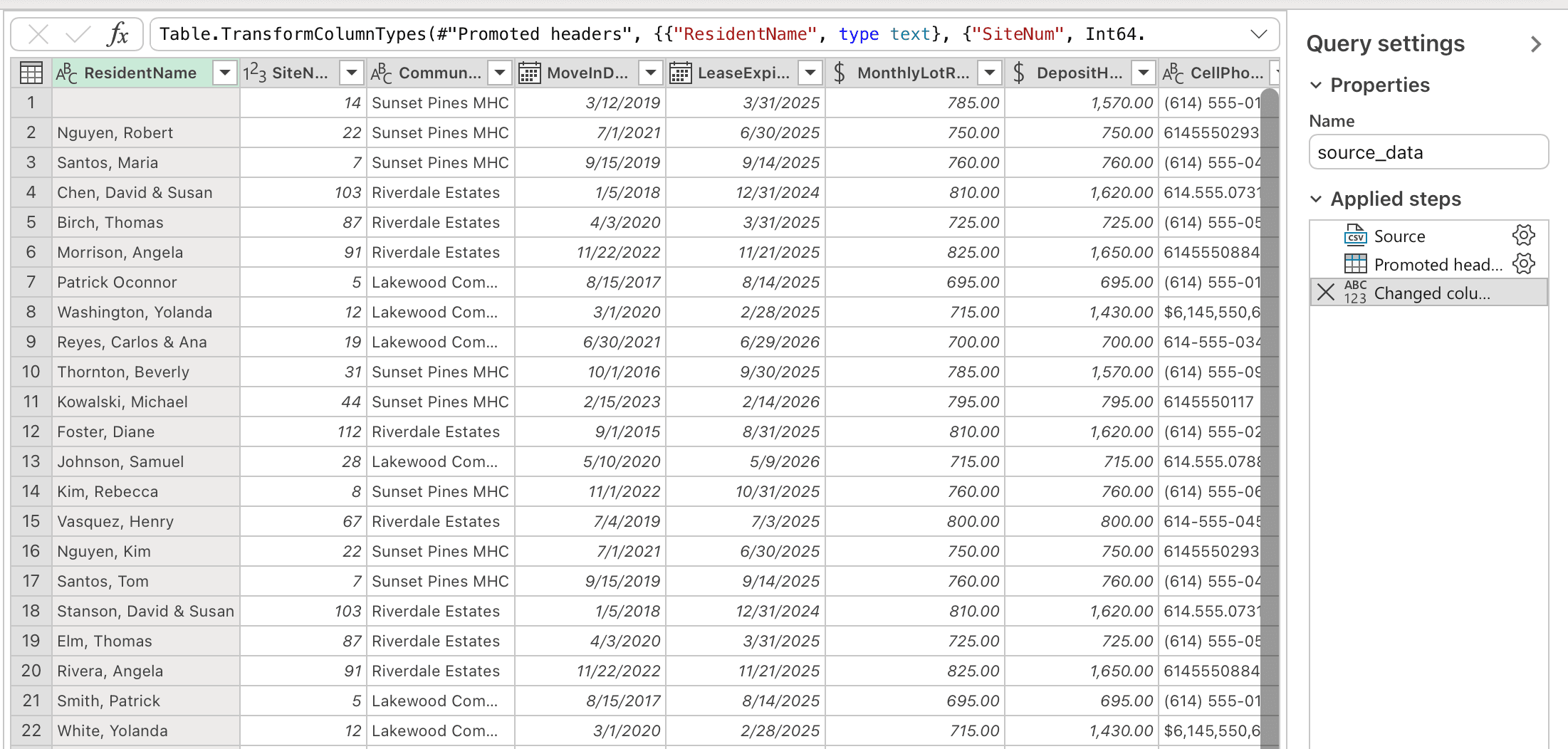 The Power Query Editor with the Applied Steps panel recording each transformation as M code.
Ranked #3 because it is the actual default this buyer is leaving. Free with Microsoft 365, ubiquitous, and capable for one analyst doing a one-off file. Where it loses is team-level reuse, governance, and file scale.
Summary. The query editor inside Excel (and Power BI) that records every transformation as a chained M-language step, then refreshes against a new file or source on demand.
Best for
What it does well
Where it falls short
Table.TransformColumnNames with MissingField.Ignore), which is firmly developer territory.Pricing. Bundled with Microsoft 365. Business Basic $6/user/month. Business Standard $12.50/user/month. Personal $9.99/month.
Verdict. Reasonable for a single Excel-fluent analyst handling low file volume who is willing to learn M for anything beyond column rename. Not a fit for non-technical implementation or customer success leads, and it stops scaling at a second team member or roughly 5 onboardings a month.
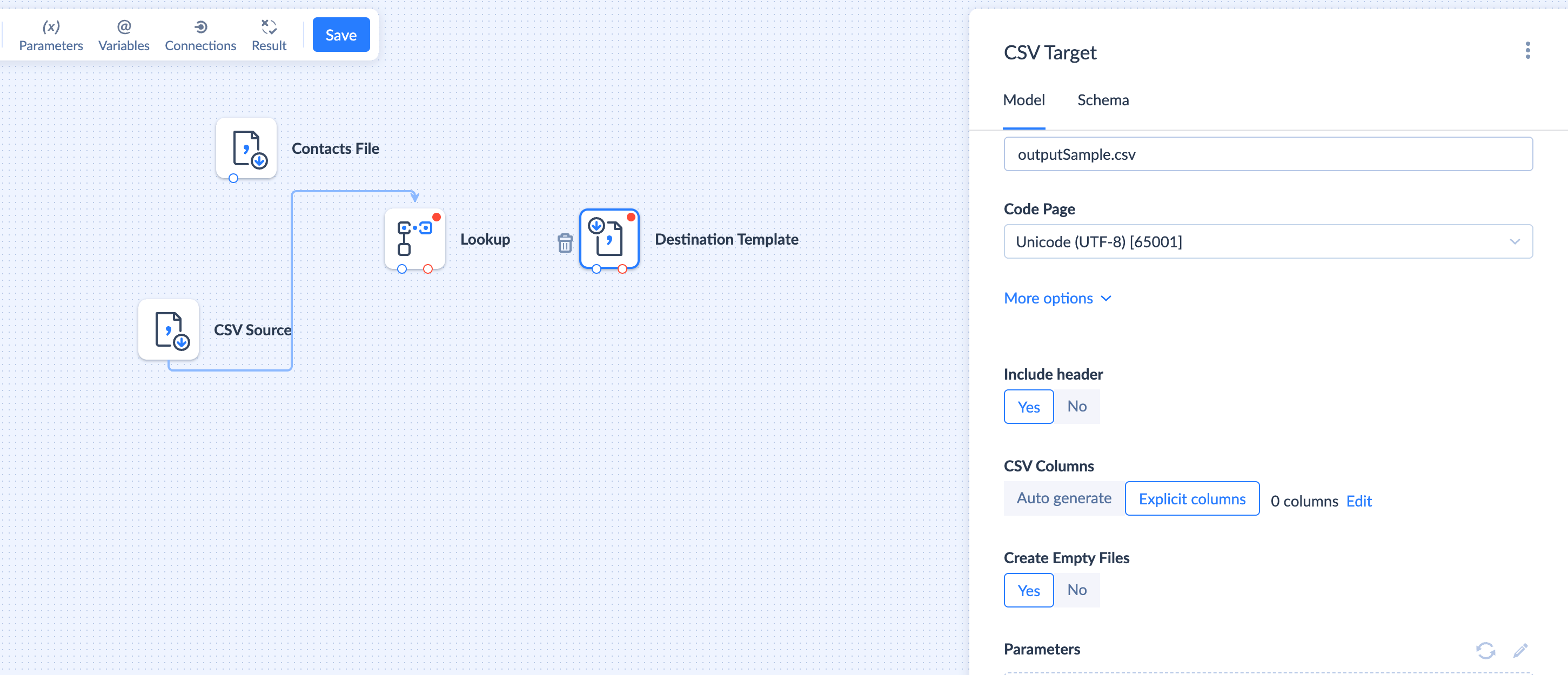 Skyvia workflow mapping a CSV source into a CRM target
Ranked #4 because it is the strongest no-code cloud ETL option in this price range, with a 4.8/5 G2 rating across 290+ reviews and a 4.8/5 Capterra rating across 96 reviews (Integrate.io review of Skyvia, Capterra). Built for scheduled cloud-app and database integration. Weaker for one-off, ad-hoc client file transformations.
Summary. A wizard-driven cloud ETL platform from Devart with Import, Export, Synchronization, and Replication packages, plus separate Backup, Query, Connect, and Automation modules.
Best for
report-{yyyy-MM-dd}.csv) covers it.What it does well
Where it falls short
Pricing. Free (10,000 records/month). Data Integration: Basic $79/month annual ($99 monthly), Standard $159/month annual ($199 monthly), Professional $399/month annual ($499 monthly). Backup, Automation, Query, and Connect priced separately. (skyvia.com/pricing)
Verdict. A good fit if your problem is scheduled CSV-to-CRM or CSV-to-database sync. Heavier than needed if your problem is transforming a customer's one-time onboarding file.
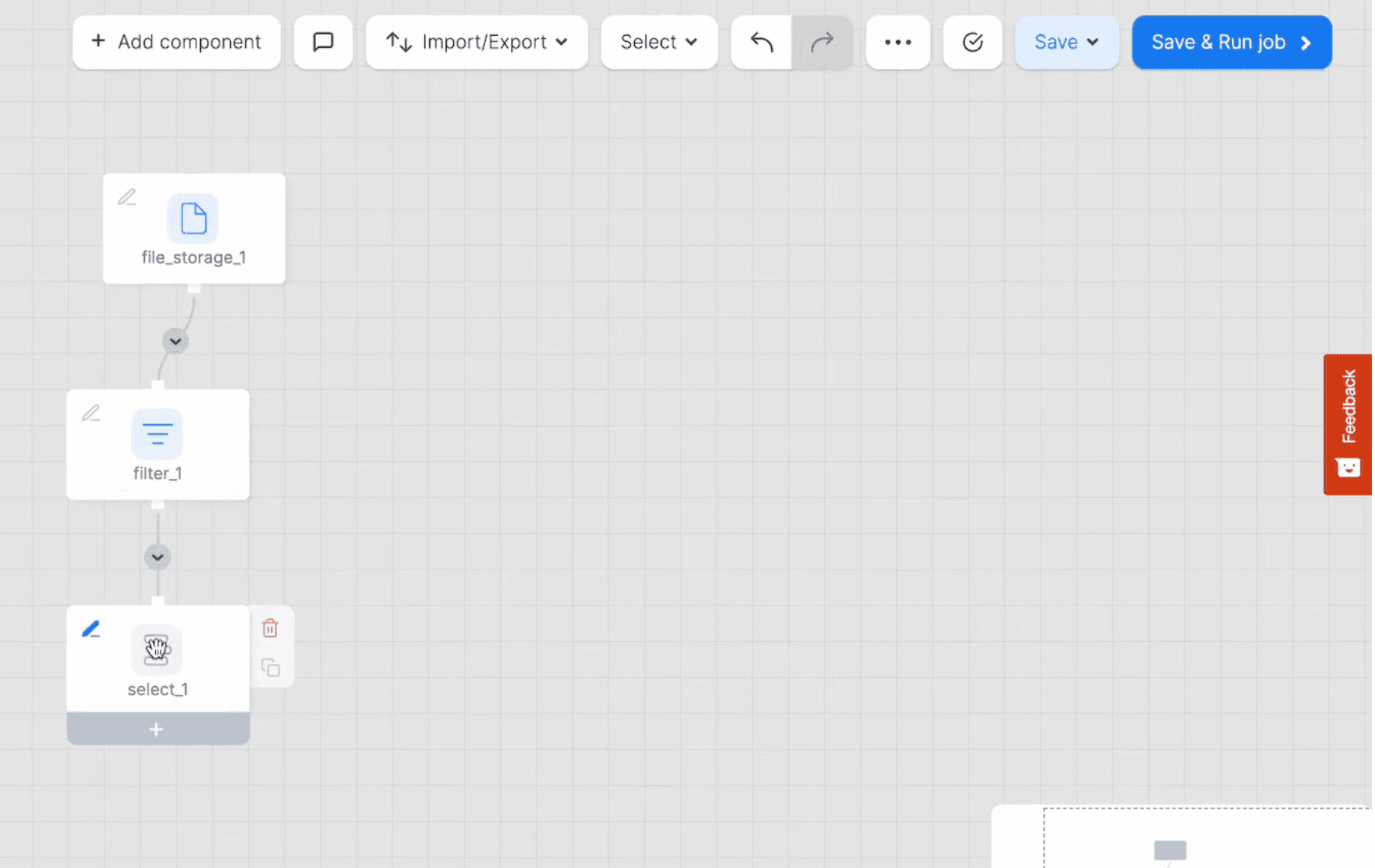 An Integrate.io package on the pipeline canvas with source, transformation, and destination components.
Ranked #5 because it covers the same use case as Skyvia with more transformation depth (220+ built-in components) and white-glove onboarding, but pricing has moved up to enterprise territory and the canvas gets heavy on complex pipelines.
Summary. A low-code data pipeline platform (formerly Xplenty, now combining FlyData, Dreamfactory, and Intermix.io) for ETL, ELT, and reverse-ETL between cloud apps, databases, and warehouses.
Best for
What it does well
Where it falls short
Pricing. Capterra lists "from $1,200/month, flat rate." Historic published Starter $15,000/year, Professional $25,000/year. Contact sales for current.
Verdict. Right tool for a mid-market data team running governed pipelines into a warehouse. Overkill for a 1 to 5 person implementation team transforming customer onboarding files.
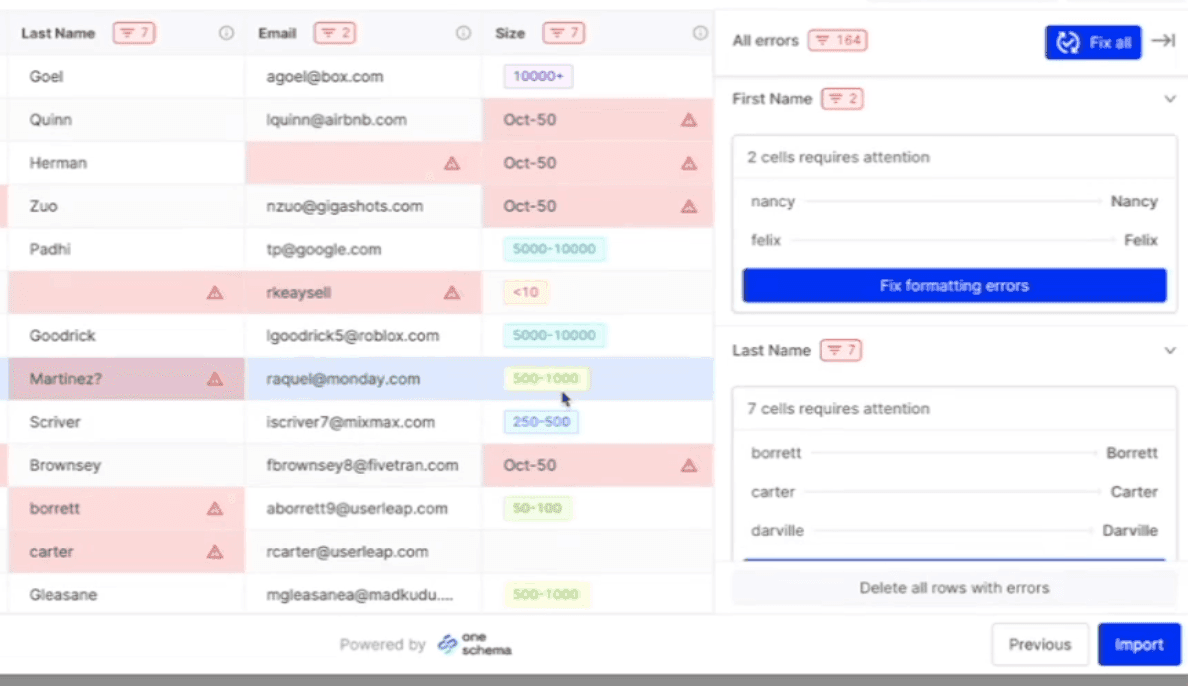 The OneSchema embedded importer mapping uploaded columns to a target template with inline validation.
Ranked #6 because it is the strongest embedded importer in this list (50+ pre-built validators, AI column mapping, polished UX, used by Toast, Ramp, and Vanta) but the category is end-customer self-serve, not internal team. It belongs on this page only because buyers searching for "data transformation tool" land on it routinely.
Summary. An embedded CSV/Excel importer SDK plus FileFeeds (recurring SFTP, API, and email-driven imports, sold separately) that you embed in your product so your customer maps and validates their own file.
Best for
What it does well
Where it falls short
Pricing. Starter, Pro, Enterprise tiers. Contact for pricing. Starter limited to 1,200 file uploads/year.
Verdict. Best embedded importer for SaaS products where end customers self-serve. Wrong tool if your team does the mapping.
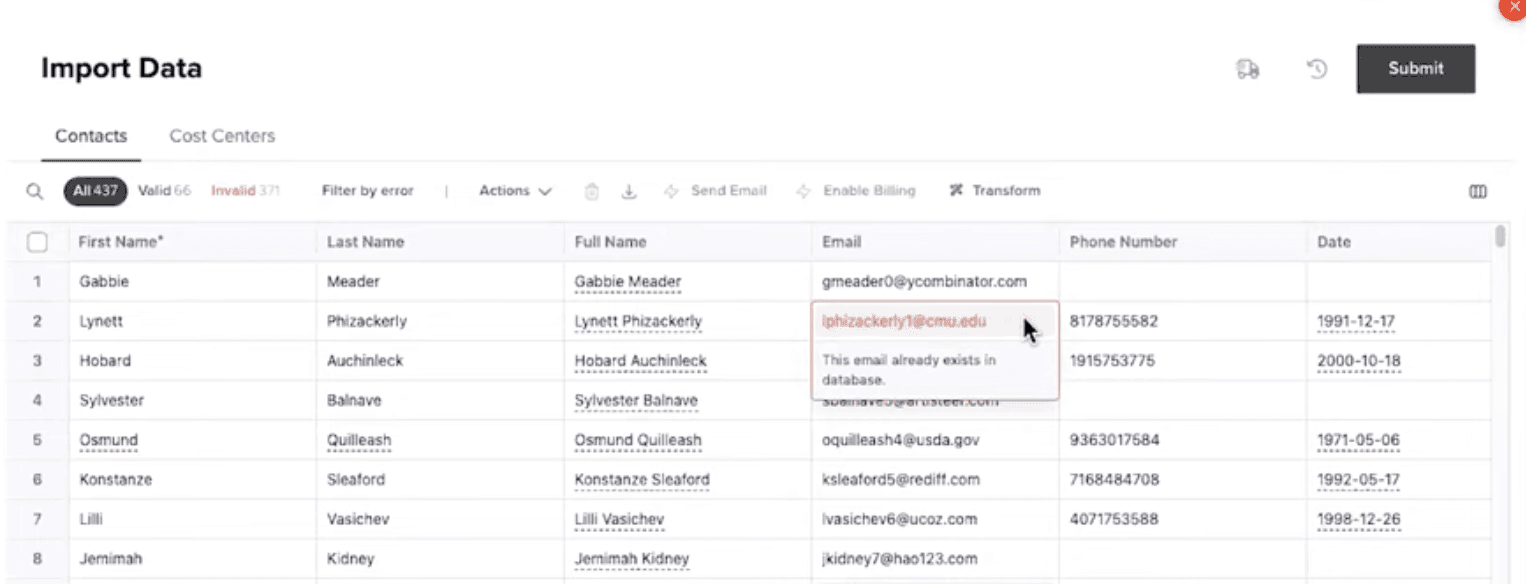 A Flatfile workbook inside a Space
Ranked #7 because it is the original category leader for embedded import and has real strengths for collaborative enterprise data migration projects, but the company renamed itself "Obvious" in 2025 and pivoted toward a horizontal AI workspace product. That introduces roadmap risk for a buyer signing a multi-year contract today.
Summary. Originally an embedded CSV importer SDK; now repositioned around Spaces (per-customer collaborative micro-applications) for enterprise data migration, plus the Transform agent for AI-assisted cleanup.
Best for
What it does well
Where it falls short
Pricing. Contact sales. Historically $6K-$500K+/year depending on volume and tier.
Verdict. Strong for enterprise migration projects with a services component. Wrong category for an internal team mapping client files. Wait and watch on the Obvious roadmap if you are about to sign a long contract.
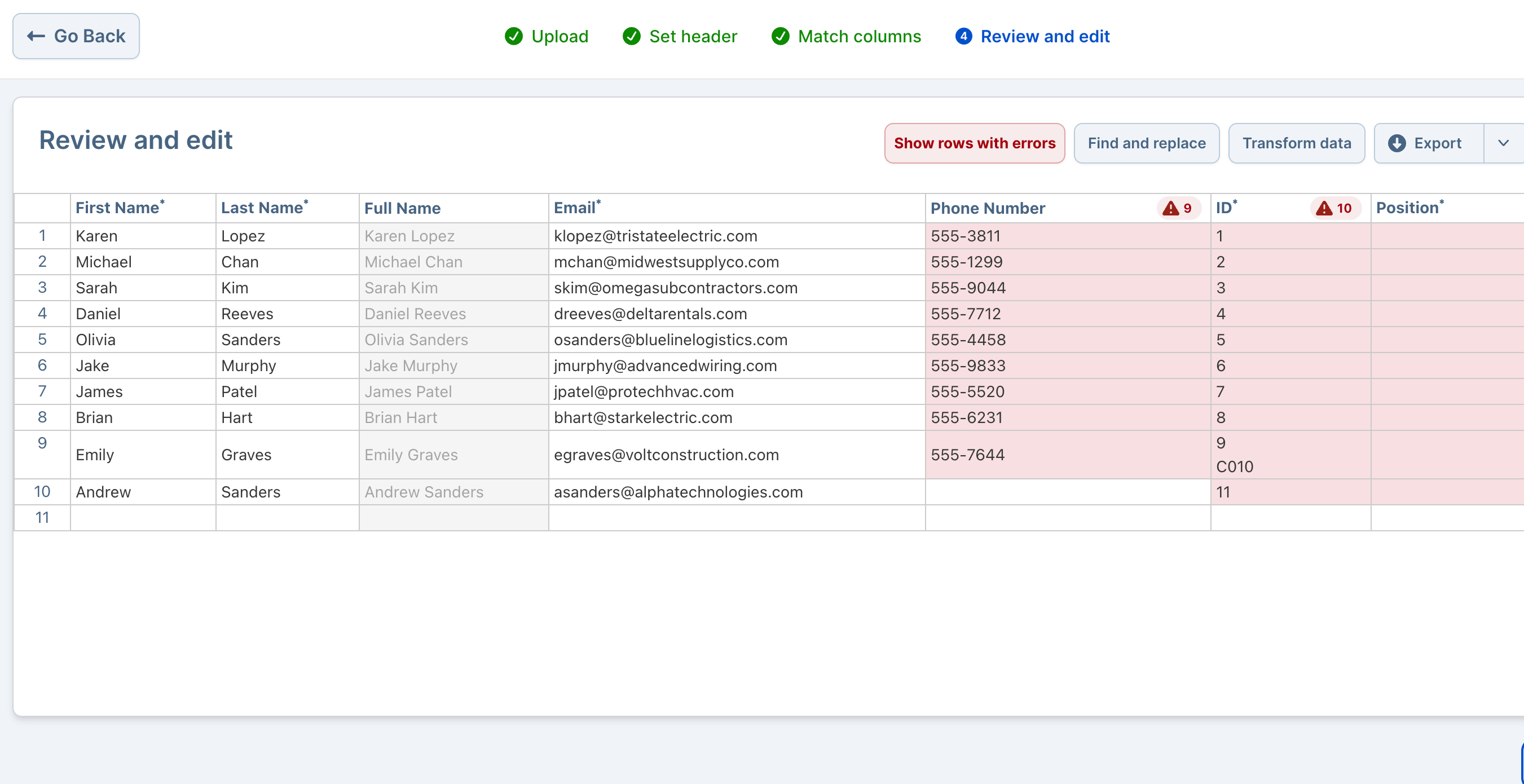 Dromo's validation grid in the embedded importer after mapping fields.
Ranked #8 because it is the most developer-friendly embedded importer with the most transparent pricing in its category. The reasons it is not higher: same category mismatch, plus a client-side architecture that creates a hard ceiling on file scale.
Summary. An embeddable CSV/Excel/TSV importer SDK with a privacy-first architecture (Private Mode runs entirely in the user's browser, data never touches Dromo's servers) and a no-code Schema Studio for defining import schemas.
Best for
What it does well
Where it falls short
Pricing. Free plan. Dromo Express (low-code Schema Studio). Dromo Pro from $499/month. Annual unlimited and add-ons (Headless API, Bring Your Own Storage) priced separately.
Verdict. Best transparent-pricing embedded importer. Wrong category for an internal team. Avoid client-side mode for any customer file likely to exceed a few hundred thousand rows.
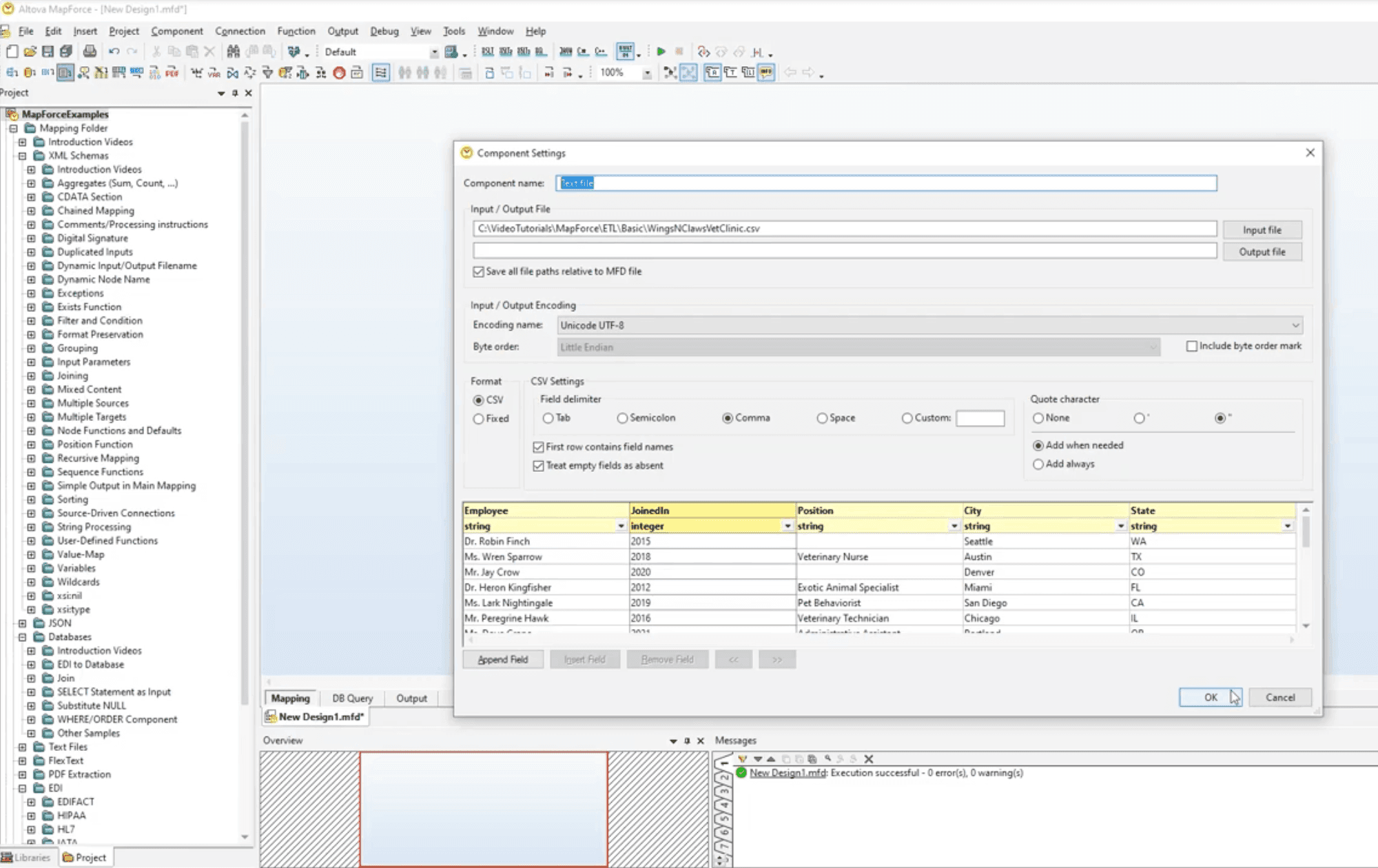 The Altova MapForce canvas with lines drawn between source and target schema components.
Ranked #9 because it is capable for any-to-any schema mapping (XML, JSON, EDI, XBRL, databases, CSV) and excellent in regulated industries, but the schema-first thinking and Windows-first desktop UI make it slow to iterate for a typical implementation team handling messy CSVs.
Summary. A desktop graphical mapping tool that lets you draw lines between source and target schema components, generate Java/C#/XSLT code, and run mappings via MapForce Server.
Best for
What it does well
Where it falls short
Pricing. Professional Edition from $619.61 per installed user (ComponentSource, 2025 R2). TrustRadius lists three plans starting at $315. Enterprise Edition higher. (ComponentSource)
Verdict. Right tool for B2B EDI, XBRL, or regulated mapping with a developer-adjacent owner. Overkill and slow to iterate for a typical implementation team handling client CSVs.
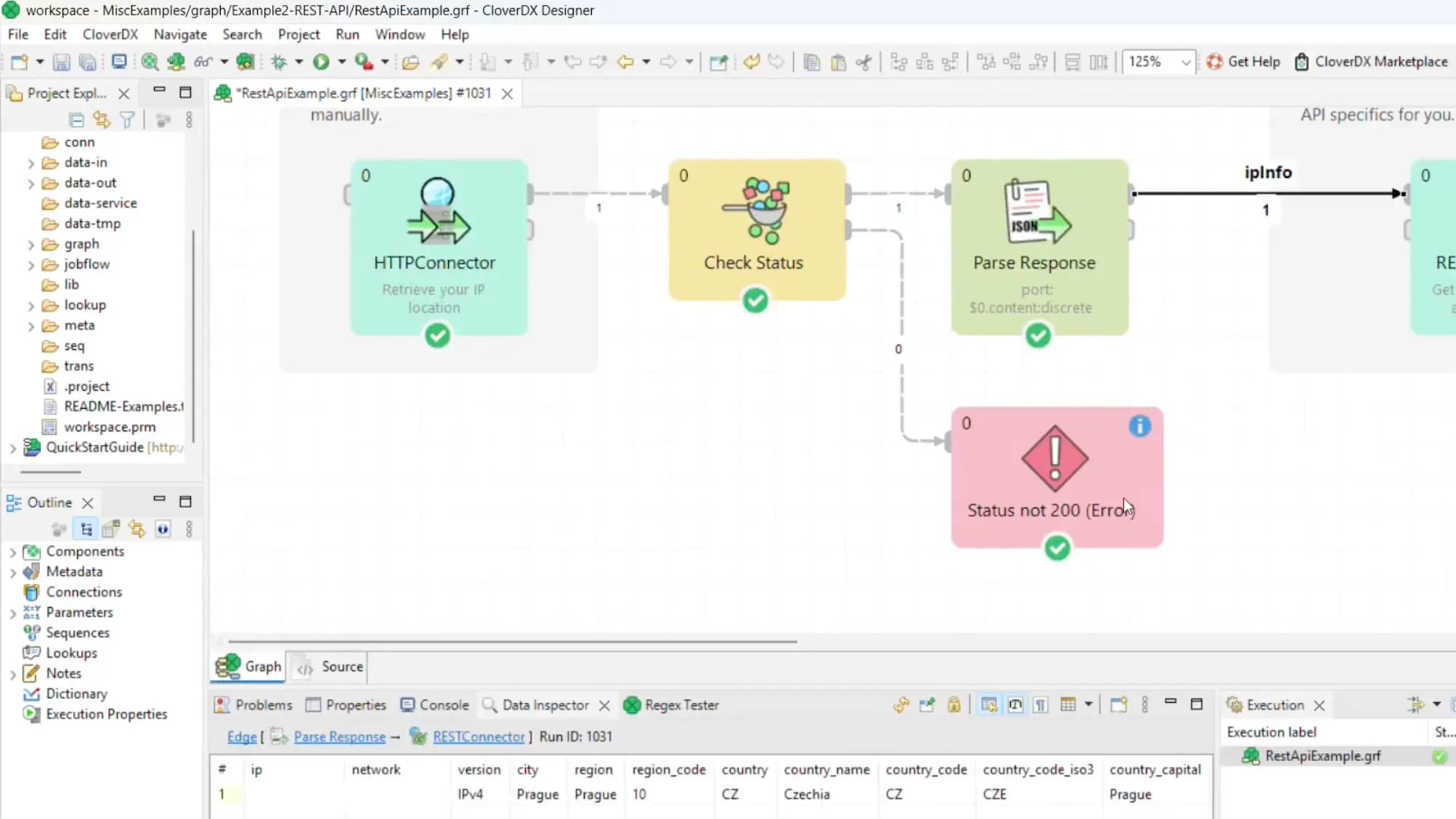 CloverDX node-based integration graph
Ranked #10 because it is the enterprise platform whose marketing comes closest to this category. CloverDX sells "faster data onboarding" and "data mapping for business users," which sounds like a workbench for an implementation team. Architecturally it is a developer-built data integration platform, so it lands here rather than in the data onboarding category.
Summary. An enterprise data integration and data management platform. A developer builds reusable ingestion and transformation logic in the CloverDX Designer environment, then runs and monitors it on the CloverDX Server. The onboarding pitch is to build a pipeline once and plug new sources into it, so you "onboard customer data faster without the engineering bottleneck." (CloverDX)
Best for
What it does well
Where it falls short
Pricing. Sales-led. No public pricing or self-serve plan; pricing is quote-based after a demo. (CloverDX)
Verdict. The right pick when you want a governed enterprise platform spanning onboarding, migration, and ongoing integration, with engineers to build and maintain it. For a small implementation team that needs to map a client's file today without standing up a pipeline, it is more platform than the job needs.
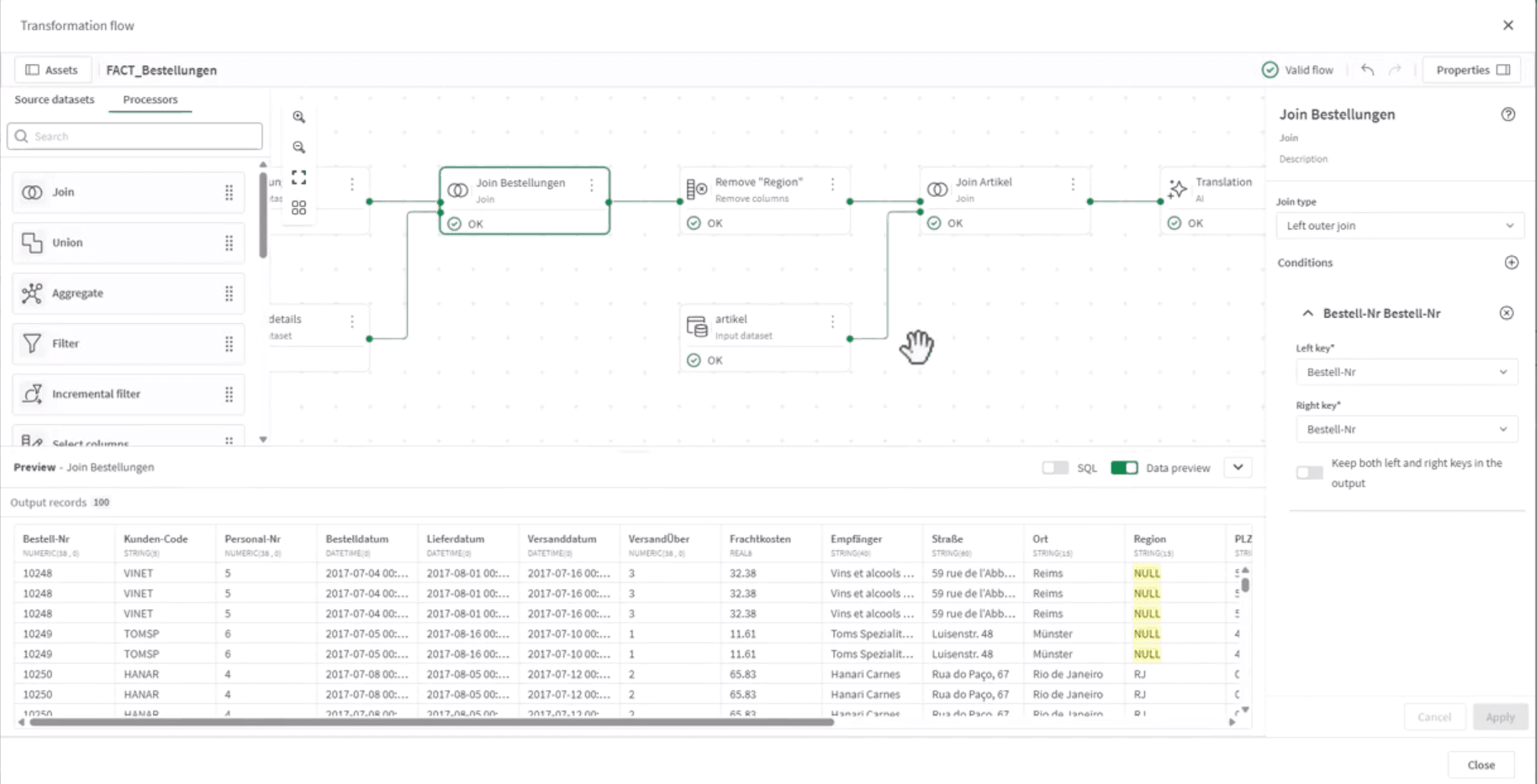 Talend's Job Designer with components on the canvas.
Ranked #11 because it is the most enterprise-grade tool on this list and the worst fit for the persona. Talend Open Studio (the free version) was discontinued January 31, 2024. The only currently maintained option is Qlik Talend Cloud, with opaque capacity-based pricing and reviewers consistently reporting weeks of ramp-up.
Summary. Eclipse-based desktop Studio (or the Qlik Talend Cloud web UI) with a Job Designer canvas for building enterprise ETL jobs in Java, sold by Qlik in four capacity-based tiers.
Best for
What it does well
Where it falls short
Pricing. Contact sales. Capacity-based across four tiers.
Verdict. Right tool for enterprise data engineering teams with budget and bandwidth. Wrong tool for the implementation team this article is written for.
| Tool | Reusable per-client templates | Conditional logic without code | Reference data lookups without code | File scale | Setup time | Pricing transparency | Best fit user |
|---|---|---|---|---|---|---|---|
| DataFlowMapper | Yes - versioned templates, Adapt to File for header drift | Visual logic builder | LocalLookup + RemoteLookup | 50M+ rows tested (streaming) | Minutes | Public | Implementation team |
| Parabola | Per-Flow (awkward per-client) | Via API/DB steps | Tens of millions per Flow | Hours | Public | Ops team | |
| Power Query | Per-workbook (no team library) | M language for advanced | Merge queries | ~300K rows comfortably | Minutes | M365 bundle | Solo analyst |
| Skyvia | Per-task | Standard / Pro tiers only | Lookup mapping type | Up to 200M records/mo per plan | Hours | Public | Ops / IT generalist |
| Integrate.io | Per-package | 220+ components | Via lookup component | Tens of millions | Days | Partial | Data engineer / ops |
| OneSchema | Per-template | Code Hooks required | Webhooks / Lambda | Up to 10M rows | Hours after dev integration | Sales-gated | End customer |
| Flatfile / Obvious | Per-Blueprint | Listeners required | Listeners | Enterprise (varies) | Days | Sales-gated | End customer / migration team |
| Dromo | Per-schema | JS hooks required | JS hooks | Browser-limited; Headless API for scale | Hours after dev integration | Public | End customer (developer-led) |
| Altova MapForce | Per-.mfd | Graphical functions | Lookup tables | Streaming via Server | Days | Public | Developer / integration specialist |
| CloverDX | Reusable pipelines (developer-built) | Visual but developer-oriented (Designer) | Via Designer components | Enterprise (server-based) | Days+ (developer setup) | Sales-gated | Data engineer / technical team |
| Talend / Qlik Talend Cloud | Per-job | Enterprise | Weeks | Sales-gated | Data engineer |
Scroll horizontally on smaller screens. The first column stays pinned for easier comparison.
Two notes on the table.
First, "reusable per-client templates" is the single criterion that most cleanly separates implementation team workbench tools from everything else. Most tools in this list will let you save and clone a job. Few of them are designed around the case where the next customer from the same source system reuses the existing template with zero rework if their export shape matches, or with a small set of edits when headers have drifted.
Second, "file scale" is harder to compare than vendor marketing suggests. Most server-side tools on this list will handle tens of millions of rows for normal CSV transformation work. Browser-side processors hit a different ceiling. Always test against your actual files before signing a contract.
The decision is by scenario, not by feature.
Scenario 1. One analyst, fewer than 5 customer files a month, already comfortable in Excel. Power Query is a free option you already own. If your analyst is a non-technical customer success or onboarding lead who has never written a Power Query merge, expect a 2 to 4 week learning curve before it pays off, plus ongoing friction every time the workbook needs to be shared. DataFlowMapper or another tool with a real visual logic layer is usually the better starting point even at low volume.
Scenario 2. Internal implementation team of 1 to 5 people, 5 to 50 onboardings a month, recurring source systems, business logic per client. This is the persona this list was written for. DataFlowMapper is built for it. Power Query stops scaling around 5 onboardings/month or the second team member who needs to read someone else's mapping. Parabola works if your problem leans recurring-workflow rather than per-client-template.
Scenario 3. Ecommerce, CPG, or freight ops team automating recurring vendor and platform data flows. Parabola. Their customer roster (Brooklinen, On Running, Flexport, Sonos, Uber Freight) and connector library are built for this.
Scenario 4. Your customer should map their own file inside your SaaS product. Embedded importer territory. OneSchema if validation depth is the priority. Dromo if data privacy or transparent pricing is the priority. Flatfile / Obvious if Spaces collaboration fits and you are willing to absorb the Obvious rebrand and roadmap. None of these fit if your team does the mapping today and your customers will not take it over.
Scenario 5. B2B EDI, XBRL, or regulated-industry mapping with a stable destination schema. Altova MapForce. The schema-first model that slows it down on messy CSVs is exactly right here.
Scenario 6. Enterprise data engineering team running governed pipelines into a warehouse. Qlik Talend Cloud or Integrate.io. CloverDX fits when you want data onboarding, migration, and ongoing integration governed in one platform with a technical team to maintain it. Skyvia is a real option if your scale is more SMB and your sources are mostly cloud apps and CSVs.
Footnote on Osmos. If you are currently on Osmos, plan a migration. Microsoft acquired Osmos January 5, 2026 and its standalone products are sunsetting as the technology rolls into Microsoft Fabric. (Microsoft blog)
If you are an internal implementation team handling recurring client files with business logic, and you want a workbench-style tool with reusable per-source templates, DataFlowMapper offers a 30-day money-back guarantee plus 4 working sessions to migrate one of your real client files. If at the end of 30 days you are not faster than the workflow you have today, you do not pay. Book a demo.
If you came here looking for an embedded importer because your customers will self-serve their own uploads, our embedded portal covers that case (and supports the same template library).
This page will be updated quarterly as pricing, ownership, and feature sets change. Last reviewed June 2026.
There is no single best tool. The right answer depends on who is doing the mapping. If your customer self-serves uploads inside your SaaS product, an embedded importer (OneSchema, Dromo, Flatfile) is the right category. If your internal implementation team takes a customer file and reshapes it to match your import template, a transformation workbench (DataFlowMapper, Power Query at small scale) is the right category. If you have a data engineering team running governed pipelines into a warehouse, an enterprise ETL platform (Qlik Talend Cloud, Integrate.io, Skyvia) is the right category. The most common mistake is buying a tool from the wrong category.
All three are embedded CSV importers. Your customer (not your team) uploads, maps columns, fixes errors, and submits inside your product. OneSchema has the strongest pre-built validation library (50+ data types with autofixers) and recurring import via a separate FileFeeds product. Flatfile (renamed Obvious in 2025) leans toward enterprise data migration projects with collaborative Spaces. Dromo emphasizes data privacy with client-side processing and is the only one of the three with fully transparent pricing. None of them fit a use case where your internal team does the mapping work.
Microsoft acquired Osmos on January 5, 2026 and is folding the technology into Microsoft Fabric for agentic data engineering. Osmos's standalone products (Uploaders, Pipelines, Datasets, Data Agents, AI-Assist Suite) began winding down in January 2026. If you are currently on Osmos, plan a migration. Microsoft Fabric is the official continuation path. For implementation teams that liked Osmos's lightweight, file-first model rather than its place in Fabric, DataFlowMapper, Power Query, and Parabola are the closest standalone alternatives.
It depends on team size and technical fluency. For a solo Excel-fluent analyst handling fewer than five customer files per month, Power Query can work. The GUI handles column rename, type coercion, and merge work, and Applied Steps records the transformation as reusable M code. It stops being a fit when a non-technical customer success or onboarding lead needs to own the work (M-language is a real learning curve), when a second team member needs to read your colleague's mapping (queries live in individual workbooks, with no team library), when files cross a few hundred thousand rows (Excel slows visibly), or when transformation logic needs governance and audit trails.
Parabola is strong for recurring operational pipelines in ecommerce, CPG, and freight ops. It is heavier than needed when the problem is a one-off mapping of a customer's onboarding file. For implementation teams whose work is per-client mapping templates rather than scheduled flow automation, DataFlowMapper is the closer fit because the template, not the pipeline, is the reusable unit. Power Query covers the same job at smaller scale and zero incremental cost if you already have Microsoft 365.
CloverDX and DataFlowMapper both target customer data onboarding, but at different altitudes. CloverDX is an enterprise data integration platform: a developer builds reusable ingestion and transformation logic in the CloverDX Designer environment and runs it on the CloverDX Server, with scheduling, monitoring, and governance across pipelines. It fits organizations that want one governed platform for onboarding, migration, and ongoing integration maintained by a technical team. DataFlowMapper is a self-serve workbench for a 1 to 5 person implementation team: an onboarding or customer success specialist builds a reusable per-client mapping template with visual logic and no code, validates, and downloads or pushes the result, with public pricing and same-day setup. Choose CloverDX when you need a governed enterprise pipeline and have engineers to build and maintain it. Choose DataFlowMapper when your team needs to map a client's file to a fixed import template today without standing up a pipeline.