AI workbench for client data onboarding. Built for implementation teams at vertical SaaS.
Book WalkthroughNewsletter
Get the latest updates on product features and implementation best practices.
AI workbench for client data onboarding. Built for implementation teams at vertical SaaS.
Book WalkthroughNewsletter
Get the latest updates on product features and implementation best practices.
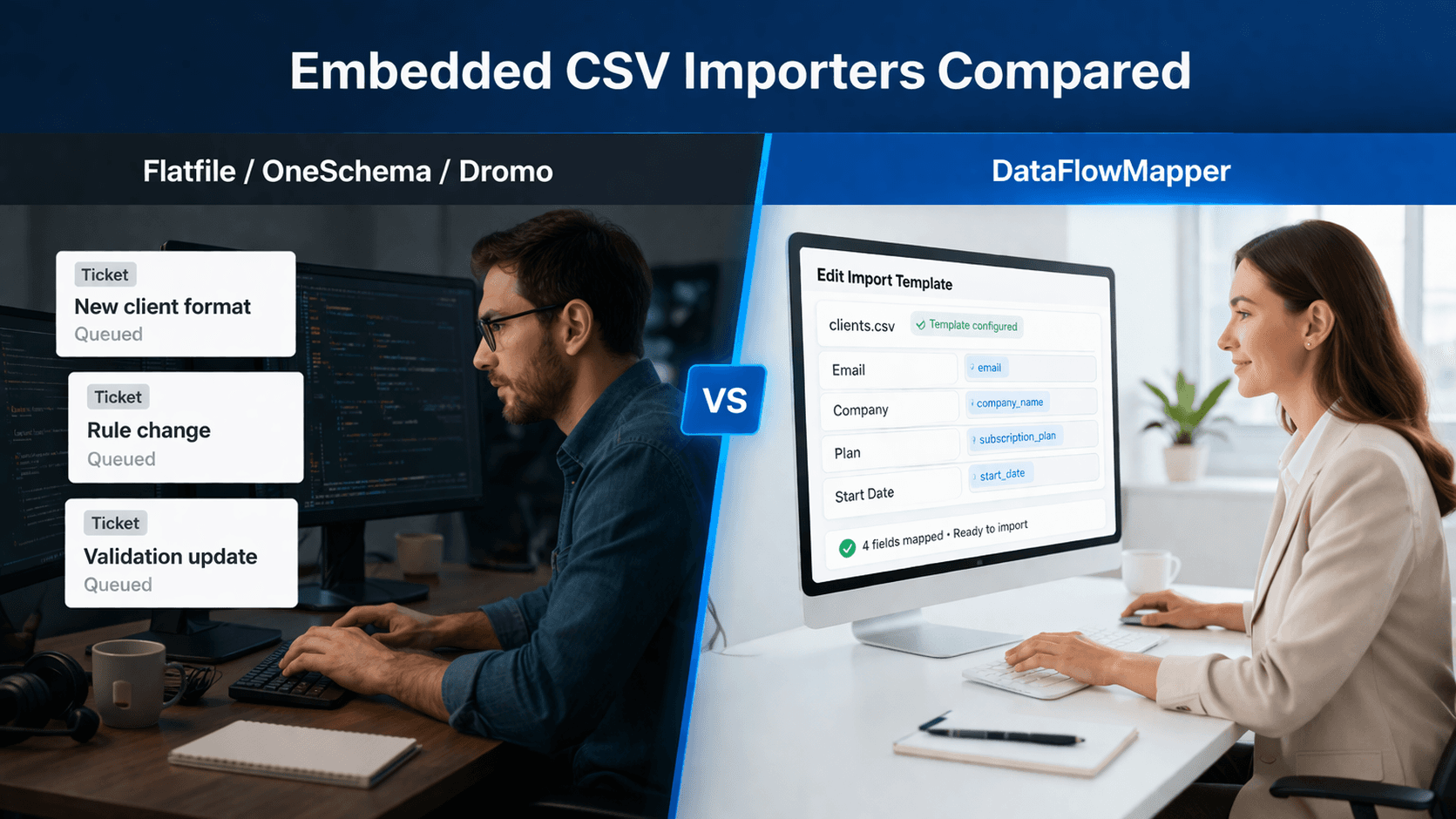
Most embedded CSV importer comparisons stop at the upload widget. The buyers who land on this page typically have a transformation problem dressed up as an upload problem, and the difference between those two becomes painfully clear six months after launch, when source formats and business rules start drifting.
Every tool in this comparison handles upload and column mapping. The category split is what each tool does after column mapping, who owns the logic that runs on the data, and what a business rule change costs your team. That split is the entire ranking.
This list covers seven tools across four categories, in rank order, with the categories tagged on each. The categories are not interchangeable.
The transformation logic lives in versioned templates managed by your internal team in a dedicated workbench, not as JavaScript hooks in your codebase. Reference data lookups, conditional logic, and validations are all template configuration. Business rule changes are template edits. Format changes are template edits. The customer-facing portal serves the right template for each upload. Examples: DataFlowMapper Portal. Strong if customers upload recurring operational files where transformation logic and business rules are non-trivial. Wrong if customers only upload simple files at one-time onboarding.
Server-side hosted platforms with deep validation libraries, AI agents for column mapping and transformation suggestions, and developer-extensible hook architectures. Spaces (Flatfile) and FileFeeds (OneSchema) extend the embed flow toward collaborative migration projects and recurring server-side pipelines. Examples: Flatfile / Obvious, OneSchema. Strong for mid-market and enterprise SaaS with budget for sales-led procurement and engineering bandwidth to maintain hooks.
Embeddable SDKs with published or semi-published pricing, JavaScript hooks for transformation, and either browser-side or hybrid architectures. Faster to integrate than enterprise platforms, lighter ongoing engagement model. Examples: Dromo, Ingestro (formerly Nuvo), CSVBox. Strong for product teams that want a clear price, a small SDK, and self-service signup. Weaker when transformation logic complexity grows past basic hooks.
Self-hostable embeddable importers under permissive licenses, with smaller AI feature sets and community support models. Examples: Impler. Strong for engineering teams that want to avoid SaaS lock-in. Weaker when AI column mapping, AI transforms, and PDF/document extraction are part of your roadmap.
The four categories solve different problems. The rest of this list goes through seven tools in rank order, with category tagged on each.
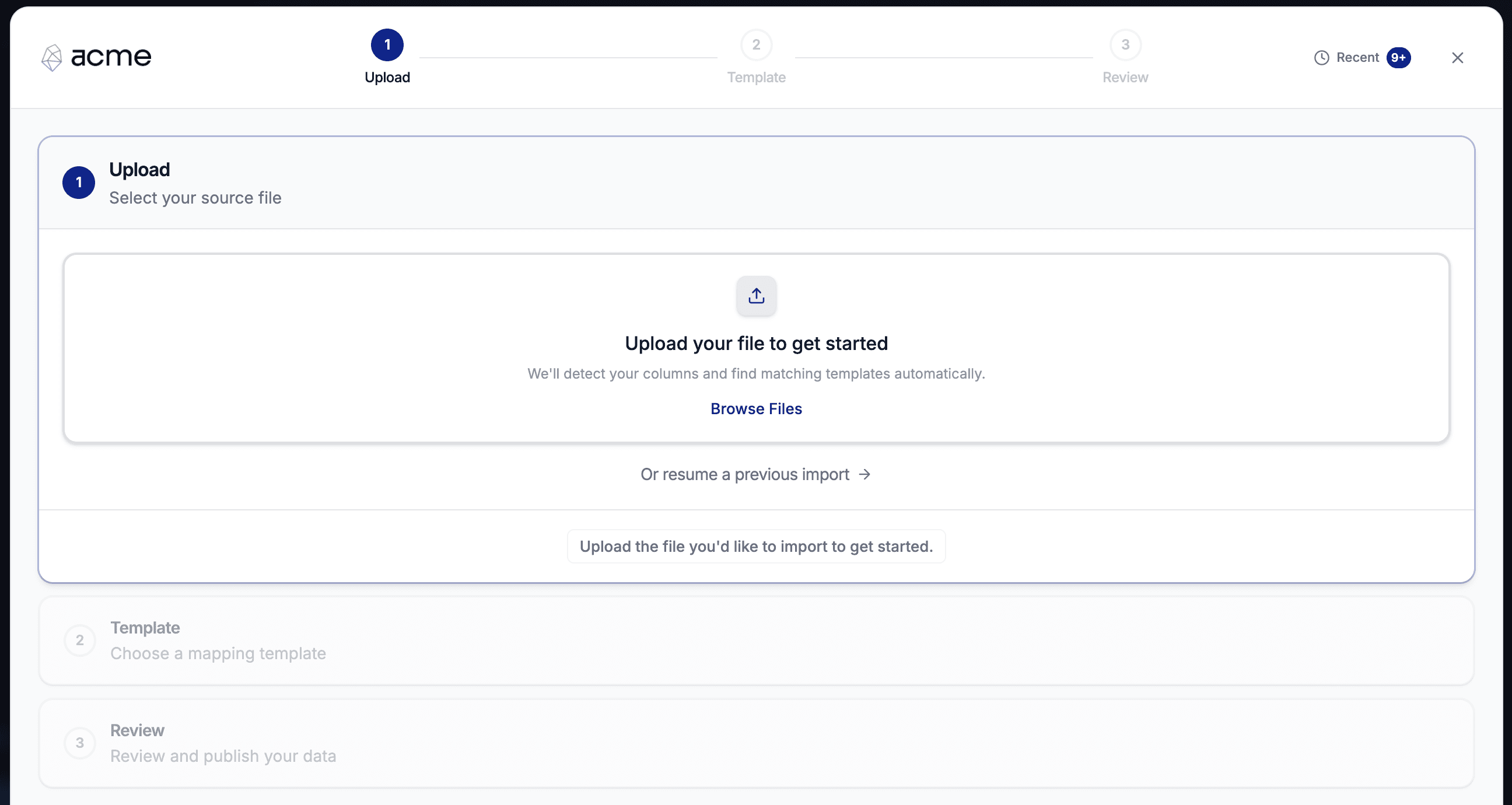 The DataFlowMapper Portal in a white-label embed, showing the upload step.
Ranked #1 because it is the only tool on the list where transformation logic does not live in your codebase as JavaScript hooks. Disclosure: this is our product. Where it falls short, we say so.
Summary. A white-label embedded portal where your team builds and manages transformation templates (mappings, validations, conditional logic, reference data lookups) in DataFlowMapper's admin workbench, and customers upload files into the portal embedded in your product. The portal auto-matches the upload to a template in the library, transforms server-side, surfaces validation errors in a grid, and routes the cleaned output to your customer's S3 bucket on submit. For source formats with no existing template, a built-in AI agent generates one in roughly 15 minutes and saves it to the customer's library, so every subsequent upload from that source is a one-click match.
Best for
What it does well
strict (read-only template library, no AI, direct to production S3), supervised (AI enabled, AI-touched templates routed to internal admin review queue before publish), delegated (AI enabled, direct to production). The review queue lets internal admins approve AI-generated templates before they hit production data. This pattern is unique in the embedded importer category.Where it falls short
Pricing. Custom, sales-led engagement. The Portal includes scoped onboarding for your first templates and integration with your customer's S3 destinations. The standalone DataFlowMapper main app has public pricing starting at $299/month if your team uses the workbench internally without an embedded customer-facing portal.
Verdict. The right pick if your customers upload recurring operational files with transformation logic, and you want format and rule changes to stop being an engineering deploy.
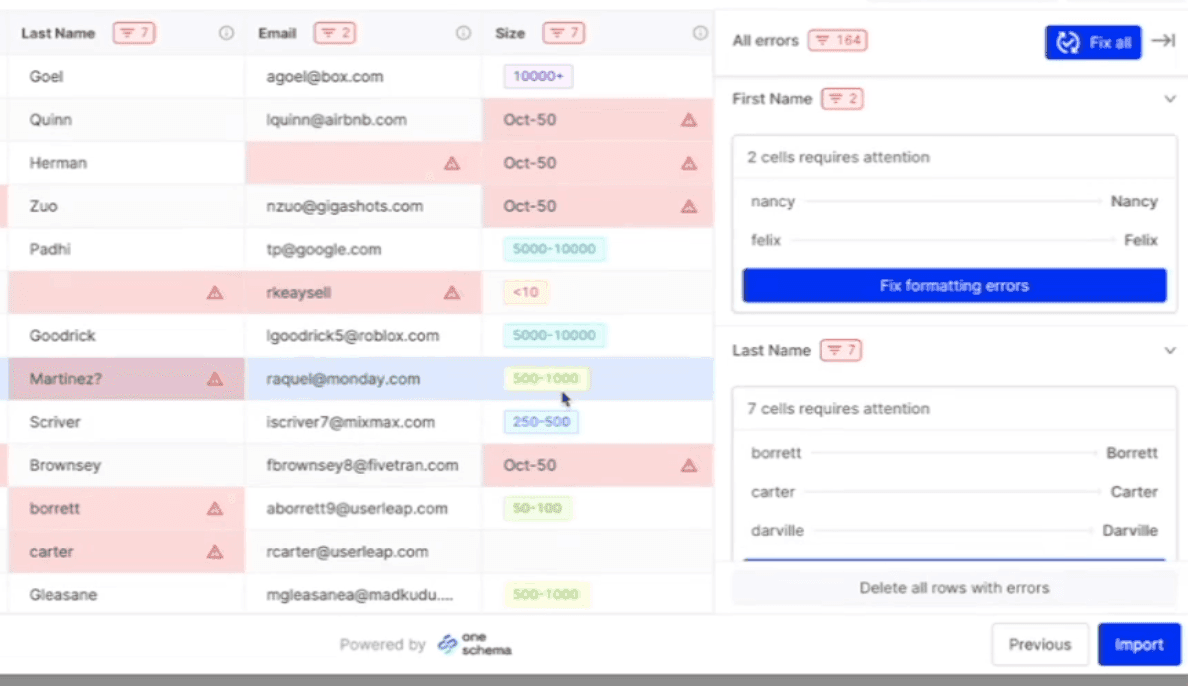 The OneSchema embedded importer mapping uploaded columns to a target schema with inline validation.
Ranked #2 because it has the strongest UX in the pure-importer category, the deepest validation library (50+ pre-built data types with autofixers), and a clear separate product (FileFeeds) for recurring server-side pipelines. The reasons it is not higher: transformation logic beyond mapping still lives in Code Hooks (JavaScript, deployable to Lambda), and pricing is sales-gated.
Summary. A hosted embedded importer SDK with three hook types (post-upload Code Hooks, post-mapping Code Hooks, validation Code Hooks), 50+ pre-built validators with autofixers, AI column mapping, and a separate FileFeeds product for recurring SFTP/S3/email/API-driven imports. Public customers include Toast, Ramp, Vanta, Scale AI, Cvent, Eventbrite, Personio, and Heron Data.
Best for
What it does well
Where it falls short
Pricing. Sales-gated. Three tiers (Starter, Pro, Enterprise) with progressive feature unlocks. (oneschema.co/pricing)
Verdict. The strongest embedded importer for B2B SaaS where validation depth is the primary need and your team is comfortable maintaining Code Hooks for transforms. Confirm whether FileFeeds is in your contract scope if recurring imports are a requirement.
For a deeper comparison, see OneSchema Alternatives: Embedded CSV Importers Compared.
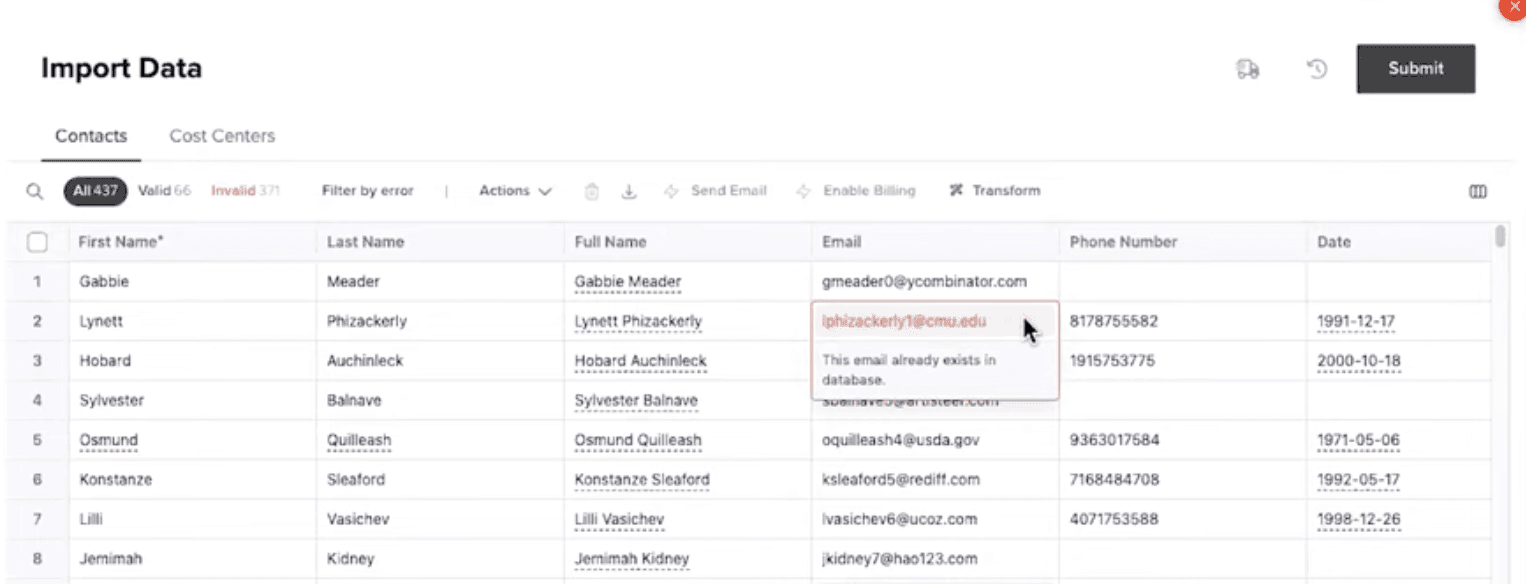 A Flatfile Workbook inside a Space, showing the spreadsheet-style review interface.
Ranked #3 because Flatfile is the original category leader and the Transform agent (July 2025) is genuinely strong, but the company renamed itself to Obvious in late 2025 and launched a separate horizontal AI workspace product (also called Obvious), which introduces real roadmap uncertainty for buyers signing a multi-year contract today.
Summary. A hosted embedded data import platform built around Spaces (per-customer collaborative micro-applications with their own database, filestore, and auth) and an event-driven Listener architecture that runs Node.js/TypeScript hooks server-side. Public customers include AstraZeneca, Square, Sage, Deputy, ClickUp.
Best for
What it does well
Where it falls short
Pricing. Portal: free Starter (50 files plus 10M PDV/month), Professional $799/month billed annually plus usage. Flatfile Projects: contact sales (historical $6K-$500K+/year per Vendr community data). (flatfile.com/pricing/portal/)
Verdict. Strong for enterprise migration projects with a services component and an existing Flatfile relationship. Wait-and-watch on the Obvious roadmap if you are about to sign a long contract.
For a deeper comparison on transformation depth and recurring imports, see Flatfile Alternatives for Recurring Imports and Complex Transformations.
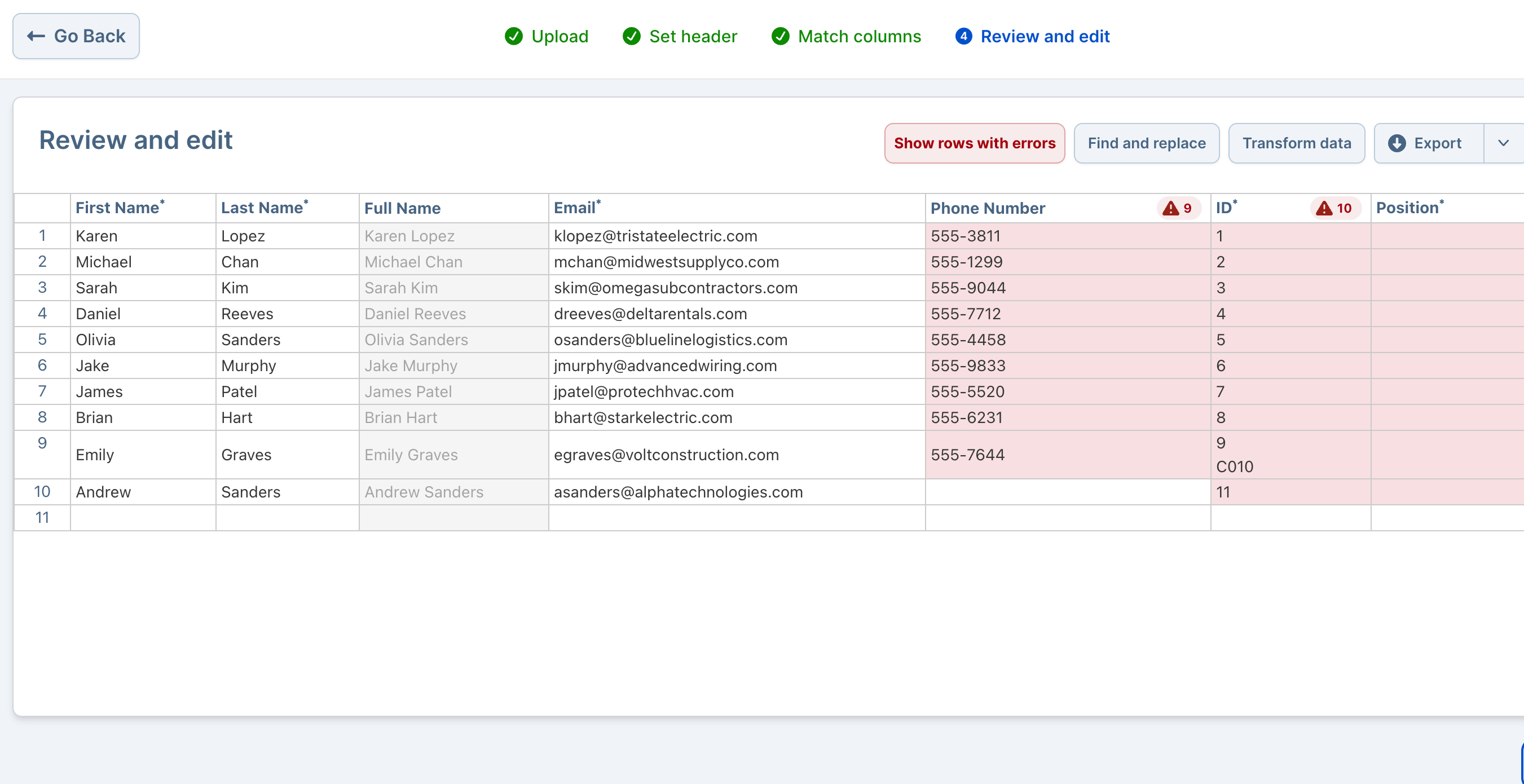 Dromo's validation grid in the embedded importer after AI-assisted column mapping.
Ranked #4 because Dromo has the most transparent pricing and the most developer-friendly architecture in the pure-importer category, plus a genuinely unique Private Mode (browser-side, zero data retention). The reasons it is not higher: hooks are still JavaScript in your codebase, the AI Transform feature is session-only and non-deterministic, and browser-side processing creates a hard scale ceiling for large files.
Summary. An embeddable CSV/Excel/TSV importer SDK with three product lines (Embedded, Headless, Self-Hosted), five hook types (column, row, bulk row, step, completion), and a Private Mode that runs all parsing and validation in the user's browser, with data never touching Dromo's servers.
Best for
What it does well
Where it falls short
Pricing. Free dev mode. Dromo Express (no-code Schema Studio, slimmed feature set). Dromo Pro $499/month. Enterprise custom with multi-year price-lock. Bring Your Own Storage, Headless API, SLA, and self-hosted Kubernetes are paid add-ons. (dromo.io/pricing)
Verdict. Best transparent-pricing pure embedded importer. Wrong fit if customers upload large operational files (multi-million rows) without paying for the Headless API. Wrong fit if your team needs deterministic reusable AI transforms across recurring imports.
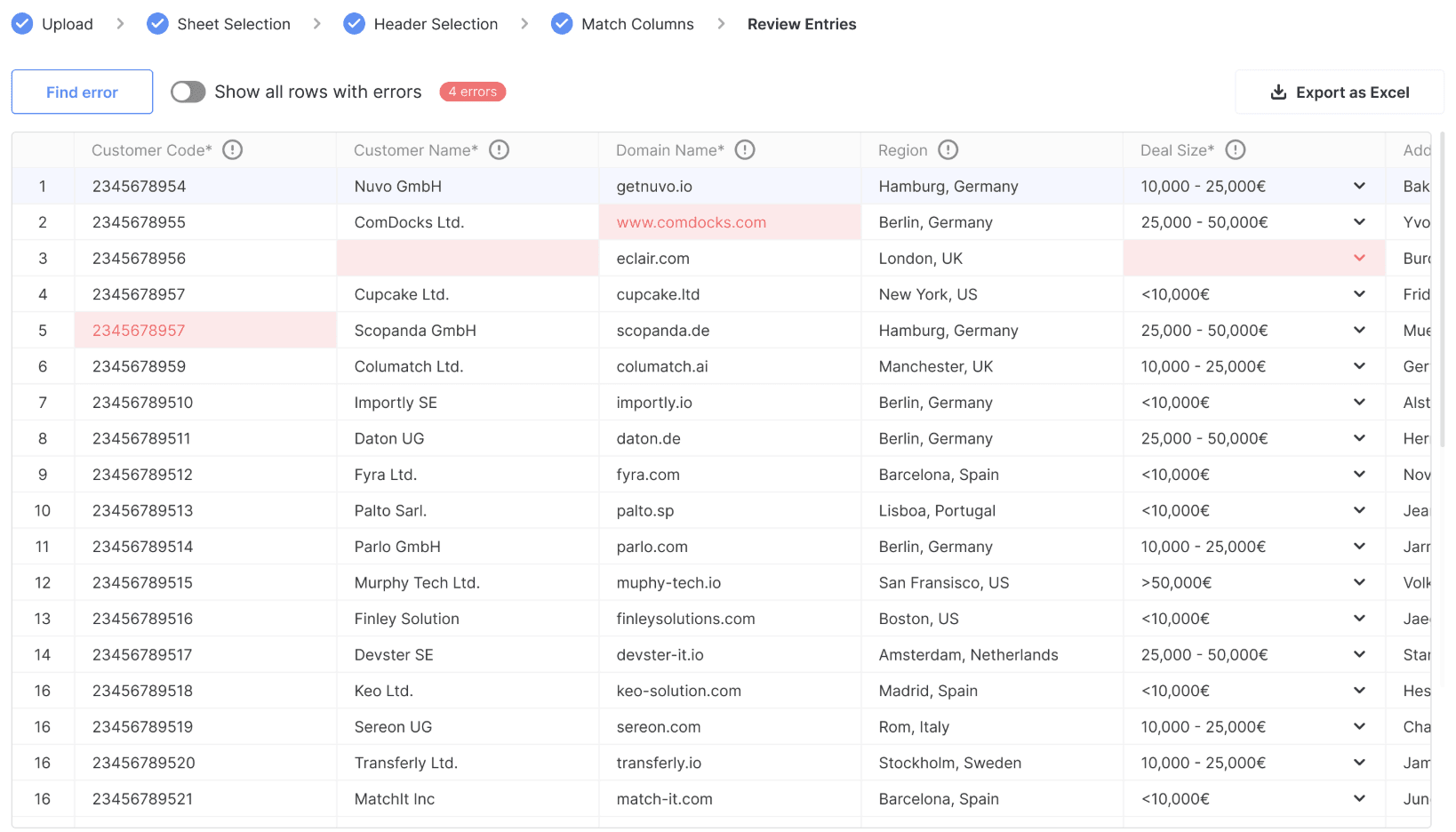 The Ingestro (formerly Nuvo) embedded importer with AI-assisted column mapping and the validation step.
Ranked #5 because Ingestro is the strongest European challenger with a private-mode architecture similar to Dromo and a Pipelines product that extends the SDK toward recurring imports. The reasons it is not higher: pricing is sales-gated, US presence is smaller than Flatfile/OneSchema/Dromo, and the 2025 rebrand from Nuvo introduces some name-recognition friction.
Summary. An embeddable importer SDK that operates in "private mode" where data does not pass through Ingestro/Nuvo servers; processing happens in the front-end of your target application. Built on Handsontable spreadsheet UI. Public customers include Sastrify, Prewave, and Insurwave. Strong DACH-region presence per OMR Reviews. The company added a Pipelines product alongside the importer SDK as part of the 2025 rebrand.
Best for
What it does well
Where it falls short
Pricing. Sales-gated. Tiered monthly licenses with import quotas per OMR Reviews. (getnuvo.com)
Verdict. Right pick for European mid-market SaaS with data residency requirements and a recurring-imports use case where Ingestro's Pipelines product can be bundled with the importer.
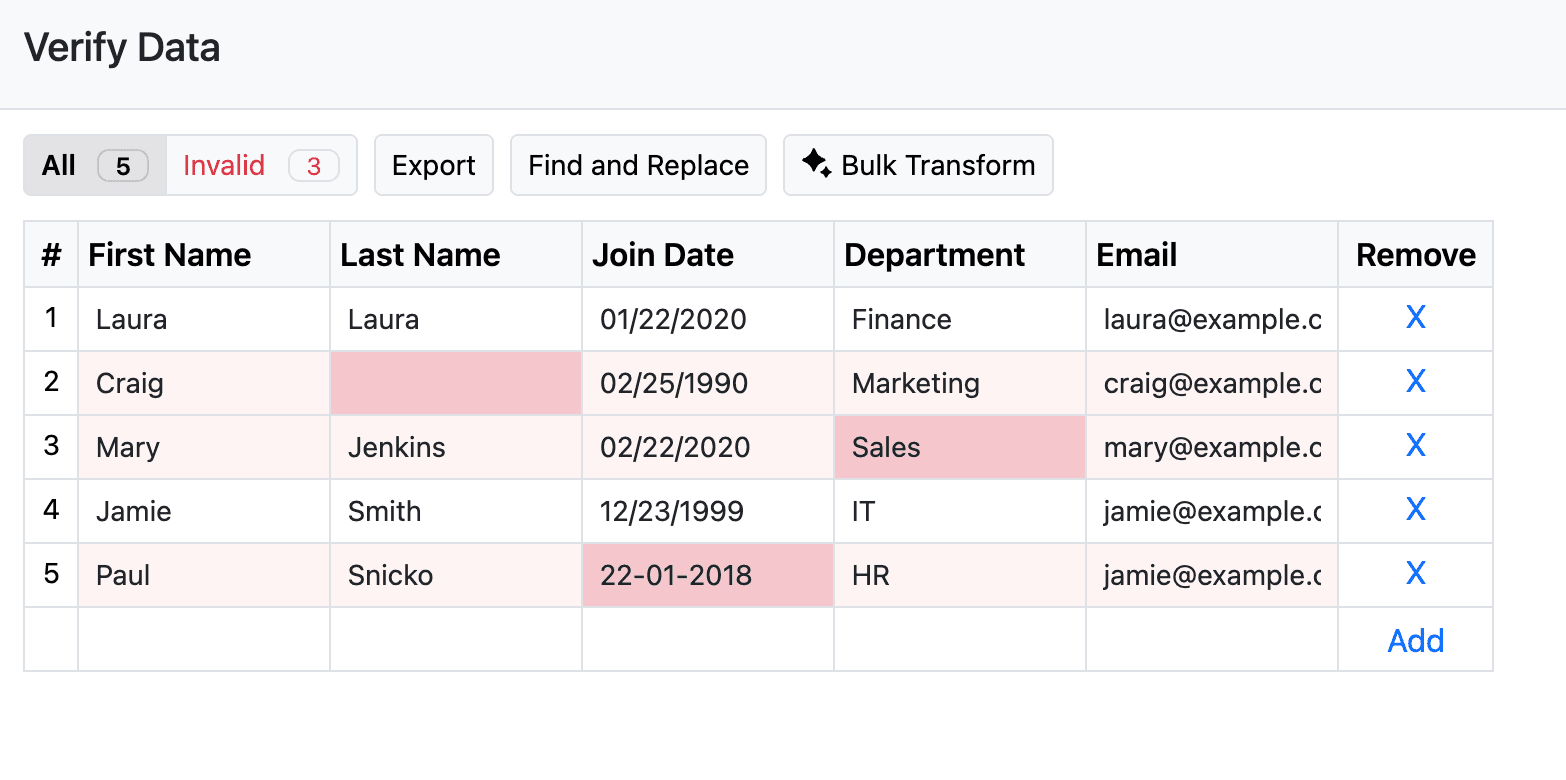 The CSVBox embedded importer modal in a customer-facing flow with AI column matching and validation.
Ranked #6 because CSVBox is the budget option with the most transparent pricing, 9 years in production, and a 2025 expansion into AI Document Import (PDFs, images, docs). The reasons it is not higher: smaller transform model than the enterprise tier, less polished review experience, and feature gaps relative to the top three on advanced bulk editing.
Summary. A lightweight hosted embedded importer with three transformation systems (Row Transforms, Column Transforms, Virtual Columns), all configured in JavaScript in CSVBox's dashboard editor. CSV/XLS/XLSX up to 500MB streamed. AI column matching, AI Bulk Transforms, AI Document Import added in 2025.
Best for
What it does well
Where it falls short
Pricing. Sandbox $0/month (100 imports, 5 rows/import). Startup $19/month (1K imports, 10K rows/import). Pro $49/month (5K imports, 50K rows/import). Growth $99/month (10K imports, 100K rows/import). Plus $199/month (10K imports, 500K rows/import). (csvbox.io/pricing)
Verdict. Best budget pick. Right tool for startups and SMBs that need an embedded importer for under $200/month with no sales call.
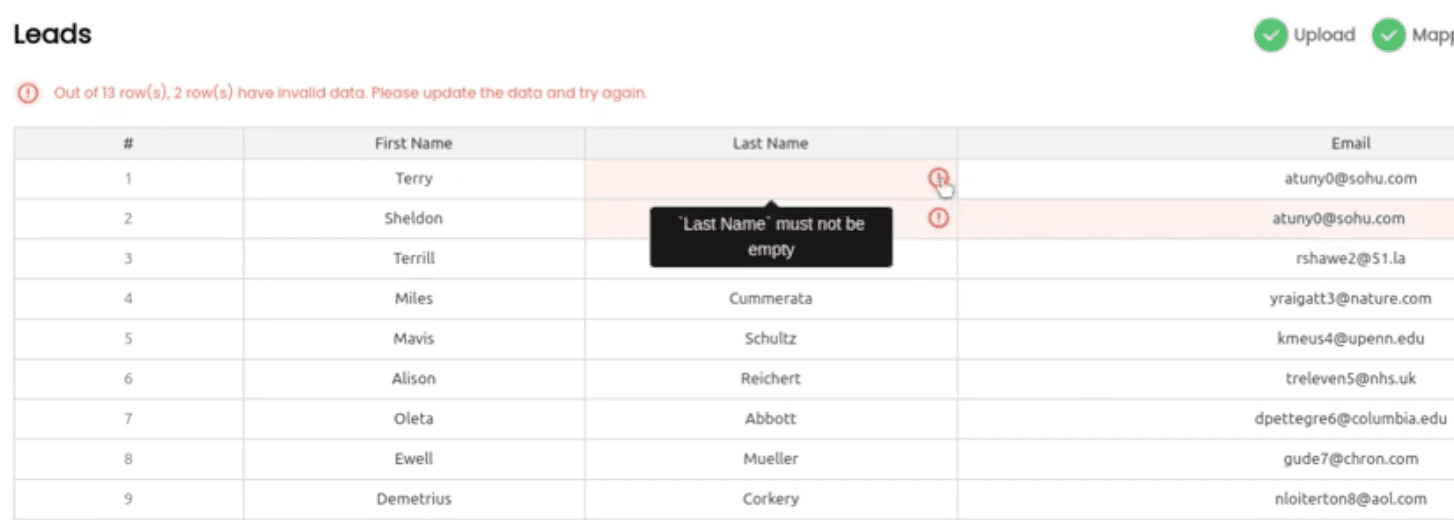 Impler's embeddable React widget with multi-step import flow.
Ranked #7 because Impler is the most actively maintained open-source embeddable importer (last commit December 30, 2025; ~268 GitHub stars; MIT license; active TypeScript codebase). It belongs on this list as the credible self-hostable option. The reasons it is not higher: smaller AI feature set than commercial alternatives, no LLM-based column mapping, and a community support model rather than commercial SLA.
Summary. An open-source embeddable importer (@impler/react plus a JS SDK) with a self-hostable Docker deployment and a cloud-hosted version. Validation hooks in JavaScript can call external databases. Excel template generator from defined schema columns. Validates 100K rows in approximately 5 seconds per impler.io.
Best for
What it does well
Where it falls short
Pricing. Self-hosted free under MIT. Cloud-hosted version: free tier plus paid plans (specific tier dollar figures not surfaced in public research at time of writing). (impler.io)
Verdict. Right pick for engineering teams that want an open-source, self-hostable embeddable importer and can absorb the smaller AI feature set.
| Tool | Reusable templates across customers | Conditional logic without code | Reference data lookups (no code) | AI generates reusable templates | File scale | Output delivery | Pricing transparency | Best fit user |
|---|---|---|---|---|---|---|---|---|
| DataFlowMapper Portal | Yes, admin-managed library, auto-match per upload | Visual logic builder | LocalLookup + RemoteLookup | Saved as reusable templates | 50M+ rows, server-side streaming | Customer S3 (default) | Custom (Portal) | Recurring operational imports |
| OneSchema | Per-schema; FileFeeds for recurring | Code Hooks | Webhooks / Lambda | FileFeeds saved transforms | 10M+ rows (Enterprise) | Webhook, SFTP, S3 (FileFeeds) | Sales-gated | Validation-heavy onboarding |
| Flatfile / Obvious | Per-Blueprint; Spaces per customer | Listeners | Listener code | Saved Transforms | Multi-million rows | Webhook, Listener push | Portal partial | Enterprise migration projects |
| Dromo | Per-schema | JS hooks | JS hooks | Session-only | Browser-limited; Headless API for scale | Webhook, BYO storage (S3/GCS/Azure) | Public | Privacy-first SaaS |
| Ingestro (Nuvo) | Per-schema; Pipelines for recurring | JS hooks | Server callbacks | Pipelines product | Front-end processing | Webhook, Pipelines connectors | Sales-gated | European mid-market SaaS |
| CSVBox | Per-template, saved mappings auto-apply | JS dashboard transforms | Lookup feature listed | Bulk transforms 2025 | 500MB streamed | Webhook, API, Zapier | Public ladder | SMB / startup |
| Impler (OSS) | Per-schema | JS hooks | Hook to external DB | No LLM AI | ~5M rows | Webhook, direct API | OSS / cloud unclear | Engineering teams avoiding lock-in |
Scroll horizontally on smaller screens. The first column stays pinned for easier comparison.
Two notes on the table.
First, "reusable templates across customers" is the criterion that most cleanly separates a transformation portal from a pure embedded importer. Every importer in this list saves a schema or blueprint. Few are designed around the case where the next customer from the same source system reuses the existing template with zero mapping work, and where the AI agent that builds new templates saves them as deterministic, reusable artifacts your team can govern.
Second, "AI generates reusable templates" is the differentiator most likely to be misread. Every vendor claims AI now. The structural distinction worth tracking is whether AI outputs are saved as deterministic, reusable transforms (DataFlowMapper templates, OneSchema FileFeeds saved transforms, Flatfile Saved Transforms) or session-only suggestions (Dromo AI Transform). For recurring operational imports, session-only AI is a non-starter.
The decision is by scenario, not by feature.
Scenario 1. Your customers upload recurring operational files (revenue, transactions, bordereaux, commissions, rent rolls) where the same source format keeps showing up across customers, and transformation logic includes business rules that change between clients. DataFlowMapper Portal. Template reuse and admin-managed logic is the entire game here. No other tool in this list keeps transformation logic out of your codebase.
Scenario 2. Customers upload simple, structured files at one-time onboarding. Validation depth (date parsing, currency, phone, regex constraints) is the primary need. OneSchema. Strongest declarative validator library and fastest customer self-service UX in the category. Confirm whether FileFeeds is in your contract scope if recurring imports are also a requirement.
Scenario 3. Strict data residency or zero-retention requirements where data must not transit a vendor's servers. Dromo Private Mode for US-hosted SaaS, or Ingestro private mode for European data residency. Both run processing in the customer's browser. Note the scale ceiling on browser-side processing.
Scenario 4. European customer base, German/French/Dutch language requirements on the importer UI, and you want both an embedded importer and a recurring-pipelines product from one vendor. Ingestro.
Scenario 5. Solo founder, startup, or SMB. You want an embedded importer for under $200/month with no sales call and no procurement loop. CSVBox. Fully published price ladder, mobile-ready, 9 years in production.
Scenario 6. Engineering team that wants to self-host the importer and avoid SaaS lock-in. AI features are not on the critical path. Impler. Active maintenance through end of 2025, MIT-licensed, embeddable React widget.
Scenario 7. You are about to renew a multi-year Flatfile contract. Re-evaluate post-renewal with the Obvious rebrand factored in. The Flatfile importer is still being sold and the official position is that nothing changes for the product, but the parent company's strategic focus has visibly shifted toward the Obvious AI workspace. Probe long-term R&D investment in the importer line during the sales cycle. (Full breakdown of the rebrand.)
Footnote on dormant vendors. UseCSV is excluded from the main ranking because the project shows no GitHub activity since February 2024, the pricing page still references "© 2023," and no AI features were added during the 2024-2026 industry-wide AI shift. A 2026 buyer should not commit to UseCSV without direct vendor verification of active support and roadmap. Osmos was acquired by Microsoft on January 5, 2026 and its standalone embedded importer products are sunsetting as the technology rolls into Microsoft Fabric.
Three questions worth working through before signing a contract:
How many engineering hours per quarter currently go to import format changes? If the answer is "some" and you cannot put a number on it, that is a signal that it is too normalized to track. Track it for one quarter. The number is usually uncomfortable, and it is the right baseline for measuring whether a tool actually moves transformation logic out of the codebase.
What happens when a customer sends a file structure you did not expect? If the answer involves a ticket, a sprint, or finding the right developer to fix the script, the bottleneck is structural. A better upload widget will not fix a structural problem. The right question is which tool moves that fix off the engineering team.
If a customer's business rules change next month, who owns the change? With a pure embedded importer, the answer is engineering, every time, because the rules live in JavaScript hooks. With a transformation portal, the answer is whichever admin owns the template. That single difference compounds across every client and every format change.
For a deeper read on the recurring-imports pattern specifically, see Flatfile alternatives for recurring imports and complex transformations. For the broader transformation-tool category (including non-embedded options), see 10 Best Data Transformation Tools for CSV Mapping.
 DataFlowMapper
The DataFlowMapper Portal embeds in your product, lets your team manage transformation templates without code, and keeps customer business rules out of your engineering backlog.
This page will be updated quarterly as pricing, ownership, and feature sets change. Last reviewed May 2026.
There is no single best tool. The right answer depends on what your customers' files actually require after upload. If your customers send clean, simple files and column mapping plus type validation covers your needs, OneSchema or Dromo will both work. If your customers send recurring operational files with conditional business logic, reference data lookups, or rules that change between clients, every pure embedded importer pushes that work into JavaScript hooks in your codebase, so an admin-managed transformation portal is the better fit. The most common procurement mistake is buying a pure importer for what is actually a transformation problem, then accumulating engineering debt every time a client format changes.
An embedded importer (Flatfile, OneSchema, Dromo, CSVBox, Ingestro) is a UI component you embed in your product where customers upload, map columns, and submit. Anything beyond column mapping and type validation runs as JavaScript hooks in your application code. A transformation portal (DataFlowMapper) flips that pattern. Your team builds and governs the transformation library, with mappings, validations, conditional logic, and reference data lookups all configured as templates. End customers upload into the portal and the right template auto-matches. For novel formats, a built-in AI agent generates a new template in roughly 15 minutes and saves it to that customer's library. End customers can also refine field-level logic in plain English and save the result as a new template, while admin-defined validations and schema rules remain enforced on every run. This is the difference between a tool that handles upload and a tool that handles transformation.
Yes, all of the major embedded importers require developer code for transformation logic beyond basic column mapping. Flatfile uses recordHooks (JavaScript/TypeScript) that fire on commit:created events. OneSchema uses Code Hooks (JavaScript, deployable to AWS Lambda or similar) plus separate Validation Webhooks. Dromo uses five hook types (column, row, bulk row, step, completion), all in JavaScript. CSVBox uses Row Transforms and Column Transforms in JavaScript. Ingestro uses similar declarative rules plus JavaScript hooks. In every case, conditional logic, calculated fields, reference data lookups, and multi-field business rules are written and maintained as code in your codebase. DataFlowMapper is the exception, with transformation logic configured visually in admin-managed templates, no codebase hooks required.
In late 2025, the company that was Flatfile renamed itself to Obvious and launched a separate, general-purpose AI workspace product also called Obvious. The Flatfile importer product still exists under the Flatfile name and per Flatfile's official position, the importer is unchanged with the same features, same APIs, same integrations. The risk for buyers is strategic uncertainty. PitchBook reclassified the company's primary industry to 'Business/Productivity Software', the G2 profile is unmanaged for over a year, and there is no dedicated press release announcing the rename. For buyers signing a multi-year embedded importer contract, the question worth probing in any sales cycle is the level of long-term R&D investment in the Flatfile importer line versus the new Obvious workspace.
DataFlowMapper handles the largest files of any embedded importer reviewed here, processing 50M+ row files via server-side streaming where the full file is never held in memory. OneSchema processes server-side and supports 10M+ row spreadsheets on Enterprise (custom in-memory Rust servers per OneSchema's documentation). Dromo's default mode runs in the browser, which creates a hard memory ceiling for larger files. The Headless API moves processing server-side at additional cost. CSVBox supports CSV/Excel up to 500MB streamed. Ingestro and Impler do not publish specific row or file size limits. For SaaS products where enterprise customers send revenue files, transaction exports, or insurance bordereaux at multi-million row scale, server-side streaming is the only architecture that holds up at scale.
Most embedded importers deliver cleaned data via webhook (JSON POST to your endpoint) or a JavaScript callback. Direct S3 delivery requires either a paid add-on or extra application code. Dromo offers Bring Your Own Storage on Pro, which lets you persist files directly from browser to S3, GCS, or Azure Blob. Flatfile delivers via webhook and event-driven Listeners that can write to S3. OneSchema delivers via webhook, with FileFeeds adding SFTP and S3 connectors as part of the recurring pipelines product. CSVBox lists S3 in its connector library. Dromo, OneSchema, and Flatfile all require code or configuration to make S3 the destination. DataFlowMapper Portal delivers transformed, validated output directly to your customer's S3 bucket as the default destination, with cloud connections scoped per integration during onboarding, no extra code required.
Nuvo rebranded to Ingestro in 2025. The G2 listing now reads 'Ingestro (frm. nuvo)' and the website at getnuvo.com displays Ingestro branding. The product itself is broadly unchanged in architecture (browser-side 'private mode' processing, similar to Dromo's Private Mode), and the company added a Pipelines product alongside the embedded importer SDK as part of the rebrand. Ingestro remains the strongest European challenger in the embedded importer category, with public customers including Sastrify, Prewave, and Insurwave, and is well represented on European review sites like OMR Reviews. Pricing is sales-gated, and US presence is smaller than Flatfile, OneSchema, or Dromo.
Pricing transparency in this category is bifurcating. Dromo publishes Pro at $499/month with a multi-year price-lock guarantee. CSVBox publishes a full ladder ($19, $49, $99, $199 per month). Flatfile Portal publishes pay-as-you-go ($2/file plus $2.50 per million PDV) plus a Professional tier at $799/month billed annually. OneSchema and Ingestro do not publish dollar figures and require a sales call. DataFlowMapper Portal is sold via custom pricing. Buyers should be cautious of vendor-published pricing pages that have not been updated in 12+ months (UseCSV's pricing page still references '© 2023' and the project shows no GitHub activity since February 2024, a strong signal to verify active support before committing).